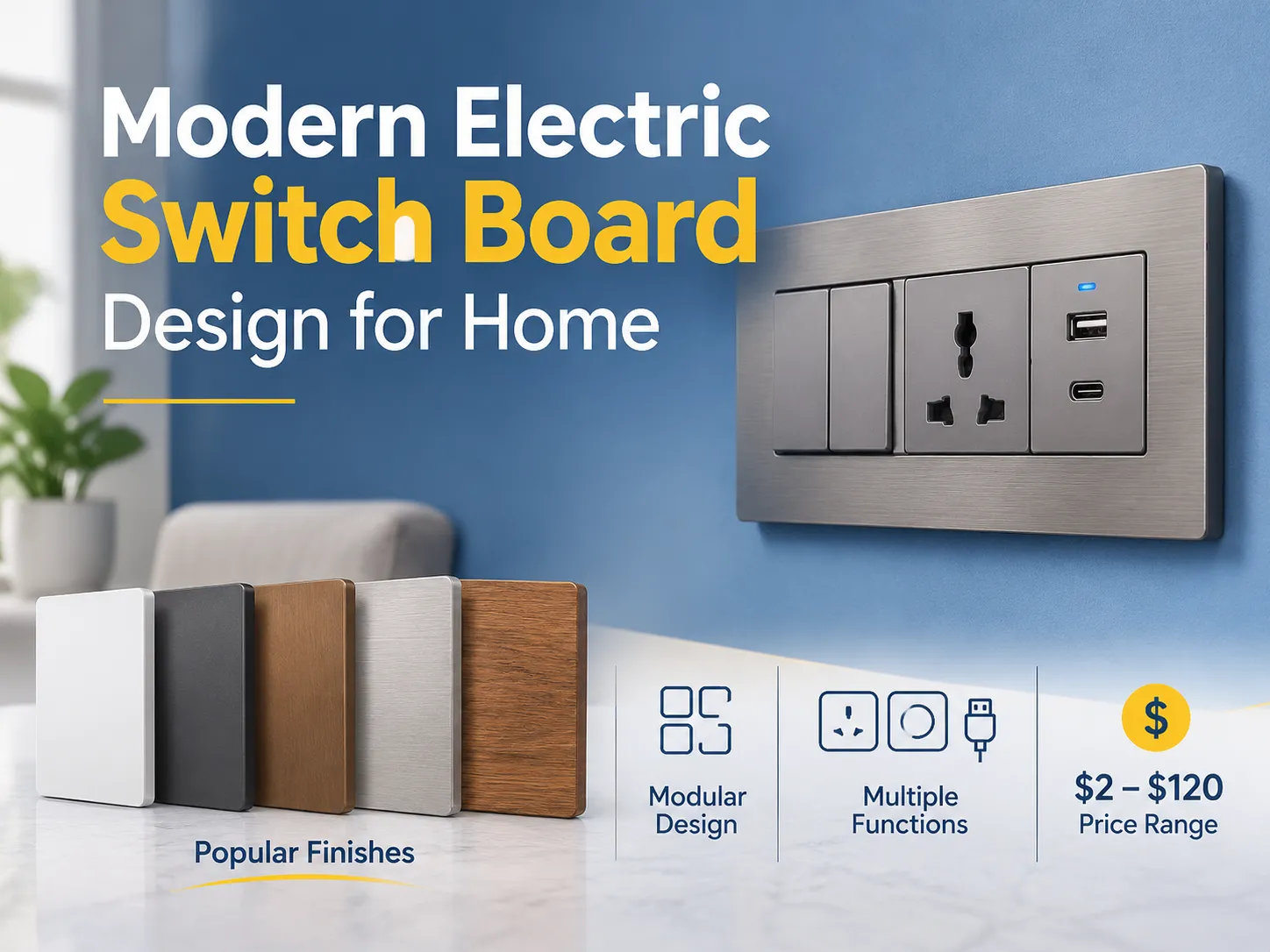
A presença de uma porta USB é uma melhoria de uma tomada AC atual e cria novas oportunidades na tecnologia de carregamento. USB rapidamente se tornou um benefício adicional na maioria dos equipamentos domésticos, enquanto as tomadas elétricas tradicionais têm sido usadas há muito tempo para alimentar equipamentos eletrônicos desde que os dispositivos elétricos foram inventados.
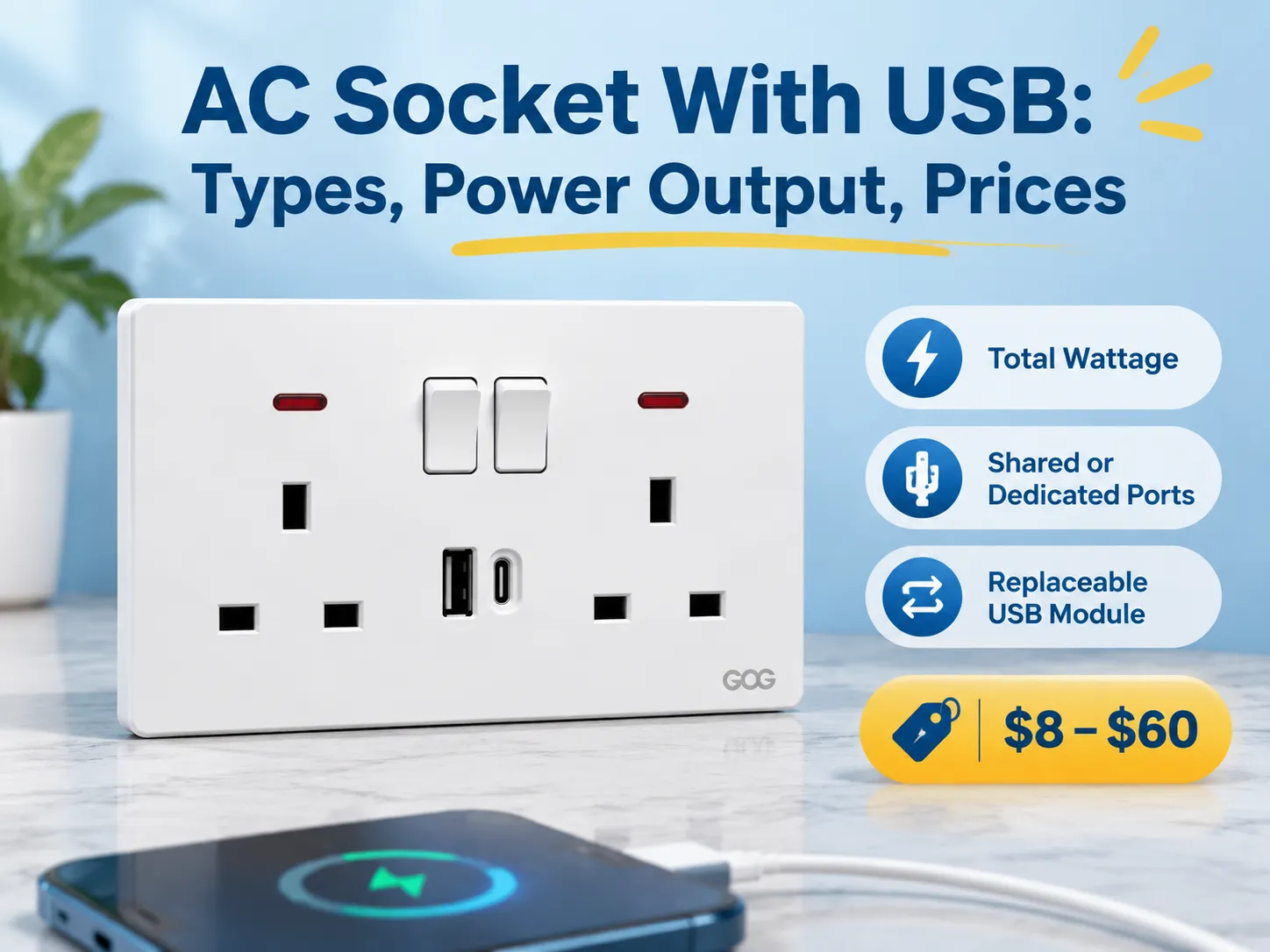
Resposta rápida: Em relação à estrutura de preços desses produtos, eles normalmente variam de $8-$20 para a versão básica, que contém duas (2) portas USB que compartilham 2,1 A de potência de saída; $15-$35 para uma tomada USB Type-C que suporta 18 W Power Delivery; $25-$60 para produtos PD que fornecem 30 W ou mais; e as versões de marca geralmente custam de duas a três vezes esse valor.
Os parâmetros gerais desses produtos elétricos são a potência total, se eles compartilham um orçamento para determinar quanta energia recebem, e se vêm com um módulo USB substituível. Este artigo discute como esses produtos são geralmente nomeados, os cinco (5) tipos diferentes disponíveis para compra hoje, o que significa a classificação de potência, os padrões para esses produtos, seus preços por configuração de produto e fabricante, quais são os modos potenciais de falha e como instalar o produto. A seção final inclui uma visão geral de onde encontrar fornecedores de fábrica.
O que é uma tomada de parede AC com conexão USB?
Uma tomada de parede AC com conexão USB é uma tomada de parede AC que possui uma alimentação de rede AC e uma (ou mais) portas USB. Essas portas USB estão conectadas ao mesmo circuito AC da tomada de parede ou frequentemente possuem sua própria conexão de cabo de alimentação dedicada. Cada uma das portas USB terá uma pequena fonte de alimentação que converte a tensão AC (120 Volts ou 230 Volts) para a baixa tensão DC de 5 Volts, e nas versões mais recentes desse tipo de produto (aquelas projetadas para carregar dispositivos mais novos) tensões mais altas são negociadas entre o dispositivo sendo carregado e a porta USB conectada ao dispositivo.
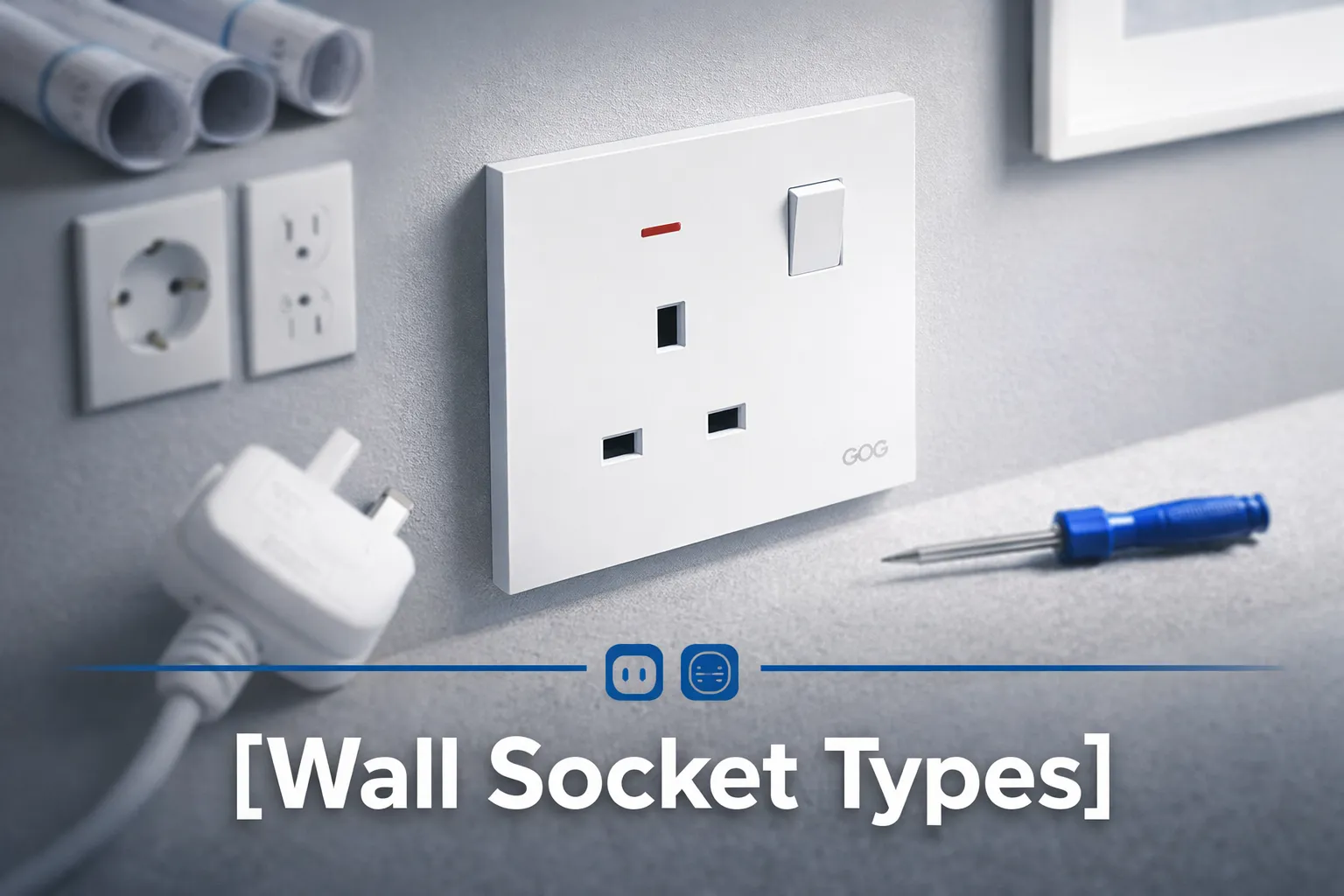
Dependendo de onde você mora, o nome desse produto pode variar conforme sua região, e isso pode dificultar encontrar o estoque correto. No Reino Unido e no Oriente Médio, é comum usar “USB wall socket” ou “USB socket”, na América do Norte a terminologia é “USB outlet” ou “USB receptacle”, para fins decorativos você pode ver “USB Decora outlet”. Muitas regiões na Austrália e Ásia referem-se ao produto como “Power Point” ou “Power Point USB”. Além disso, diferentes catálogos se referem a esse produto como “USB Charger Socket” ou “Wall Charger Outlet”, ambos referindo-se ao mesmo produto.
Existe uma diferença técnica entre uma tomada de parede USB que possui um inserto USB “modular” ou separado, comparado a uma porta USB “integrada” ou “não modular”. Uma porta USB integrada geralmente será mais barata, pois a tomada completa precisará ser comprada toda vez que a porta USB falhar (já que a porta USB não pode ser substituída). Se você escolher uma porta USB do tipo inserção modular, poderá trocar o módulo em menos de 10 minutos, razão pela qual a maioria das especificações atuais para tomadas USB especifica portas USB modulares.
Cinco Tipos Diferentes Vendidos Hoje
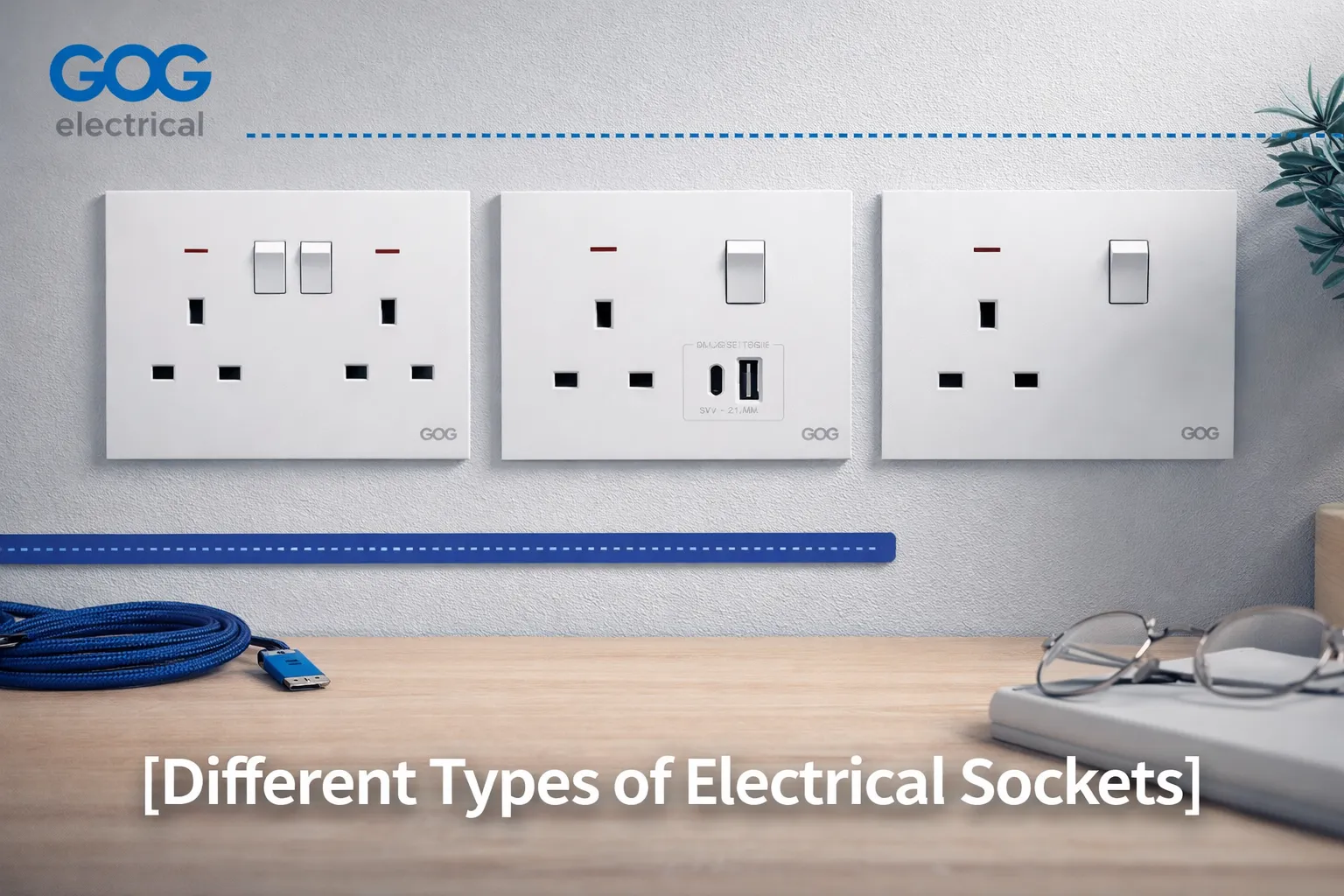
- Tomada única, portas USB-A duplas, que são a configuração USB original e atualmente a tomada USB mais comumente encontrada, especialmente em aplicações residenciais. A configuração consiste em duas portas USB-A que compartilham 2,1 Amperes, juntamente com uma tomada elétrica com ou sem interruptor. A tomada oferece uma solução de carregamento durante a noite para telefones, mas tem dificuldade para carregar tablets.
- As tomadas são equipadas com Portas Únicas (USB-A/USB-C) ou Portas Duplas (USB Duplo) tecnologia. A configuração de Porta Única é a forma típica atual de especificar uma nova ordem de trabalho; um cabo USB-A existente pode ser carregado com um novo cabo USB-C sem adicionar um adaptador para converter de USB-A para USB-C.
- A configuração USB Duplo normalmente possui uma combinação de tensão da rede elétrica e duas portas USB localizadas na mesma tomada. O uso de portas duplas é agora comum em quartos de hotel ou mesas de cabeceira, onde os hóspedes geralmente têm um telefone e um laptop que não usam carregador.
- USB-C de Alta Potência com Power Delivery está disponível, fornecendo uma porta de 30 W ou 65 W. O uso deste tipo de tomada para carregar laptops resultará em um aumento mínimo de preço de aproximadamente o dobro devido ao aumento do tamanho e dos requisitos de dissipação de calor da fonte de alimentação (dentro da caixa da parede) necessária para fornecer energia.
- Uma inserção modular é uma placa que aceita o módulo USB como uma de suas tomadas; portanto, a mesma placa pode suportar um interruptor, tomada ou carregador USB. Usando esta configuração, o projeto deve especificar a inserção modular porque uma atualização do módulo USB de 18 W para 65 W pode ocorrer sem a necessidade de acessar e tocar na parede.
Potência de Saída: O Que os Números Significam?
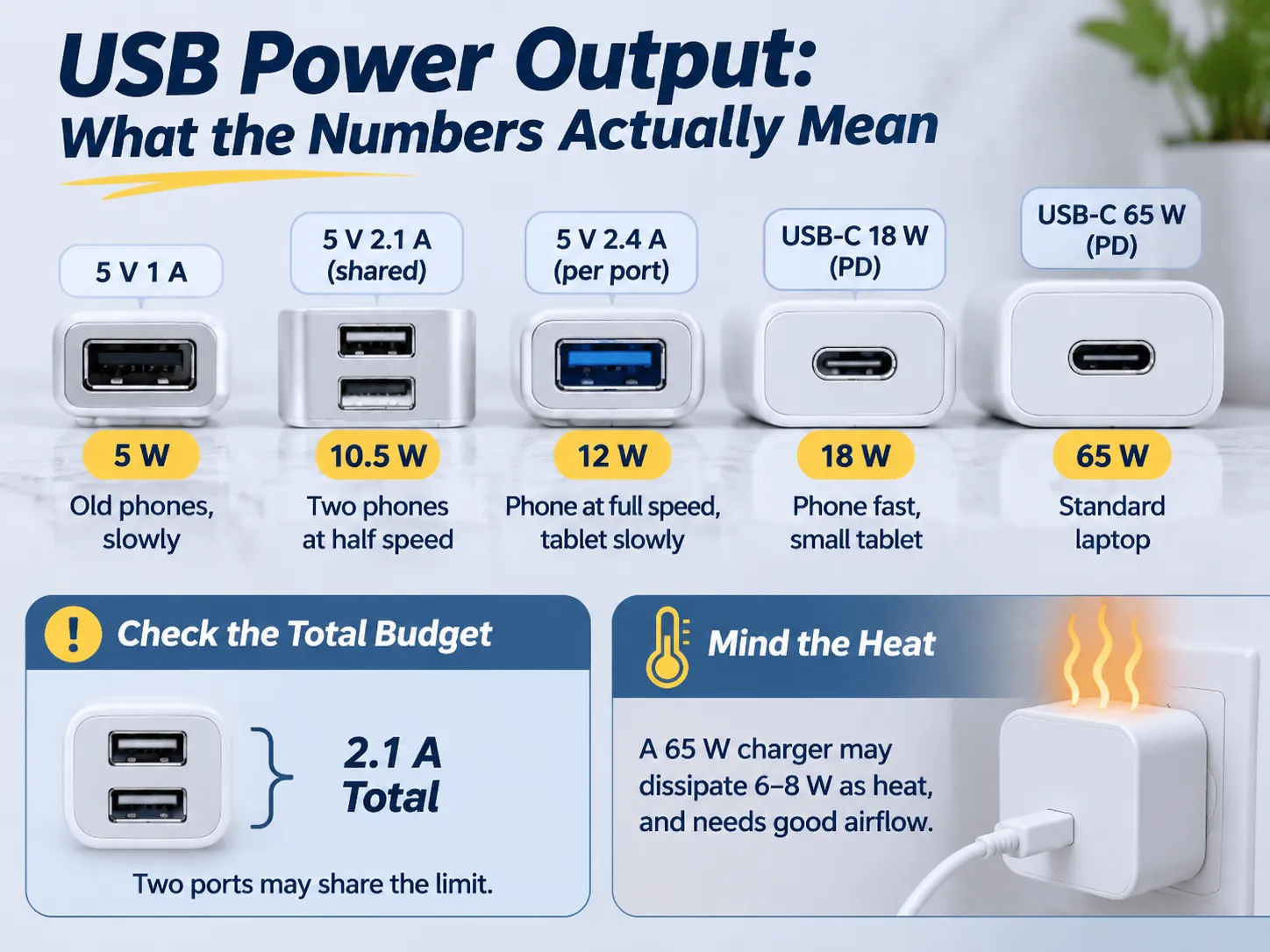
A rotulagem nas tomadas USB lista amperes ou watts; as duas unidades não podem ser intercambiadas se duas portas forem usadas para carregar.
Por exemplo, uma porta USB marcada como 2,1 A fornecerá 10,5 W a 5 V ao carregar um dispositivo e uma porta USB marcada como 3 A fornecerá 15 W.
Embora o número de portas possa afetar a rapidez com que você pode carregar um dispositivo, é a quantidade de calor gerado que pode causar problemas. Ao comparar a velocidade de carregamento de um telefone com múltiplas portas (2) com a velocidade de carregamento de uma porta (1), é importante considerar a quantidade de calor gerado e a tolerância ao calor de ambos os dispositivos ao carregar ao mesmo tempo.
A quantidade de calor gerada também varia significativamente dependendo de como o dispositivo é projetado. Por exemplo, se você tiver duas portas 5 V @ 2,1 A em uma placa de 30 W, poderá dividir a saída total, ou seja, quanto cada porta pode retirar da bateria, por 2 na outra porta. Neste caso, embora dois telefones possam ser carregados simultaneamente, cada telefone está recebendo apenas 1,05 A dessa porta em comparação com os 2,1 A fornecidos pela mesma capacidade.
Alternativamente, ao carregar dois telefones usando uma única porta com uma saída total de 30 W, você pode adotar qualquer uma dessas abordagens dependendo da decisão de design do fabricante ou das suas próprias diretrizes de carregamento. Sempre pergunte ao seu fabricante pela potência total das duas portas e como as diretrizes de carregamento do fabricante alocam essa potência, não apenas a saída máxima por porta.
De modo geral, dividimos uma fonte de energia em uma classificação de potência ideal, uma classificação de potência nominal e uma classificação de potência real, conforme segue:
- Ideal (Classificação de Potência) – a operação mais eficiente de uma fonte de energia gerará a menor quantidade de calor enquanto fornece a máxima potência disponível
- Nominal (Classificação de Potência) – a saída média de potência de uma fonte de energia não excede a classificação nominal
- Real (Classificação de Potência) – a fonte de energia geralmente fornecerá a potência máxima potencial disponível enquanto gera mais calor do que a fonte de potência ideal
A maioria das tomadas de 65 Watts pode dissipar 6-8 Watts como calor através da condução térmica. Elas produzirão temperaturas mais altas do que o esperado quando instaladas tipicamente sem fluxo de ar, e se a tomada for instalada dentro de uma caixa que seja isolada ou tenha sido coberta por móveis, a temperatura será ainda maior do que seria de outra forma; por isso, todas as tomadas de 65 Watts que usam USB devem indicar a profundidade mínima da caixa e a temperatura ambiente máxima. Se uma tomada de 65 Watts for instalada em uma caixa muito rasa atrás de um sofá, ela pode falhar muito antes do que você esperaria das especificações do fabricante.
USB-A, USB-C e Power Delivery
USB-A é a porta padrão em formato retangular que está presente há cerca de 20 anos em praticamente todos os carregadores. O padrão USB-A exige que os dispositivos se conectem com 5 Volts e podem negociar até 12 Volts por métodos proprietários. O padrão USB-C usa um conector oval reversível, e é importante porque permite uma transferência de energia maior e fornece um método padrão para que os dispositivos negociem a quantidade de energia que podem retirar através de um conector USB-C.
Power Delivery é o método padrão que permite que o dispositivo conectado à porta USB-C e a fonte de alimentação negociem a quantidade de voltagem e corrente disponível, permitindo assim que dispositivos que consomem mais energia do que o que era anteriormente possível em conectores USB (30 Watts para a fonte de alimentação de 12 Volts) o façam através de um único cabo. Se um conector USB-C não usar Power Delivery, ele é o mesmo que um conector de 5 Volts que tem uma nova forma, e infelizmente, existem muitas fontes de alimentação baratas que são exatamente isso.
Existem essencialmente duas regras a seguir ao instalar portas USB em tomadas de parede. Uma porta USB-A conectada a uma tomada de parede tem tempo suficiente para ser útil pelos próximos 5-10 anos porque ainda existem muitos cabos disponíveis que são projetados para conexões USB-A. Portanto, para residências ou empresas que não planejam refazer a fiação, seria inteligente fornecer uma tomada com uma porta A e uma porta C.
Uma tomada USB-C sem suporte a Power Delivery não suportará capacidades de carregamento rápido. Todas as tomadas USB-C podem suportar carregamento rápido se a conexão for corretamente dimensionada a partir do conector USB (tipicamente pelo menos um cabo USB-C para USB-C); no entanto, não há vantagem em pagar mais por uma tomada que suporta carregamento rápido quando conectores padrão A funcionam tão bem e carregam na mesma velocidade.
Normas e Requisitos de Segurança
Alguns critérios podem determinar se uma tomada é segura para instalação ou não. Todos os quatro critérios devem existir no design da tomada e não serão visíveis, pois são internos à tomada.
- Deve haver conformidade com a rede elétrica na tomada. Isso significa que a tomada deve cumprir os padrões estabelecidos pelo país onde está instalada (por exemplo, BS 1363 para o Reino Unido e os Países do Golfo, AS/NZS 3112 para a Austrália, configurações NEMA para a América do Norte, e o padrão equivalente baseado em IEC para todos os outros países). Só porque a tomada contém um módulo USB não significa que ela isenta qualquer um dos outros requisitos para a tomada.
- Deve haver isolamento seguro da rede elétrica para a saída USB. Uma tomada USB deve ter uma barreira de isolamento da rede elétrica, que deve passar pelo mesmo teste de impulso que outras partes do dispositivo precisam passar. Este é o aspecto mais crítico da segurança, e é o que separa uma tomada segura de uma tomada perigosa; portanto, uma tomada barata pode ser um perigo elétrico legítimo, não apenas uma de baixo desempenho.
- A conexão USB consumirá energia quando conectada à parede mesmo que nada esteja conectado à tomada USB. Tomadas USB de qualidade consumirão menos de 0,1W em modo ocioso; no entanto, tomadas USB de baixa qualidade consumirão mais de 0,5W em modo ocioso. O consumo de energia para conexões USB se acumulará ao longo do tempo se você instalar várias tomadas em sua casa.
- Quando quente, uma alimentação USB deve ser desligada antes que danifique a eletrônica na tomada de parede; portanto, as melhores tomadas são aquelas que possuem um recurso de reset térmico que reduzirá a quantidade de energia consumida quando a temperatura da tomada ultrapassar um determinado limite. Essa capacidade é o que permite que uma tomada de 30W funcione em um armário quente.
Ao emitir um projeto para uma tomada, é prudente solicitar uma cópia tanto do relatório de teste do lado da rede quanto do relatório de teste de isolamento. Um fornecedor já produziu ambos os tipos de produto rapidamente antes; um fornecedor que envia um certificado de um modelo diferente nunca o fez.
Antes de escrever especificações para um novo produto, você deve verificar a Gama Completa desse Produto para os Tamanhos de Módulo específicos associados à linha de produtos em questão, pois um determinado inserto USB funcionará apenas com os sistemas de Placa para os quais foi projetado.
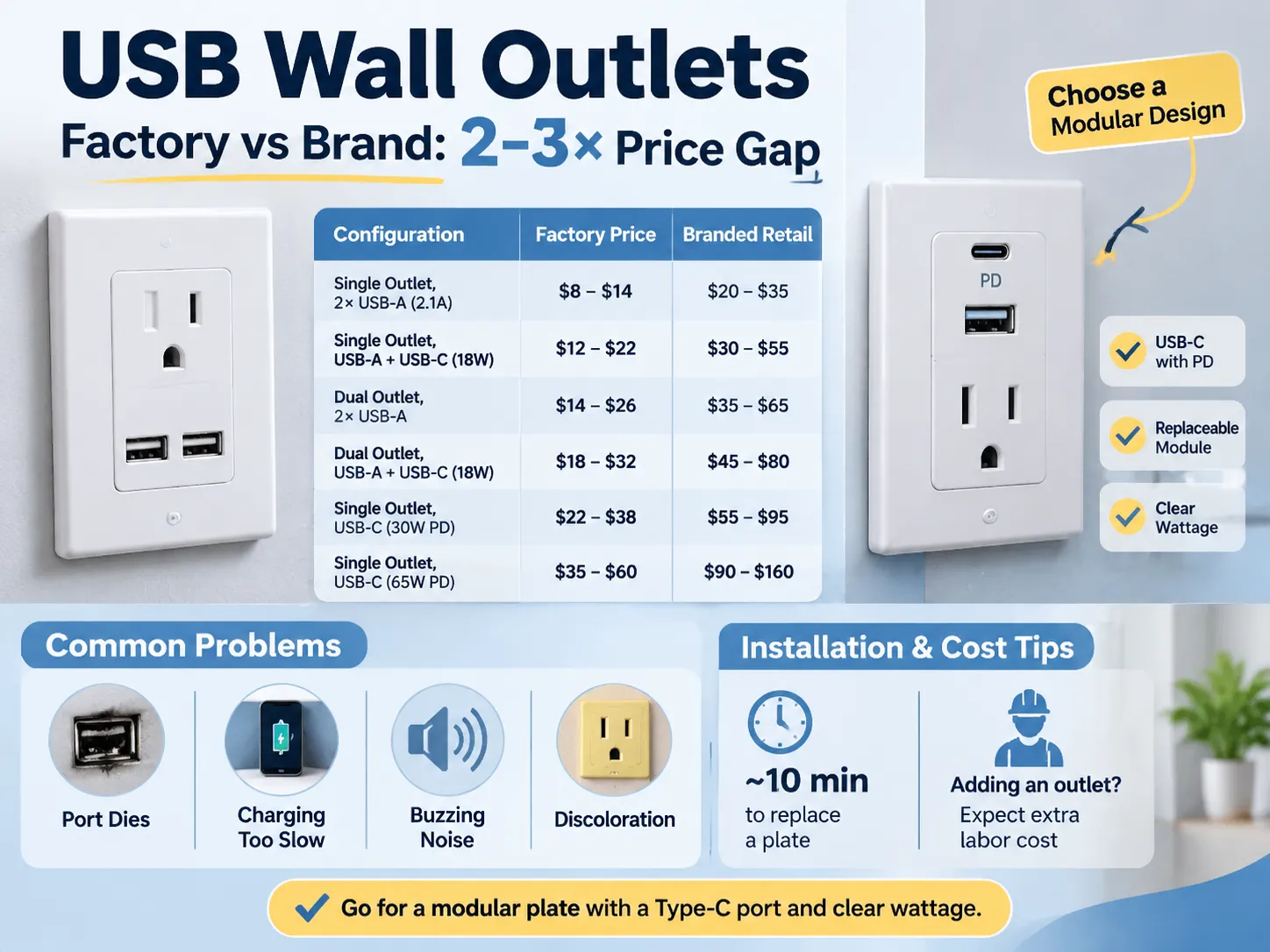
Comparando Configurações
| Configuração | Preço de Fábrica | Branded Retail |
|---|---|---|
| Single outlet (Dual USB-A 2.1 A Shared) | $8 – $14 | $20 – $35 |
| Single Outlet (USB-A + USB-C 18 W) | $12 – $22 | $30 – $55 |
| Dual Outlet (Dual USB-A) | $14 – $26 | $35 – $65 |
| Dual Outlet (USB-A + USB-C 18 W) | $18 – $32 | $45 – $80 |
| Single Outlet (USB-C 30 W PD) | $22 – $38 | $55 – $95 |
| Single Outlet (USB-C 65 W PD) | $35 – $60 | $90 – $160 |
The difference between the costs of the factory and branded products is the same difference that exists among all Wiring Devices; a Factory sells a Plate and a Module whereas a Brand sells a Plate, a Module, a Box, a Warranty, and a Distribution Margin. The difference between Factory Pricing and Brand Pricing is typically two to three times greater, and in many cases even more so due to the fact that many Brands also have a Local Service Desk in addition to the Factory Pricing. The difference is easiest to see when comparing the price of the same 13 Amp Plate (available through a Factory and a retailer) several pages apart.
You should also keep in mind that Installation costs are separate from Material costs, and it is easy to underestimate the Installation costs associated with replacing a Plate with a USB Plate, an Installation will take about ten minutes to complete once the power is turned off.
An outlet can be added by an electrician, and when a solid wall is present, the cost of doing this will exceed the cost of the outlet itself.
What Goes Wrong in Service
When a fault occurs, there are four modes of failure associated with these ports, and these four modes are present in all specifications before a purchase is made.
- One mode of failure occurs for both the outlet and the port. Because the USB (Universal Serial Bus) module is built into the outlet, the entire outlet must be replaced if the USB port fails. If the USB port is not built-in, the USB port can be replaced at a lower cost than replacing the entire outlet.
- Another mode of failure occurs when a user experiences slow charging. A user blames their charging cable for this failure, but the problem is caused by a shared 2.1 amp USB port. If two phones are connected to the same USB port, they both receive a maximum current of 1.05 amps, which appears as a fault to the user. The best option to avoid this issue is to specify either the total current that can be supplied by a USB port or the maximum current that can be provided to each port individually.
- A third mode of failure is when an outlet creates a buzzing noise. This is caused by the low quality of the power supply and lack of filtering. The buzzing sound occurs when the power supply is under a light load. The sound of the buzzing is not dangerous; however, it is very irritating for users who have the outlet in their bedroom.
- The fourth mode of failure is the discolouration of the outlet plate. This discolouration occurs because the plastic around the USB module heats up when the outlet is used continuously in a sealed box. The result is that the plastic will turn yellow within two years. If a higher quality outlet is selected, it would use polycarbonate plastic and a thermal cut-off device; however, the cost difference is approximately $10.
To avoid issues with most of the failure modes listed above, select a modular plate, a replaceable USB module, and a type C USB port with Power Delivery, and specify the total wattage of the new outlet. The cost of this combination is approximately $10 more than the lowest-cost option, but it will eliminate the three most frequent complaints.
The various electrical wiring devices in a room, including switches and sockets, are determined by how you choose to combine them to work together within that particular area.
Installation and the Wall Box
How they are installed and how they fit into your home is primarily determined by the wall box that is used to mount the devices. In this regard, a standard 35 mm box will only provide enough space to accommodate low-power modules and is only marginally acceptable for installations of higher wattage (18 W). The reason for this is that both the wiring and the module require air space to allow for heat dissipation, and with a box of this size there is not enough air space available.
In order to safely install a 30 W or 65 W outlet, you should use a 47 mm box, as it provides sufficient air space and is only slightly more expensive than the 35 mm box at first fix.
Where an installation should be positioned is equally important to how deep the box is. An outlet that is installed next to a bed and used on a nightly basis will benefit from having a switch to be able to isolate the module, whereas an outlet that is located above the worktop in a kitchen may be intermittent and best installed beneath a cabinet. Also, a receptacle in a hotel room should be located on the nightstand next to the bed and be easily accessible without having to get up, as opposed to one that is located on the opposite side of the room.
All markets have three common installation notes regarding USB outlets. Firstly, USB devices draw power from the circuit, even when no device is connected. Therefore, it is advisable to connect USB modules to switched or at minimum protected circuits. Secondly, it is important that at the installation location, there should be a neutral wire in order for the USB module to function. Many older homes do not have neutrals in their existing wiring. Finally, the installation location for a USB outlet should be within the manufacturer’s rated ambient temperature range, which typically excludes areas inside of cupboards next to stoves.
The 13A British standard outlines the manufacturing of the socket and is the most common British standard; therefore the continuity of the 13 A socket volume production line, where the installation cost drops to a predictable range of costs based on volume.
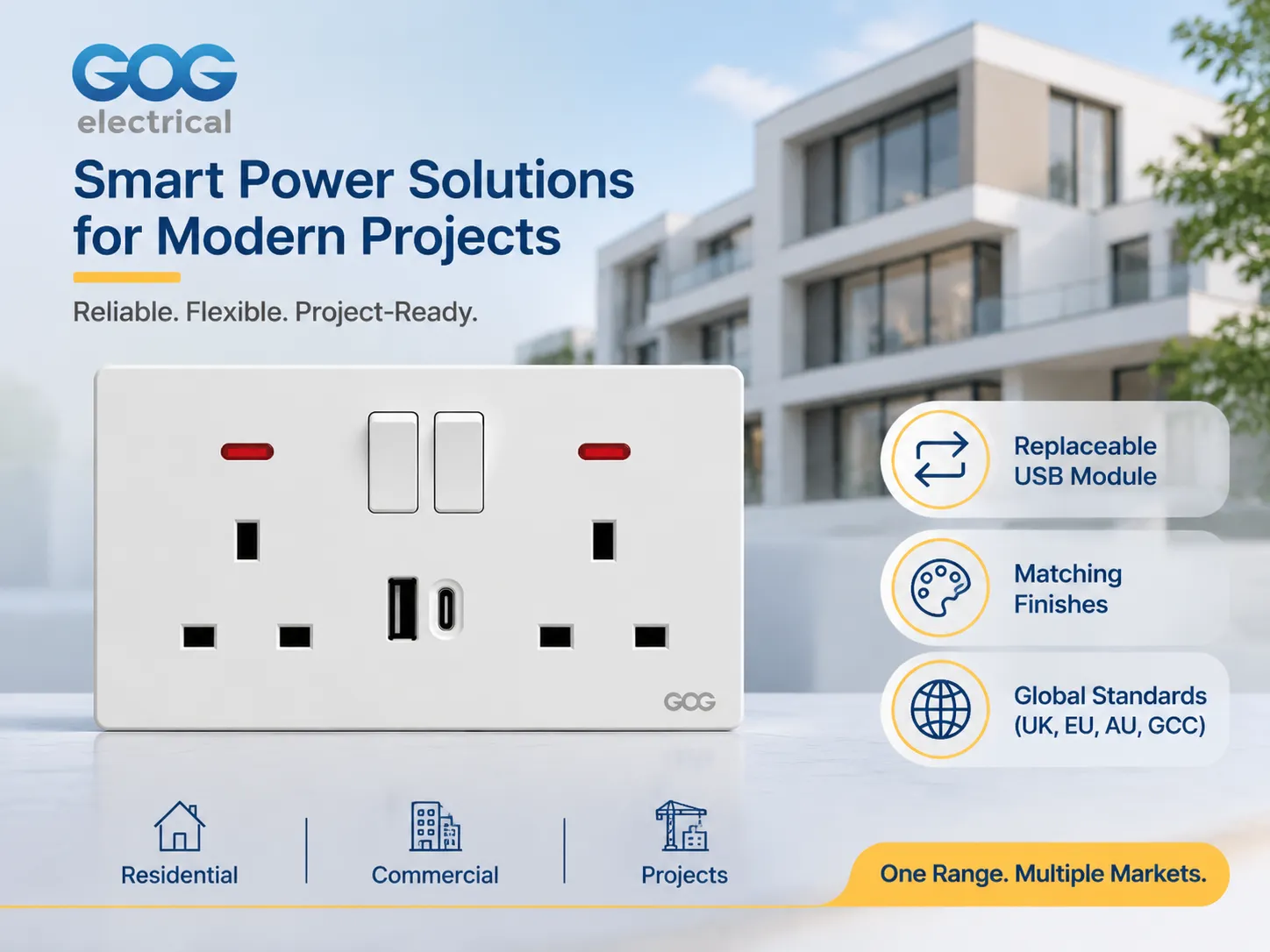
How does GOG fit into the equation?
GOG manufactures switches, sockets and plates specifically for residential, commercial and project type jobs including plates that are finished with USB-A and USB-C interfaces to match the rest of GOG’s product line. The majority of GOG’s product is sold to wholesale distributors, commercial & residential developers and contractors, but not to retail customers, so the conversation is about the quality of the products, the number of modules included with each order and the total volume of products ordered rather than the packaging for the product.
Three main features that GOG offers to developers and contractors on a project basis include;
- The USB interface module is a separate item that can be removed from and replaced within the socket plate, therefore if a USB interface fails in a hotel room for example it takes approximately 10 minutes to replace the module instead of having to take down the entire socket plate and re-install the additional components in the plate.
- The USB interface modules are available in the same finishes as the socket plates that they are used in which allows for consistent finishes throughout a home so that a homeowner does not end up in a situation where there is a white USB charger being used in a plate that is in an anthracite finish.
- The mains side of GOG’s product is produced to the national electrical code (NEC) requirement of the market the product will be used in, for example, products that are built to the 13A British pattern will have the appropriate plug configuration for the Gulf, southeast Asia and Australia.
When a developer or contractor requests information on GOG’s products, the initial conversation is about the quality of the product, the finish of the product and the number of products ordered. The catalog contains both module dimensions and plates, and this is significant for the designer because it is the complete range of products available that determines if the USB plate will be able to be included in conjunction with the other plates within the project (as already determined by the previous specifications of the sockets). Production runs from the 13 Amp Project production line for any quantity of product will be produced from a volume of products based on the volume required by the project.
Before making your specification final, there is one more publication that you may wish to review; the article “Outlets and Switches for the Modern Home,” which highlights how the USB plate will work in conjunction with other outlets/walls in the room design, which is usually the first question that the designer will ask before the electrician makes any design changes.
Perguntas Frequentes
Are USB outlets worth the additional cost?
For bedrooms, kitchens and hotel rooms where you will be relying on a charger on a daily basis. When a plug-top charger uses up an outlet, the price difference over a basic outlet is generally somewhere between $8.00 – $25.00, based on factory pricing. In utility rooms and garages, where you can permanently place a charger in a socket, the benefit of having it integrated into the wall is virtually non-existent.
What is the difference in charging capability with 2.1 A and 3 A USB outlets?
The 2.1 A outlet provides 10.5 W at 5 V, which allows for normal charging speeds on most sized phones and slow charging for tablets at 10 Watt levels; 3 A outlets provide 15 W at 5 V, which gives you faster charging capabilities on most sized devices. You should take note before comparing prices on a dual-port plate as to whether the ports are total or per-port because the figure shown may be a shared number across both ports.
Is it possible to charge a laptop using a USB socket?
The only way to charge a laptop with a USB socket is if it has a USB-C port and supports Power Delivery at 30 W or more. If the laptop is thin enough, then a USB-C port rated at 30 W will charge it slowly, but a port rated at 65 W will charge a standard-size laptop at a rate that is acceptable. If a USB socket is rated only at 5 V, it cannot charge a laptop because it cannot negotiate the necessary voltage with the laptop.
Do USB sockets consume energy when nothing is connected?
USB sockets consume energy when nothing is connected. This is due to the fact that they require a small standby power supply to remain operational. In a good design, the standby circuit consumes less than 0.1 W, while in a poor design, it can consume more than 0.5 W. This difference in the amount of standby power that is used can be substantial over time, and thus should be noted in the specifications for a hotel or office fit-out, where the amount of standby power needed is high.
Reference List
- Legrand – Wiring Devices & USB Charging Outlets
- NEMA – Wiring Device & Receptacle Configurations
- UL Solutions – Receptacle and Charging Device Certification
- USB Implementers Forum – USB Power Delivery Specification
- Schneider Electric – Switch, Socket & Charging Solutions
In summary
An AC socket with USB is a standard mains socket with a small power supply mounted to the back side of it. It is actually the power supply that will determine how long the product will last. When making a decision about which product to purchase, you should look at the total watts, the per-port current rating (not the shared rating), and whether the module can be replaced.
For most installations, the best specification to use is a modular plate with one USB-A and one USB-C at 18 W, in a 47 mm box and finished to match other products in the installation. The combination of these two products will cost slightly more than the lowest priced option and will avoid all three major reasons why people regret buying one.