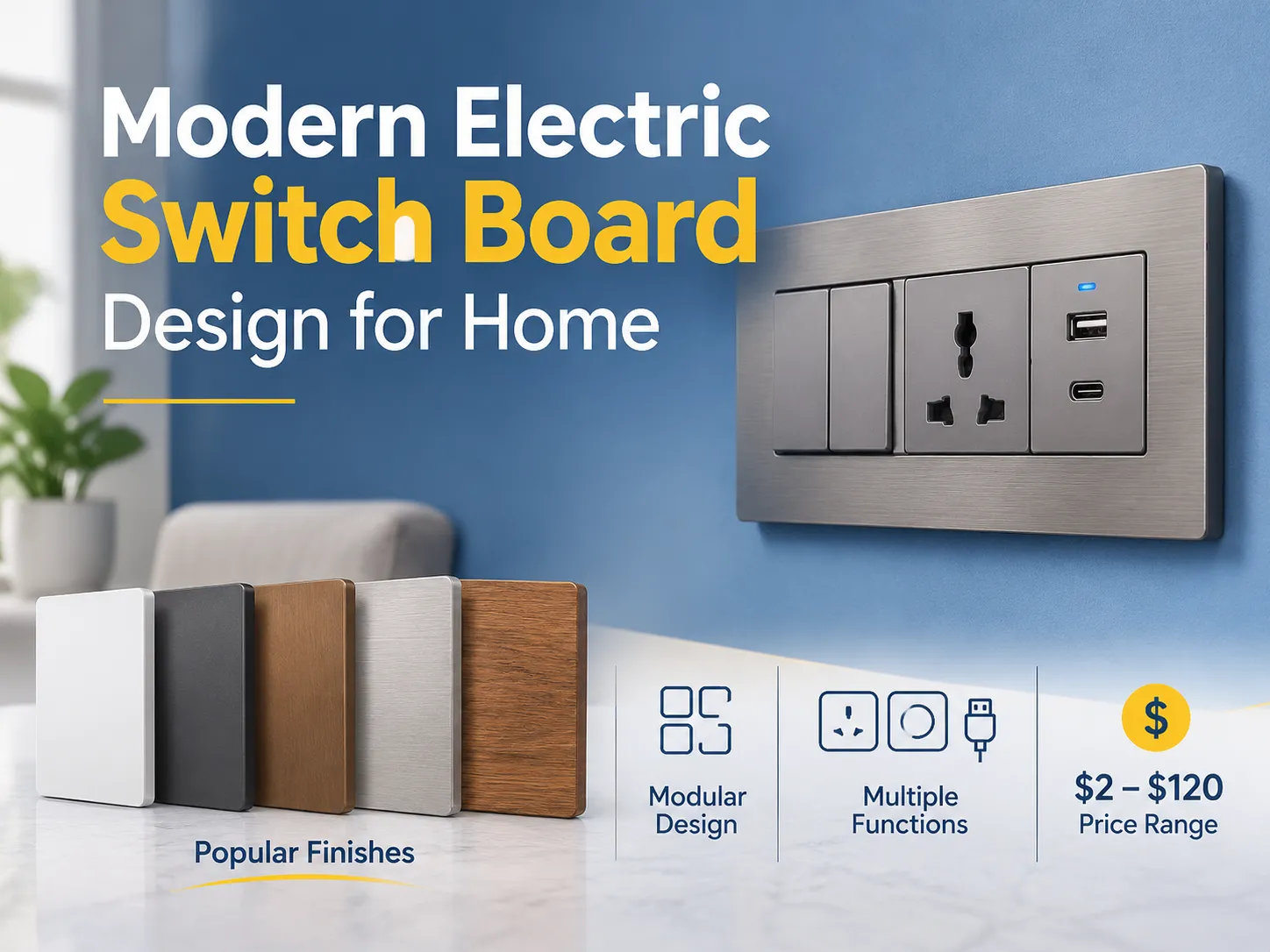
The presence of a USB port is an enhancement of a current AC socket and creates new opportunities in charging technology.USB has quickly become an added benefit within most household equipment, while traditional electric outlets have long been used to power electronic equipment since electrical devices were invented.
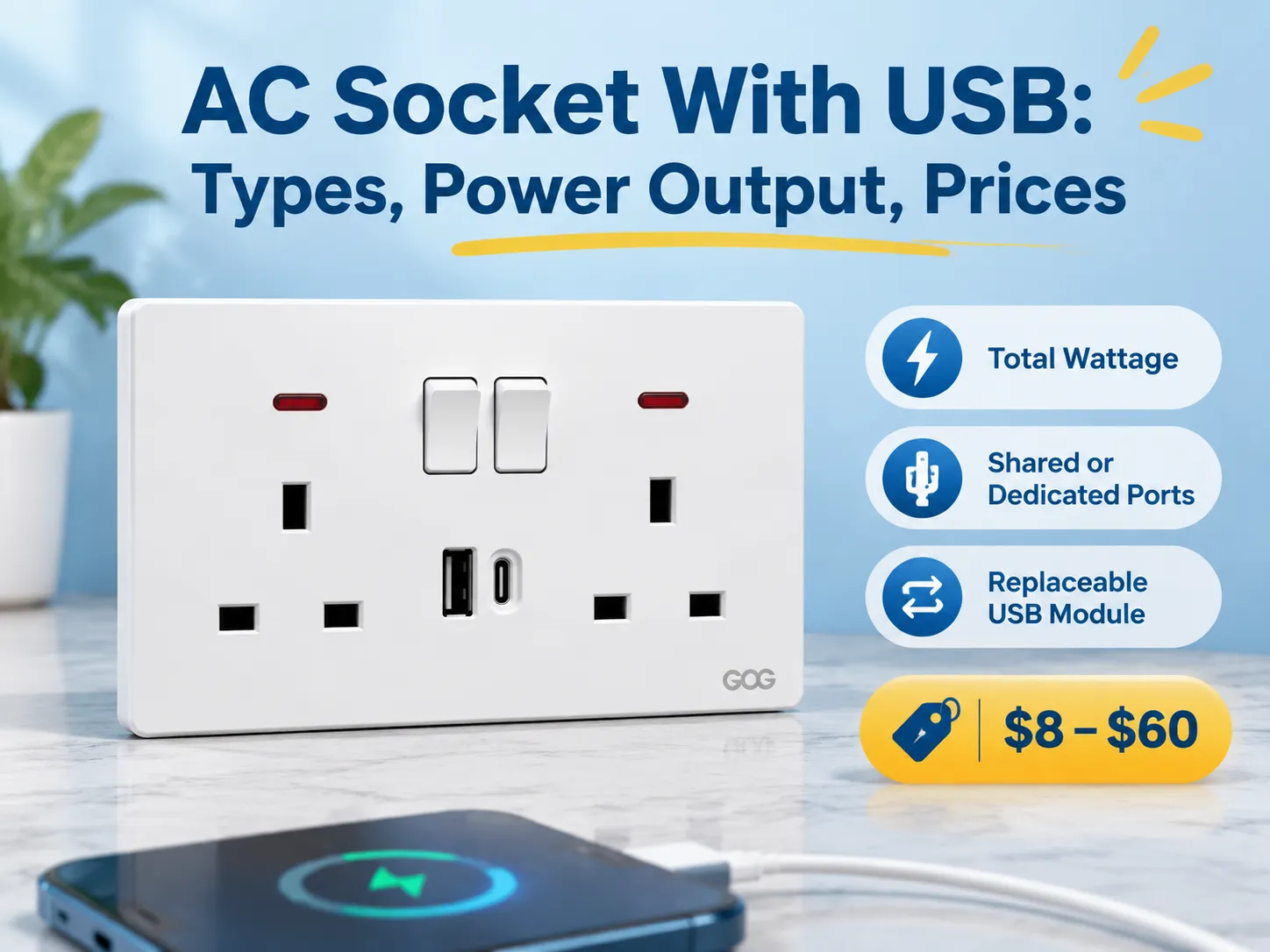
Quick answer: Regarding the pricing structure of these products, they typically range from $8-$20 for the basic version, which contains two (2) USB ports that share 2.1 A of output power; $15-$35 for a USB Type-C outlet that supports 18 W Power Delivery; $25-$60 for PD products that provide 30 W or greater; and branded versions are typically two to three times that amount.
The general parameters of these electrical products are total wattage, whether they share a budget to determine how much power they receive, and if they come with a replaceable USB module.This article discusses what these products are generally named, the five (5) different types available for purchase today, what the power rating means, the standards for these products, their prices by product configuration and manufacturer, what the potential failure modes are, and how to install the product. The final section includes an overview of where to find factory suppliers.
What Is An AC Wall Socket With USB Connection?
An AC wall socket with USB connection is an AC wall socket that has an AC mains supply and one (or more) USB ports. These USB ports are connected to the same AC circuit as the wall socket or often have their own dedicated power supply cable connection. Each of the USB ports will have a small power supply that converts the AC voltage (either 120 Volts or 230 Volts) to the low DC voltage of 5 Volts, and in the newer versions of this type of product (those designed for charging newer devices) higher voltages are negotiated between the device being charged and the USB port attached to the device.
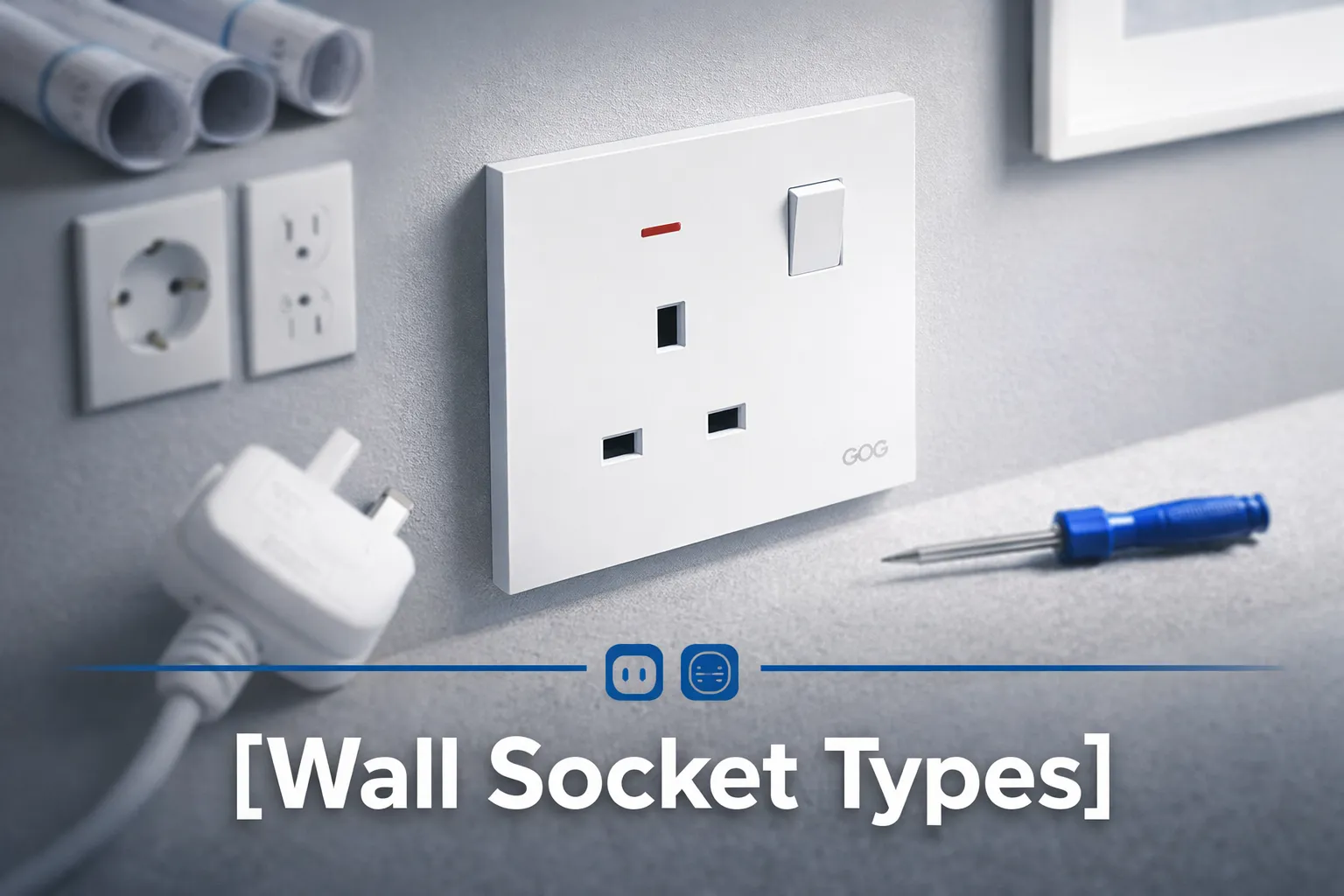
Depending on where you live, the name of this product can vary depending on your region, and this can make it difficult to find the right stock. In the UK and the Middle East, a “USB wall socket” or “USB socket” is commonly used, in North America the terminology is “USB outlet” or “USB receptacle”, for decorative purposes you may see “USB Decora outlet.” Many regions in Australia and Asia refer to the product as a “Power Point” or “Power Point USB”. In addition, different catalogues will refer to this product as a “USB Charger Socket” or “Wall Charger Outlet”, both of which refer to the same product.
There is a technical difference between a USB wall socket that has a “modular” or separate USB insert, compared to an “integrated” or “non-modular” USB port. An integrated USB port is generally going to be less expensive, as the complete wall socket will need to be purchased every time the USB port fails (as the USB port cannot be replaced). If you choose a USB port that is a modular insert type, you can swap out the modular insert in less than 10 minutes, which is why most current specifications for USB outlets specify modular USB ports.
Five Different Types Sold Today
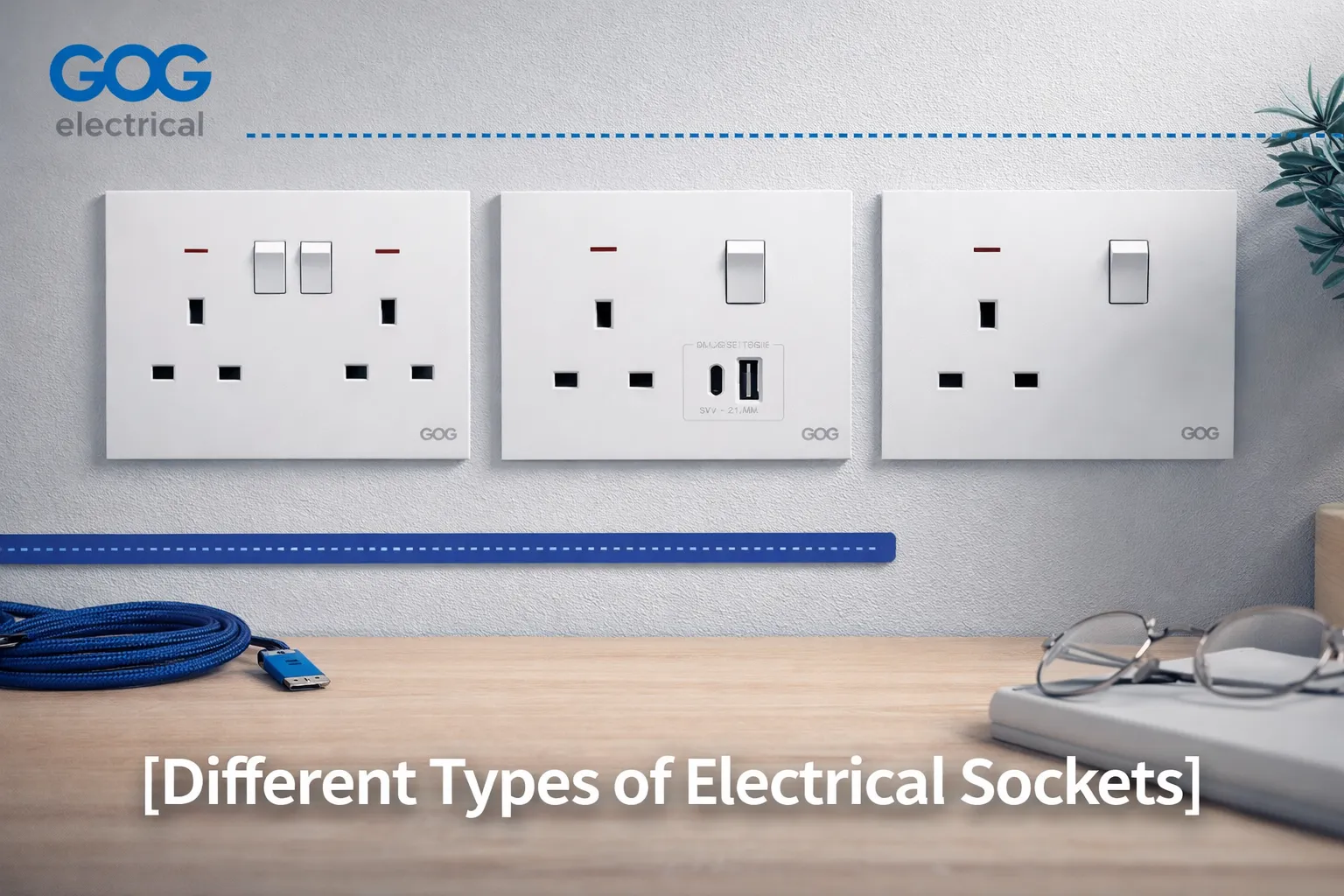
- Single outlet, dual USB-A ports, which are the original USB configuration and currently the most commonly found USB wall socket, especially in residential applications. The configuration consists of two USB-A ports that share 2.1 Amps, along with either one switched or unswitched electrical outlet. The outlet provides an overnight charging solution for phones but has difficulty charging tablets.
- Outlets are either equipped with Single Ports (USB-A/USB-C) or Dual Ports (Dual USB) technology. The Single Port configuration is the current typical way to specify a new work order; an existing USB-A cable can be charged with a new USB-C cable without adding an adapter to convert from USB-A to USB-C.
- The Dual USB configuration typically has a combination of mains voltage and two USB ports located on the same outlet. The use of dual ports is now common in hotel rooms or bedside tables, where guests commonly have a phone and laptop that do not use a charger.
- High Power USB-C with Power Delivery is available, providing a 30 W or 65 W port. The use of this type of outlet for charging laptops will result in a minimum price increase of approximately double due to the increased size and heat dissipation requirements of the power supply (inside the wall box) needed to supply power.
- A modular insert is a plate that accepts the USB module as one of its sockets; therefore, the same plate can support a switch, outlet or USB charger. Using this configuration, the project should specify the modular insert because an upgrading of the USB module from 18 W to 65 W can occur without the need to access and touch the wall.
Power Out: What Do the Numbers Mean?
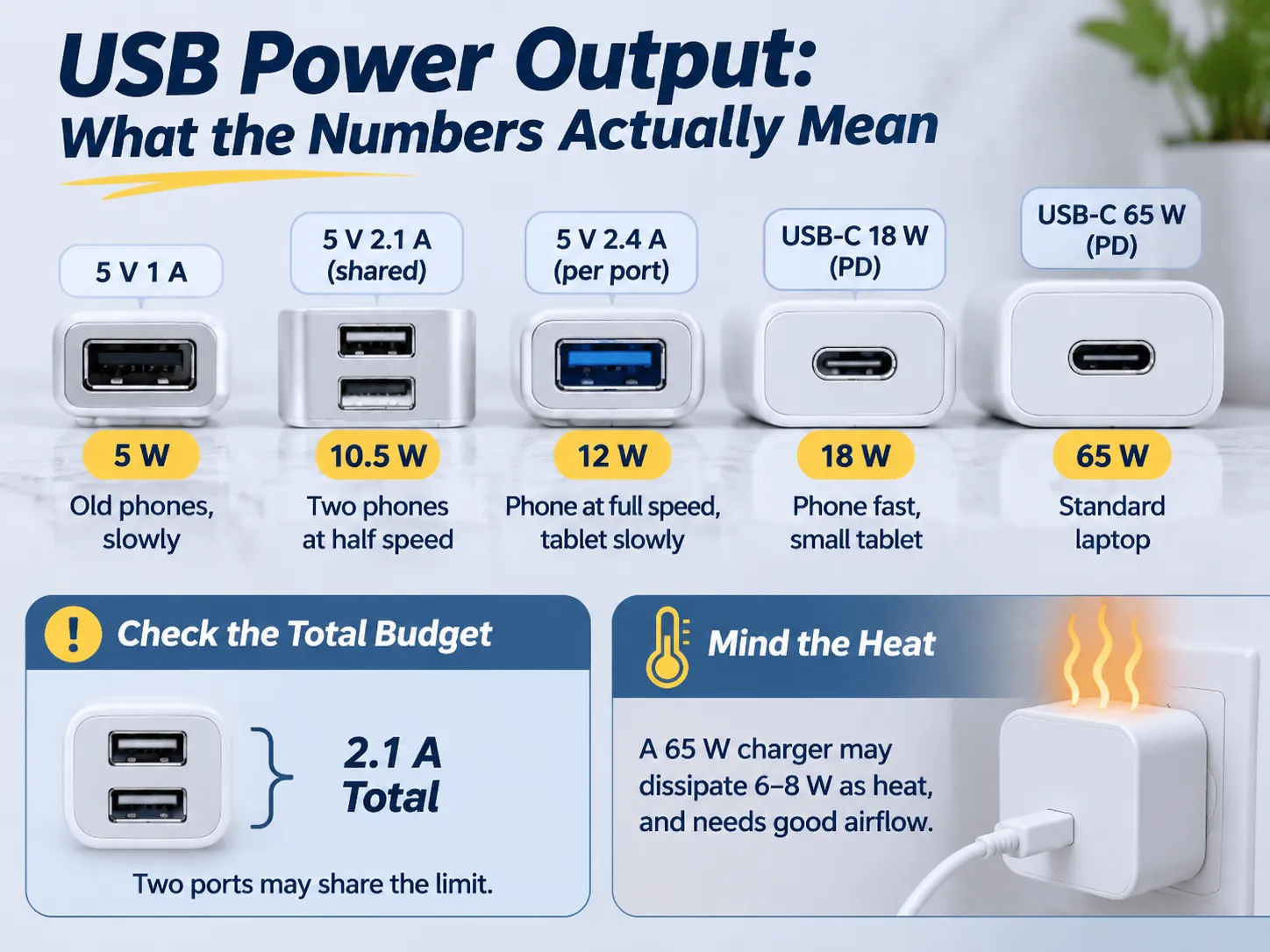
The labeling on USB outlets lists either amps or watts; the two units cannot be interchanged if two ports are used to charge.
For example, a USB port marked as 2.1 A will provide 10.5 W at 5 V when charging a device and a USB port marked as 3 A will provide 15 W.
While the number of ports may affect how quickly you can charge a device, it is the amount of heat generated that can cause problems. When comparing the charging speed of a phone with multiple ports (2) to charging speed from one port (1), it is important to consider the amount of heat generated and the heat tolerance of both devices when charging at the same time.
The amount of heat generated also varies significantly depending on how the device is designed. For example, if you have two 5 V @ 2.1 A ports on a 30 W plate, you may divide the total output, i.e., how much each port can draw from the battery, by 2 on the other port. In this case, while two phones will be able to charge simultaneously, each phone is only being supplied 1.05 A from that port compared to being supplied 2.1 A from the same capacity.
Alternatively, charging two phones using a single port with a total output of 30 W, you may take either of these approaches depending on the manufacturer’s design decision or your own charging guidelines. Always ask your manufacturer for the total wattage of the two ports and how the manufacturer’s charging guidelines allocate the wattage, not just the maximum per-port output.
Generally speaking, we divide a power source into an ideal power rating, a nominal power rating and an actual power rating as follows:
- Ideal (Power Rating) – the most efficient operation of a power source will generate the least amount of heat while supplying the maximum power available
- Nominal (Power Rating) – the average power output of a power source does not exceed the nominal rating
- Actual (Power Rating) – the power source will generally supply the maximum potential power available while generating more heat than the ideal power source
Most 65 Watt receptacles may dissipate 6-8 Watts as heat through thermal conduction. They will produce higher temperatures than they would expected to when in a typical installation without air-flow, and if the receptacle is installed inside a box that is insulated or has been covered by furniture, the temperature will be even higher than it would otherwise; this is why all 65 Watt receptacles that use USB must indicate minimum box depth and maximum ambient temperature. If a 65 Watt receptacle is installed in a box that is too shallow behind a sofa, it may fail much sooner than what you would expect from the manufacturer’s specifications.
USB-A, USB-C and Power Delivery
USB-A is the standard rectangular-shaped port that has been present for the past 20 years on virtually all chargers. The USB-A standard requires that devices must connect with 5 Volts and can negotiate up to 12 Volts through proprietary methods. The USB-C standard uses an oval-shaped, reversible connector, and it is important because it allows for higher power transfer and provides a standard method for devices to negotiate the amount of power that they are allowed to draw through a USB-C connector.
Power Delivery is the standard method that allows for the device connected to the USB-C port and the power supply to negotiate the amount of voltage and current available, thus allowing devices that draw more power than what was previously possible from USB connectors (30 Watts for the 12 Volt power supply) to do so through a single cable. If a USB-C connector does not use Power Delivery, it is the same as a 5 Volt connector that has a new shape, and unfortunately, there are many cheap power supplies that are exactly that.
There are essentially two rules to follow when installing USB ports on wall outlets. A USB-A port connected to a wall outlet has enough time left that it will be useful for the next 5-10 years because there are still a large number of cables available that are designed for USB-A connections. So for homes or businesses that do not plan to re-wire, it would be smart to provide for an outlet with one A and one C port.
A USB-C outlet with no power delivery support won’t support fast charging capabilities. All USB-C outlets can support fast charging if the connection is correctly sized from the USB connector (typically at least a USB-C to USB-C cable); however, there is no advantage to paying extra for an outlet that supports fast charging when standard A connectors do just as well and charge at the same rate.
Standards and Safety Requirements
A few criteria can determine whether or not an outlet is safe to install. All four criteria must exist on the outlet’s design and they will not be visible as they are internal to the outlet.
- There must be mains compliance from an outlet. This means that the outlet must comply with the standards set forth by the country where it is installed (e.g., BS 1363 for the UK and the Gulf Countries, AS/NZS 3112 for Australia, NEMA configurations for North America, and the equivalent IEC-based standard for all other countries). Just because the outlet contains a USB module does not mean that it bypasses any of the other requirements for the outlet.
- There must be safe mains isolation for the USB output. A USB outlet must have a mains isolation barrier, which must pass the same impulse test that other parts of the device have to pass. This is the most critical aspect of safety, and it is what separates a safe outlet from a hazardous outlet; therefore, an inexpensive outlet can be a legitimate electrical hazard, not just a poor performing one.
- The USB connection will consume power when plugged into the wall even if nothing is plugged into the USB socket. Quality USB outlets will consume less than 0.1W when idle; however, quality USB outlets will consume more than 0.5W when idle. Power consumption for USB connections will add up over time if you install a number of outlets in your home.
- When hot, a USB power must be shut down before it damages the electronics in the wall outlet; therefore, the best outlets are the ones that have a thermal reset feature that will reduce the amount of power it draws when the outlet temperature exceeds a certain threshold. This capability is what allows a 30W outlet to work in a hot cupboard.
When issuing a project for an outlet, it is wise to request a copy of both the mains-side test report and the isolation test report.A supplier has produced both types of product quickly before; a supplier which sends you a certificate on a different model has never.
Before writing specifications for a new product, you should check the Complete Range of that Product for the specific Module Sizes associated with the given product line, since a given USB insert will only work with the Plate systems that it was designed for.
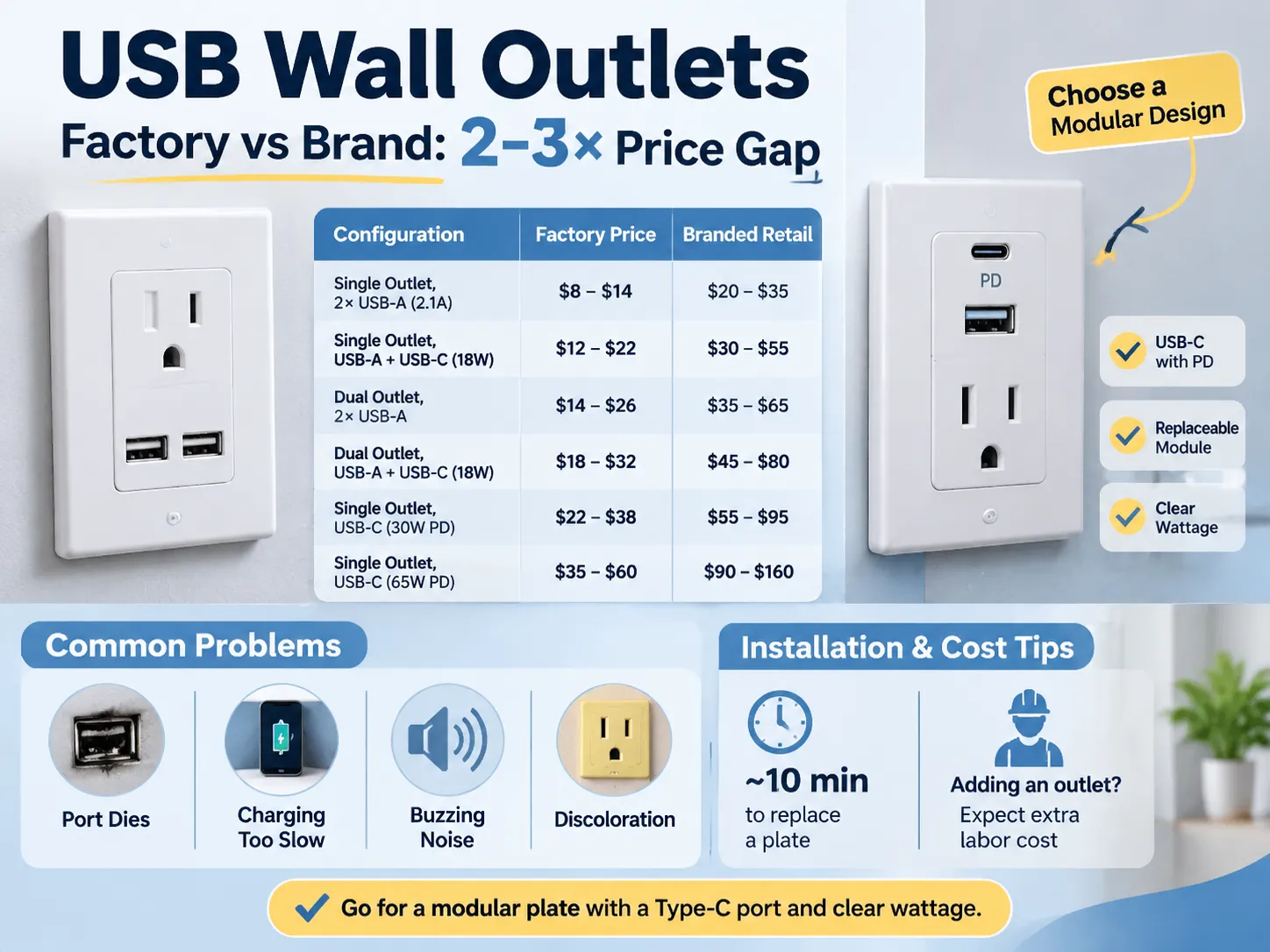
By Comparing Configurations
| Configuration | Factory Price | Branded Retail |
|---|---|---|
| Single outlet (Dual USB-A 2.1 A Shared) | $8 – $14 | $20 – $35 |
| Single Outlet (USB-A + USB-C 18 W) | $12 – $22 | $30 – $55 |
| Dual Outlet (Dual USB-A) | $14 – $26 | $35 – $65 |
| Dual Outlet (USB-A + USB-C 18 W) | $18 – $32 | $45 – $80 |
| Single Outlet (USB-C 30 W PD) | $22 – $38 | $55 – $95 |
| Single Outlet (USB-C 65 W PD) | $35 – $60 | $90 – $160 |
The difference between the costs of the factory and branded products is the same difference that exists among all Wiring Devices; a Factory sells a Plate and a Module whereas a Brand sells a Plate, a Module, a Box, a Warranty, and a Distribution Margin. The difference between Factory Pricing and Brand Pricing is typically two to three times greater, and in many cases even more so due to the fact that many Brands also have a Local Service Desk in addition to the Factory Pricing. The difference is easiest to see when comparing the price of the same 13 Amp Plate (available through a Factory and a retailer) several pages apart.
You should also keep in mind that Installation costs are separate from Material costs, and it is easy to underestimate the Installation costs associated with replacing a Plate with a USB Plate, an Installation will take about ten minutes to complete once the power is turned off.
An outlet can be added by an electrician, and when a solid wall is present, the cost of doing this will exceed the cost of the outlet itself.
What Goes Wrong in Service
When a fault occurs, there are four modes of failure associated with these ports, and these four modes are present in all specifications before a purchase is made.
- One mode of failure occurs for both the outlet and the port. Because the USB (Universal Serial Bus) module is built into the outlet, the entire outlet must be replaced if the USB port fails. If the USB port is not built-in, the USB port can be replaced at a lower cost than replacing the entire outlet.
- Another mode of failure occurs when a user experiences slow charging. A user blames their charging cable for this failure, but the problem is caused by a shared 2.1 amp USB port. If two phones are connected to the same USB port, they both receive a maximum current of 1.05 amps, which appears as a fault to the user. The best option to avoid this issue is to specify either the total current that can be supplied by a USB port or the maximum current that can be provided to each port individually.
- A third mode of failure is when an outlet creates a buzzing noise. This is caused by the low quality of the power supply and lack of filtering. The buzzing sound occurs when the power supply is under a light load. The sound of the buzzing is not dangerous; however, it is very irritating for users who have the outlet in their bedroom.
- The fourth mode of failure is the discolouration of the outlet plate. This discolouration occurs because the plastic around the USB module heats up when the outlet is used continuously in a sealed box. The result is that the plastic will turn yellow within two years. If a higher quality outlet is selected, it would use polycarbonate plastic and a thermal cut-off device; however, the cost difference is approximately $10.
To avoid issues with most of the failure modes listed above, select a modular plate, a replaceable USB module, and a type C USB port with Power Delivery, and specify the total wattage of the new outlet. The cost of this combination is approximately $10 more than the lowest-cost option, but it will eliminate the three most frequent complaints.
The various electrical wiring devices in a room, including switches and sockets, are determined by how you choose to combine them to work together within that particular area.
Installation and the Wall Box
How they are installed and how they fit into your home is primarily determined by the wall box that is used to mount the devices. In this regard, a standard 35 mm box will only provide enough space to accommodate low-power modules and is only marginally acceptable for installations of higher wattage (18 W). The reason for this is that both the wiring and the module require air space to allow for heat dissipation, and with a box of this size there is not enough air space available.
In order to safely install a 30 W or 65 W outlet, you should use a 47 mm box, as it provides sufficient air space and is only slightly more expensive than the 35 mm box at first fix.
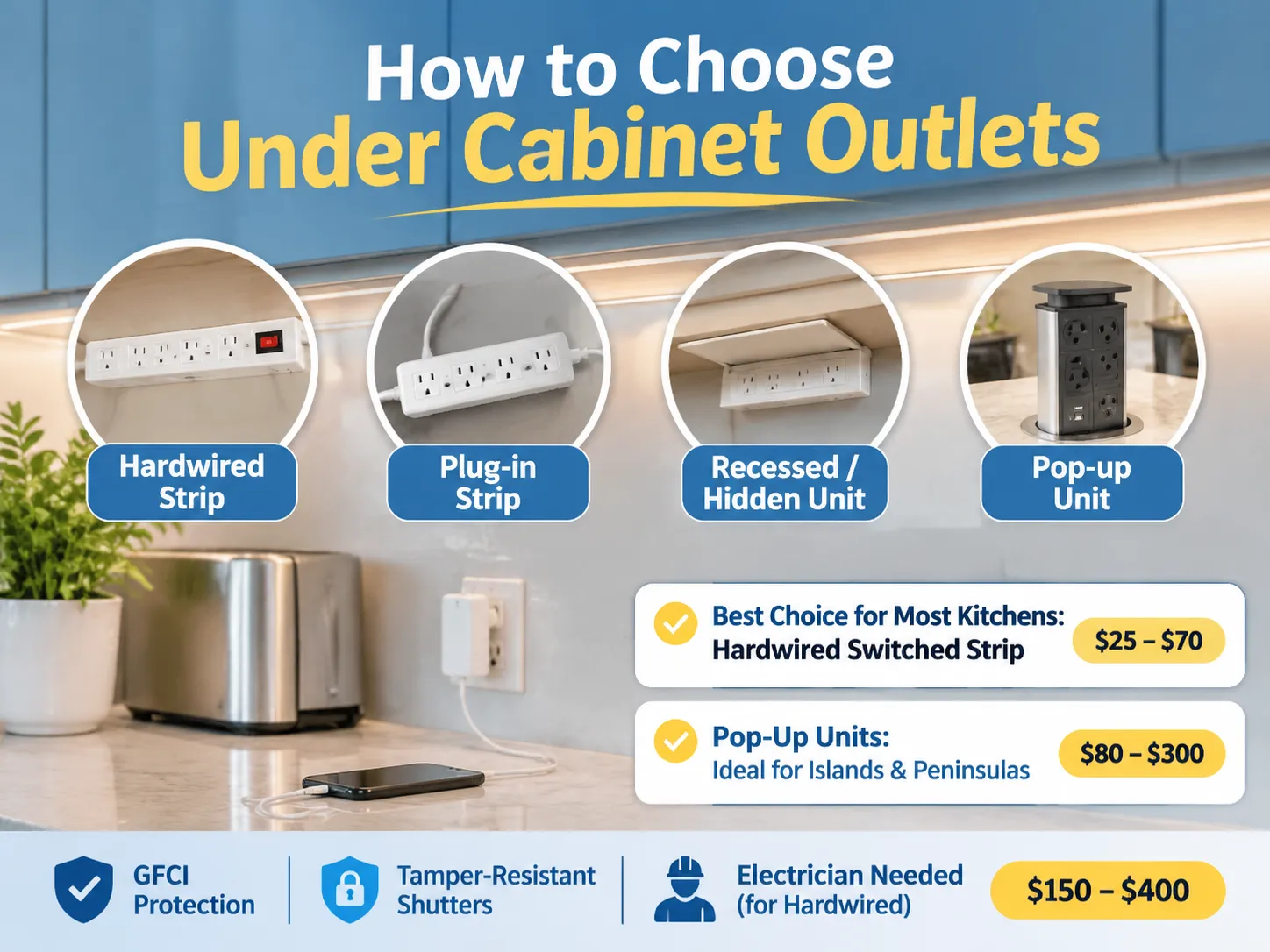
Where an installation should be positioned is equally important to how deep the box is. An outlet that is installed next to a bed and used on a nightly basis will benefit from having a switch to be able to isolate the module, whereas an outlet that is located above the worktop in a kitchen may be intermittent and best installed beneath a cabinet. Also, a receptacle in a hotel room should be located on the nightstand next to the bed and be easily accessible without having to get up, as opposed to one that is located on the opposite side of the room.
All markets have three common installation notes regarding USB outlets. Firstly, USB devices draw power from the circuit, even when no device is connected. Therefore, it is advisable to connect USB modules to switched or at minimum protected circuits. Secondly, it is important that at the installation location, there should be a neutral wire in order for the USB module to function. Many older homes do not have neutrals in their existing wiring. Finally, the installation location for a USB outlet should be within the manufacturer’s rated ambient temperature range, which typically excludes areas inside of cupboards next to stoves.
The 13A British standard outlines the manufacturing of the socket and is the most common British standard; therefore the continuity of the 13 A socket volume production line, where the installation cost drops to a predictable range of costs based on volume.
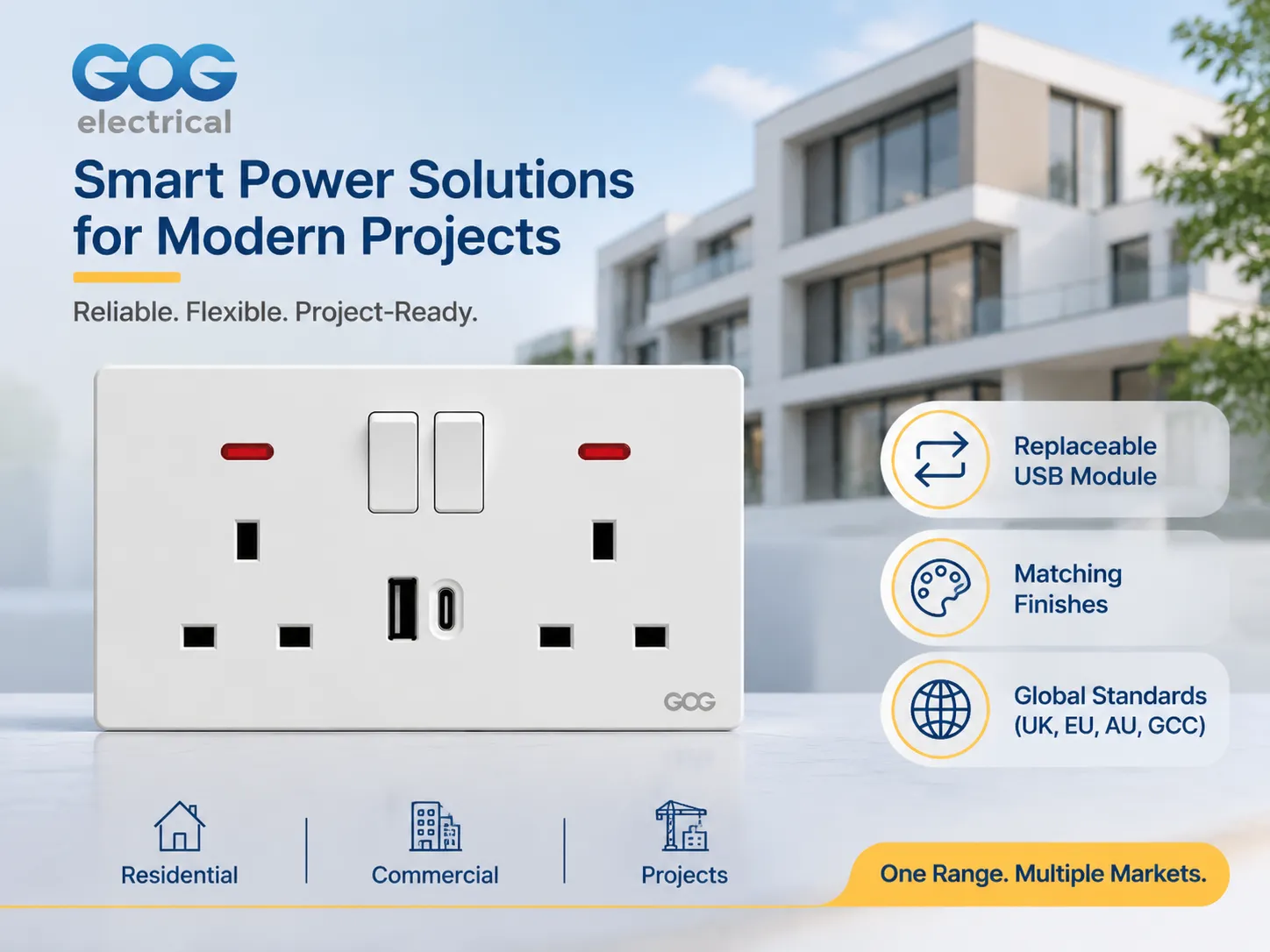
How does GOG fit into the equation?
GOG manufactures switches, sockets and plates specifically for residential, commercial and project type jobs including plates that are finished with USB-A and USB-C interfaces to match the rest of GOG’s product line. The majority of GOG’s product is sold to wholesale distributors, commercial & residential developers and contractors, but not to retail customers, so the conversation is about the quality of the products, the number of modules included with each order and the total volume of products ordered rather than the packaging for the product.
Three main features that GOG offers to developers and contractors on a project basis include;
- The USB interface module is a separate item that can be removed from and replaced within the socket plate, therefore if a USB interface fails in a hotel room for example it takes approximately 10 minutes to replace the module instead of having to take down the entire socket plate and re-install the additional components in the plate.
- The USB interface modules are available in the same finishes as the socket plates that they are used in which allows for consistent finishes throughout a home so that a homeowner does not end up in a situation where there is a white USB charger being used in a plate that is in an anthracite finish.
- The mains side of GOG’s product is produced to the national electrical code (NEC) requirement of the market the product will be used in, for example, products that are built to the 13A British pattern will have the appropriate plug configuration for the Gulf, southeast Asia and Australia.
When a developer or contractor requests information on GOG’s products, the initial conversation is about the quality of the product, the finish of the product and the number of products ordered. The catalog contains both module dimensions and plates, and this is significant for the designer because it is the complete range of products available that determines if the USB plate will be able to be included in conjunction with the other plates within the project (as already determined by the previous specifications of the sockets). Production runs from the 13 Amp Project production line for any quantity of product will be produced from a volume of products based on the volume required by the project.
Before making your specification final, there is one more publication that you may wish to review; the article “Outlets and Switches for the Modern Home,” which highlights how the USB plate will work in conjunction with other outlets/walls in the room design, which is usually the first question that the designer will ask before the electrician makes any design changes.
Frequently Asked Questions
Are USB outlets worth the additional cost?
For bedrooms, kitchens and hotel rooms where you will be relying on a charger on a daily basis. When a plug-top charger uses up an outlet, the price difference over a basic outlet is generally somewhere between $8.00 – $25.00, based on factory pricing. In utility rooms and garages, where you can permanently place a charger in a socket, the benefit of having it integrated into the wall is virtually non-existent.
What is the difference in charging capability with 2.1 A and 3 A USB outlets?
The 2.1 A outlet provides 10.5 W at 5 V, which allows for normal charging speeds on most sized phones and slow charging for tablets at 10 Watt levels; 3 A outlets provide 15 W at 5 V, which gives you faster charging capabilities on most sized devices. You should take note before comparing prices on a dual-port plate as to whether the ports are total or per-port because the figure shown may be a shared number across both ports.
Is it possible to charge a laptop using a USB socket?
The only way to charge a laptop with a USB socket is if it has a USB-C port and supports Power Delivery at 30 W or more. If the laptop is thin enough, then a USB-C port rated at 30 W will charge it slowly, but a port rated at 65 W will charge a standard-size laptop at a rate that is acceptable. If a USB socket is rated only at 5 V, it cannot charge a laptop because it cannot negotiate the necessary voltage with the laptop.
Do USB sockets consume energy when nothing is connected?
USB sockets consume energy when nothing is connected. This is due to the fact that they require a small standby power supply to remain operational. In a good design, the standby circuit consumes less than 0.1 W, while in a poor design, it can consume more than 0.5 W. This difference in the amount of standby power that is used can be substantial over time, and thus should be noted in the specifications for a hotel or office fit-out, where the amount of standby power needed is high.
Reference List
- Legrand – Wiring Devices & USB Charging Outlets
- NEMA – Wiring Device & Receptacle Configurations
- UL Solutions – Receptacle and Charging Device Certification
- USB Implementers Forum – USB Power Delivery Specification
- Schneider Electric – Switch, Socket & Charging Solutions
In summary
An AC socket with USB is a standard mains socket with a small power supply mounted to the back side of it. It is actually the power supply that will determine how long the product will last. When making a decision about which product to purchase, you should look at the total watts, the per-port current rating (not the shared rating), and whether the module can be replaced.
For most installations, the best specification to use is a modular plate with one USB-A and one USB-C at 18 W, in a 47 mm box and finished to match other products in the installation. The combination of these two products will cost slightly more than the lowest priced option and will avoid all three major reasons why people regret buying one.