La presencia de un puerto USB es una mejora de un enchufe de CA actual y crea nuevas oportunidades en la tecnología de carga. USB se ha convertido rápidamente en un beneficio añadido dentro de la mayoría de los equipos domésticos, mientras que los enchufes eléctricos tradicionales se han utilizado durante mucho tiempo para alimentar equipos electrónicos desde que se inventaron los dispositivos eléctricos.
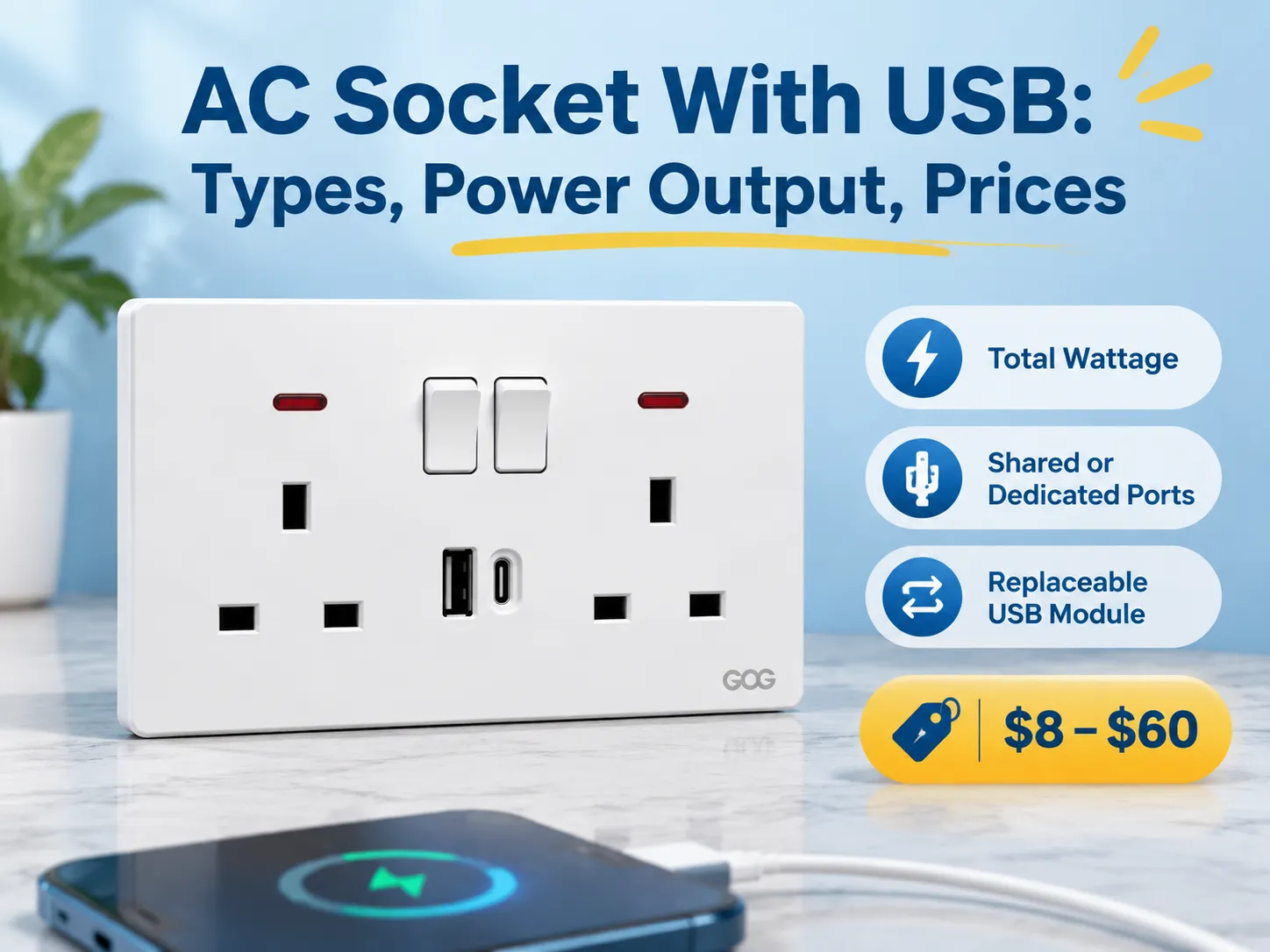
Respuesta rápida: En cuanto a la estructura de precios de estos productos, típicamente varían desde $8-$20 para la versión básica, que contiene dos (2) puertos USB que comparten 2.1 A de potencia de salida; $15-$35 para un enchufe USB Tipo-C que soporta 18 W Power Delivery; $25-$60 para productos PD que proporcionan 30 W o más; y las versiones de marca suelen costar dos a tres veces esa cantidad.
Los parámetros generales de estos productos eléctricos son la potencia total, si comparten un presupuesto para determinar cuánta energía reciben, y si vienen con un módulo USB reemplazable. Este artículo discute cómo se nombran generalmente estos productos, los cinco (5) tipos diferentes disponibles para compra hoy en día, qué significa la clasificación de potencia, las normas para estos productos, sus precios según la configuración del producto y el fabricante, cuáles son los posibles modos de falla y cómo instalar el producto. La sección final incluye una visión general de dónde encontrar proveedores de fábrica.
¿Qué es un enchufe de pared de CA con conexión USB?
Un enchufe de pared de CA con conexión USB es un enchufe de pared de CA que tiene una alimentación de red de CA y uno (o más) puertos USB. Estos puertos USB están conectados al mismo circuito de CA que el enchufe de pared o a menudo tienen su propio cable de alimentación dedicado. Cada uno de los puertos USB tendrá una pequeña fuente de alimentación que convierte el voltaje de CA (ya sea 120 Voltios o 230 Voltios) al bajo voltaje de CC de 5 Voltios, y en las versiones más nuevas de este tipo de producto (aquellas diseñadas para cargar dispositivos más recientes) se negocian voltajes más altos entre el dispositivo que se está cargando y el puerto USB conectado al dispositivo.
Dependiendo de dónde viva, el nombre de este producto puede variar según su región, y esto puede dificultar encontrar el stock adecuado. En el Reino Unido y Oriente Medio, se usa comúnmente “USB wall socket” o “USB socket”, en Norteamérica la terminología es “USB outlet” o “USB receptacle”, para fines decorativos puede ver “USB Decora outlet”. Muchas regiones en Australia y Asia se refieren al producto como “Power Point” o “Power Point USB”. Además, diferentes catálogos se refieren a este producto como “USB Charger Socket” o “Wall Charger Outlet”, ambos términos se refieren al mismo producto.
Existe una diferencia técnica entre un enchufe de pared USB que tiene un inserto USB “modular” o separado, en comparación con un puerto USB “integrado” o “no modular”. Un puerto USB integrado generalmente será menos costoso, ya que se deberá comprar el enchufe de pared completo cada vez que falle el puerto USB (ya que el puerto USB no puede ser reemplazado). Si elige un puerto USB que sea del tipo inserto modular, puede cambiar el inserto modular en menos de 10 minutos, por lo que la mayoría de las especificaciones actuales para enchufes USB especifican puertos USB modulares.
Cinco tipos diferentes vendidos hoy
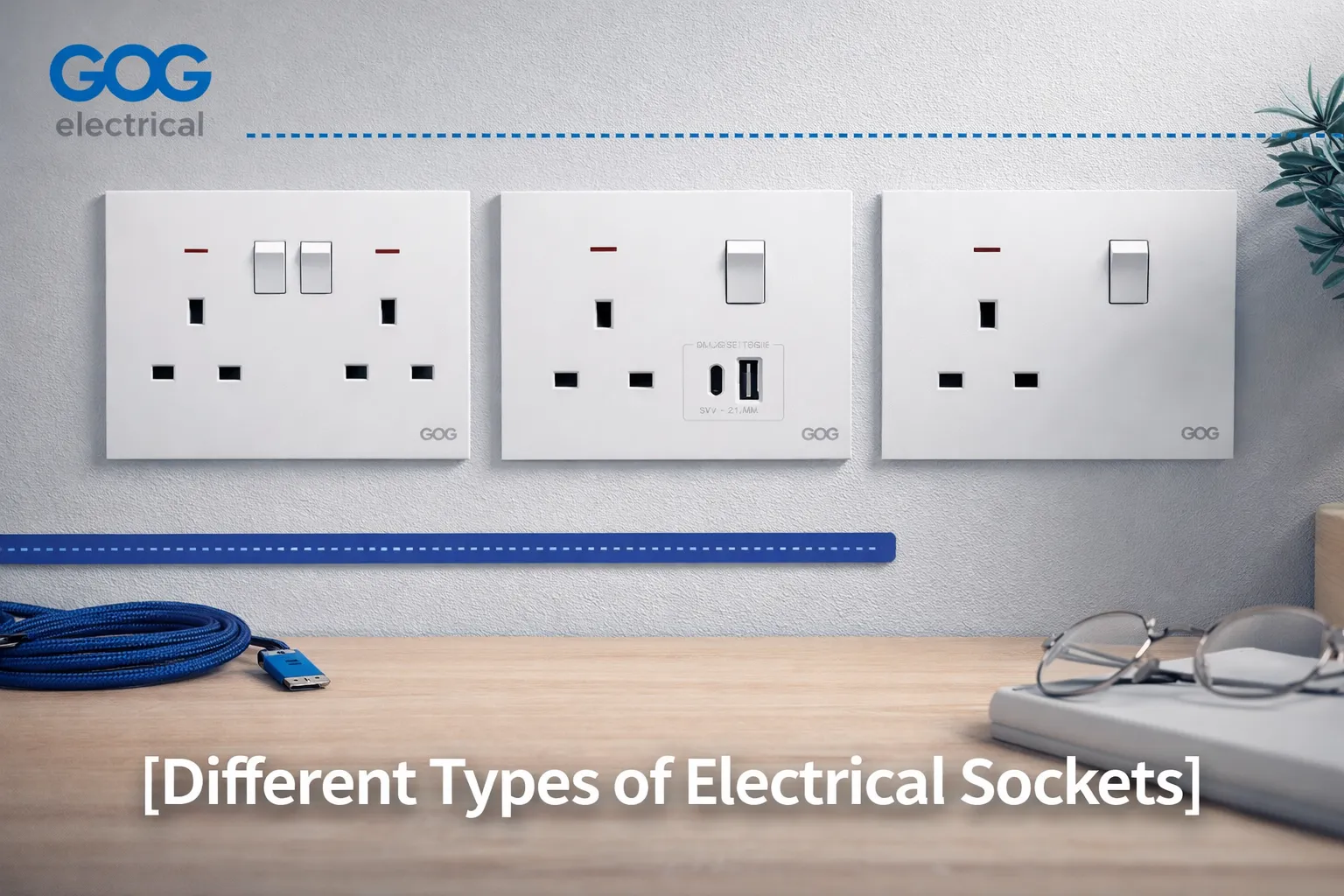
- Enchufe simple, puertos USB-A dobles, que son la configuración USB original y actualmente el enchufe de pared USB más común, especialmente en aplicaciones residenciales. La configuración consiste en dos puertos USB-A que comparten 2.1 Amperios, junto con un enchufe eléctrico conmutado o no conmutado. El enchufe proporciona una solución de carga nocturna para teléfonos pero tiene dificultad para cargar tabletas.
- Los enchufes están equipados con Puertos simples (USB-A/USB-C) o tecnología de puertos dobles (USB dual). La configuración de puerto simple es la forma típica actual de especificar una nueva orden de trabajo; un cable USB-A existente puede cargarse con un nuevo cable USB-C sin añadir un adaptador para convertir de USB-A a USB-C.
- La configuración USB dual típicamente tiene una combinación de voltaje de red y dos puertos USB ubicados en el mismo enchufe. El uso de puertos dobles es ahora común en habitaciones de hotel o mesas de noche, donde los huéspedes comúnmente tienen un teléfono y una laptop que no usan cargador.
- USB-C de alta potencia con Power Delivery está disponible, proporcionando un puerto de 30 W o 65 W. El uso de este tipo de enchufe para cargar laptops resultará en un aumento mínimo del precio de aproximadamente el doble debido al tamaño incrementado y los requisitos de disipación de calor de la fuente de alimentación (dentro de la caja de pared) necesaria para suministrar energía.
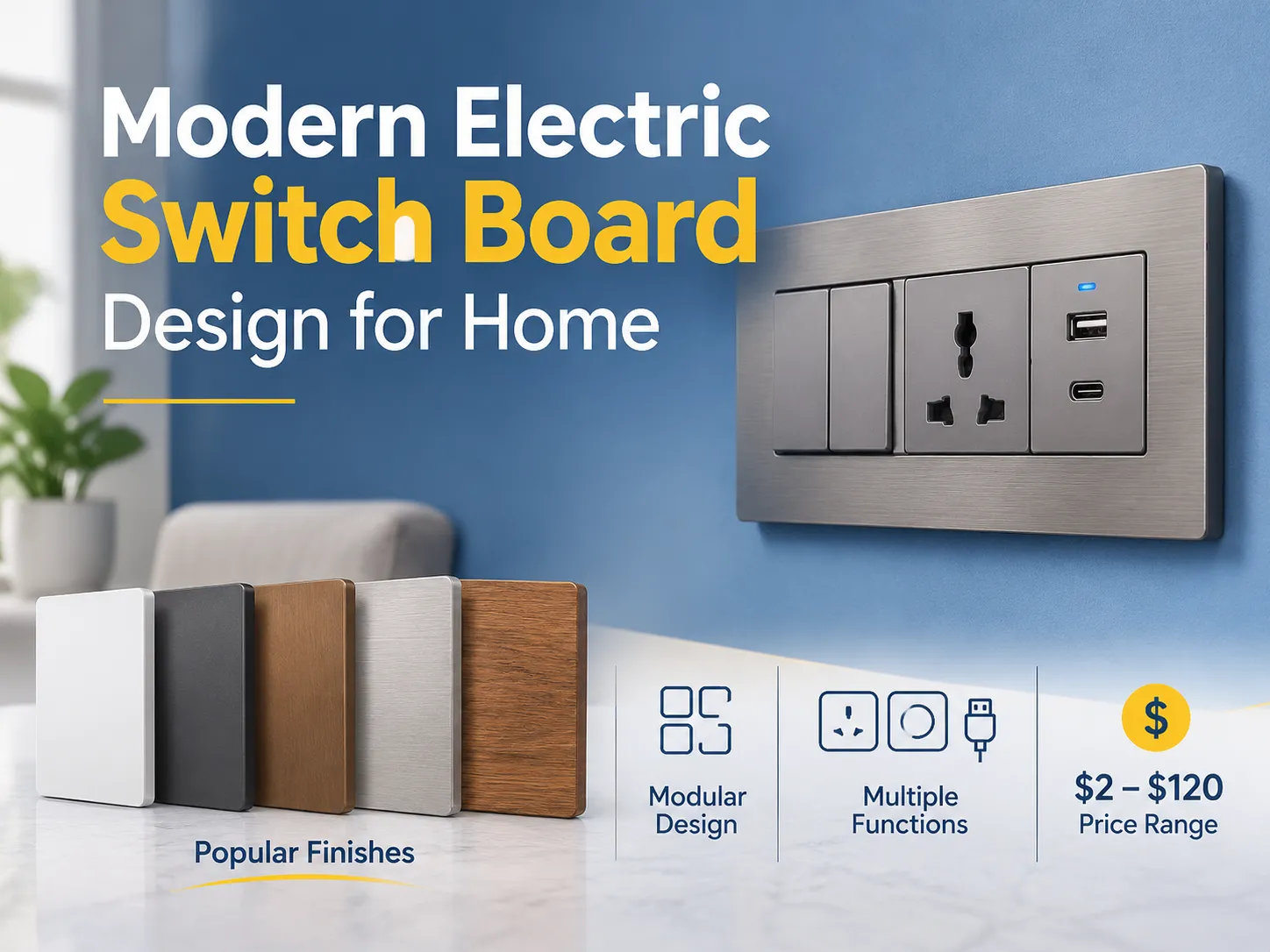
- Un inserto modular es una placa que acepta el módulo USB como uno de sus enchufes; por lo tanto, la misma placa puede soportar un interruptor, enchufe o cargador USB. Usando esta configuración, el proyecto debe especificar el inserto modular porque una actualización del módulo USB de 18 W a 65 W puede ocurrir sin la necesidad de acceder y tocar la pared.
Potencia de salida: ¿Qué significan los números?
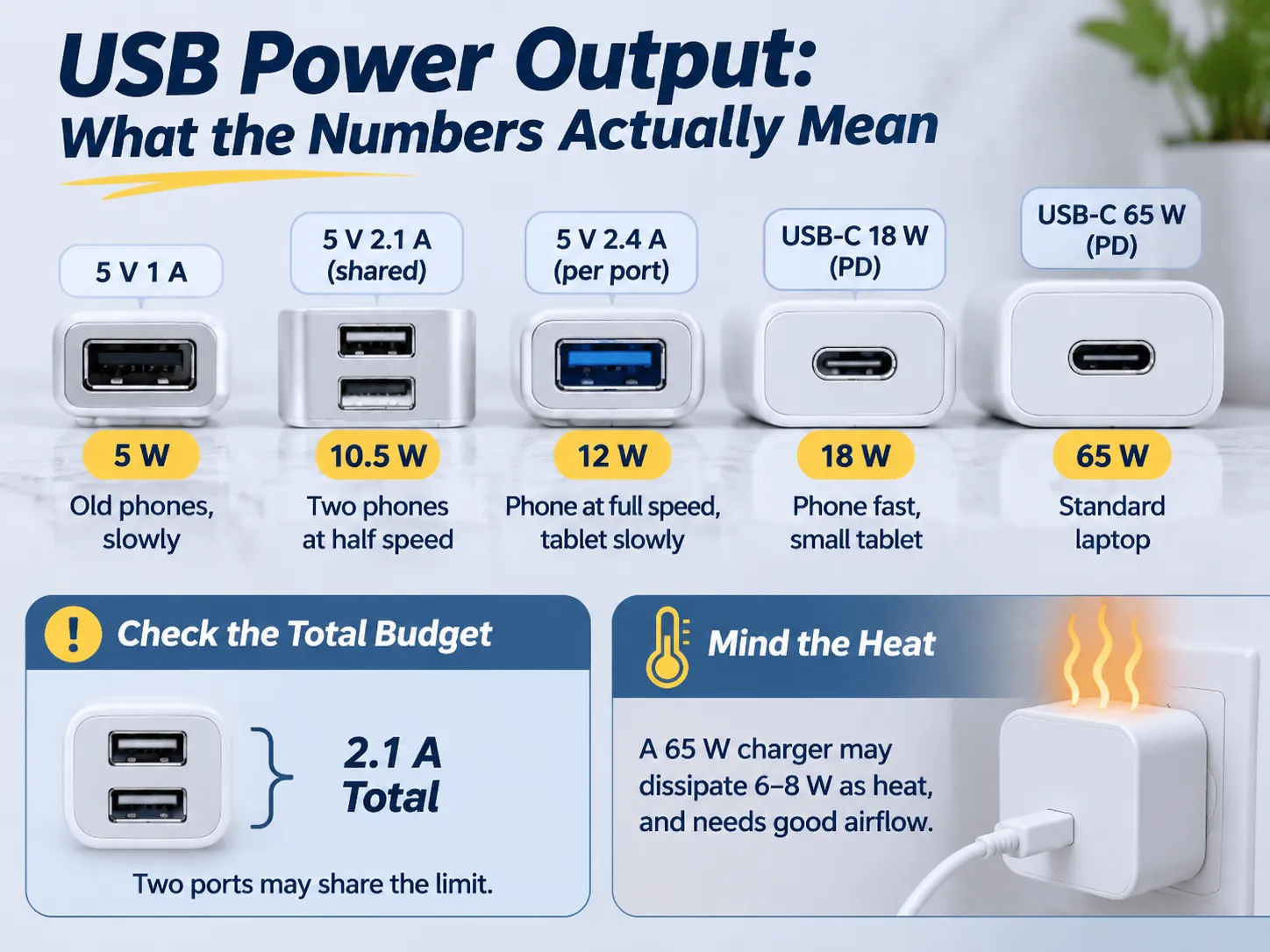
La etiqueta en los enchufes USB indica amperios o vatios; las dos unidades no pueden intercambiarse si se usan dos puertos para cargar.
Por ejemplo, un puerto USB marcado como 2.1 A proporcionará 10.5 W a 5 V al cargar un dispositivo y un puerto USB marcado como 3 A proporcionará 15 W.
Mientras que el número de puertos puede afectar la rapidez con la que puede cargar un dispositivo, es la cantidad de calor generado lo que puede causar problemas. Al comparar la velocidad de carga de un teléfono con múltiples puertos (2) con la velocidad de carga de un puerto (1), es importante considerar la cantidad de calor generado y la tolerancia al calor de ambos dispositivos al cargar al mismo tiempo.
La cantidad de calor generado también varía significativamente dependiendo de cómo esté diseñado el dispositivo. Por ejemplo, si tiene dos puertos de 5 V @ 2.1 A en una placa de 30 W, puede dividir la salida total, es decir, cuánto puede extraer cada puerto de la batería, por 2 en el otro puerto. En este caso, aunque dos teléfonos podrán cargarse simultáneamente, a cada teléfono solo se le suministra 1.05 A desde ese puerto en comparación con los 2.1 A suministrados desde la misma capacidad.
Alternativamente, al cargar dos teléfonos usando un solo puerto con una salida total de 30 W, puede tomar cualquiera de estos enfoques dependiendo de la decisión de diseño del fabricante o de sus propias directrices de carga. Siempre pregunte a su fabricante por la potencia total en vatios de los dos puertos y cómo las directrices de carga del fabricante asignan la potencia, no solo la salida máxima por puerto.
En términos generales, dividimos una fuente de alimentación en una potencia ideal, una potencia nominal y una potencia real como sigue:
- Ideal (Potencia nominal) – la operación más eficiente de una fuente de alimentación generará la menor cantidad de calor mientras suministra la máxima potencia disponible
- Nominal (Potencia nominal) – la salida promedio de potencia de una fuente de alimentación no excede la clasificación nominal
- Real (Potencia nominal) – la fuente de alimentación generalmente suministrará la máxima potencia potencial disponible mientras genera más calor que la fuente de alimentación ideal
La mayoría de los receptáculos de 65 vatios pueden disipar de 6 a 8 vatios como calor a través de la conducción térmica. Producirán temperaturas más altas de lo esperado cuando estén en una instalación típica sin flujo de aire, y si el receptáculo está instalado dentro de una caja que está aislada o ha sido cubierta por muebles, la temperatura será aún más alta de lo que sería de otro modo; por eso todos los receptáculos de 65 vatios que usan USB deben indicar la profundidad mínima de la caja y la temperatura ambiente máxima. Si un receptáculo de 65 vatios se instala en una caja que es demasiado poco profunda detrás de un sofá, puede fallar mucho antes de lo que esperaría según las especificaciones del fabricante.
USB-A, USB-C y Power Delivery
USB-A es el puerto estándar de forma rectangular que ha estado presente durante los últimos 20 años en prácticamente todos los cargadores. El estándar USB-A requiere que los dispositivos se conecten con 5 voltios y pueden negociar hasta 12 voltios mediante métodos propietarios. El estándar USB-C utiliza un conector reversible de forma ovalada, y es importante porque permite una transferencia de potencia más alta y proporciona un método estándar para que los dispositivos negocien la cantidad de potencia que se les permite extraer a través de un conector USB-C.
Power Delivery es el método estándar que permite que el dispositivo conectado al puerto USB-C y la fuente de alimentación negocien la cantidad de voltaje y corriente disponible, permitiendo así que dispositivos que consumen más energía de la que antes era posible a través de conectores USB (30 Vatios para la fuente de alimentación de 12 Voltios) lo hagan mediante un solo cable. Si un conector USB-C no utiliza Power Delivery, es lo mismo que un conector de 5 Voltios con una nueva forma, y desafortunadamente, existen muchas fuentes de alimentación económicas que son exactamente eso.
Esencialmente, hay dos reglas a seguir al instalar puertos USB en tomas de pared. Un puerto USB-A conectado a una toma de pared tiene suficiente tiempo de vida útil para ser útil durante los próximos 5-10 años porque todavía hay una gran cantidad de cables disponibles diseñados para conexiones USB-A. Por lo tanto, para hogares o negocios que no planean realizar un nuevo cableado, sería inteligente proporcionar una toma con un puerto A y un puerto C.
Una toma USB-C sin soporte para Power Delivery no admitirá capacidades de carga rápida. Todas las tomas USB-C pueden soportar carga rápida si la conexión está correctamente dimensionada desde el conector USB (típicamente al menos un cable USB-C a USB-C); sin embargo, no hay ventaja en pagar extra por una toma que soporte carga rápida cuando los conectores estándar A funcionan igual de bien y cargan a la misma velocidad.
Normas y Requisitos de Seguridad
Algunos criterios pueden determinar si una toma es segura para instalar o no. Los cuatro criterios deben existir en el diseño de la toma y no serán visibles ya que son internos a la toma.
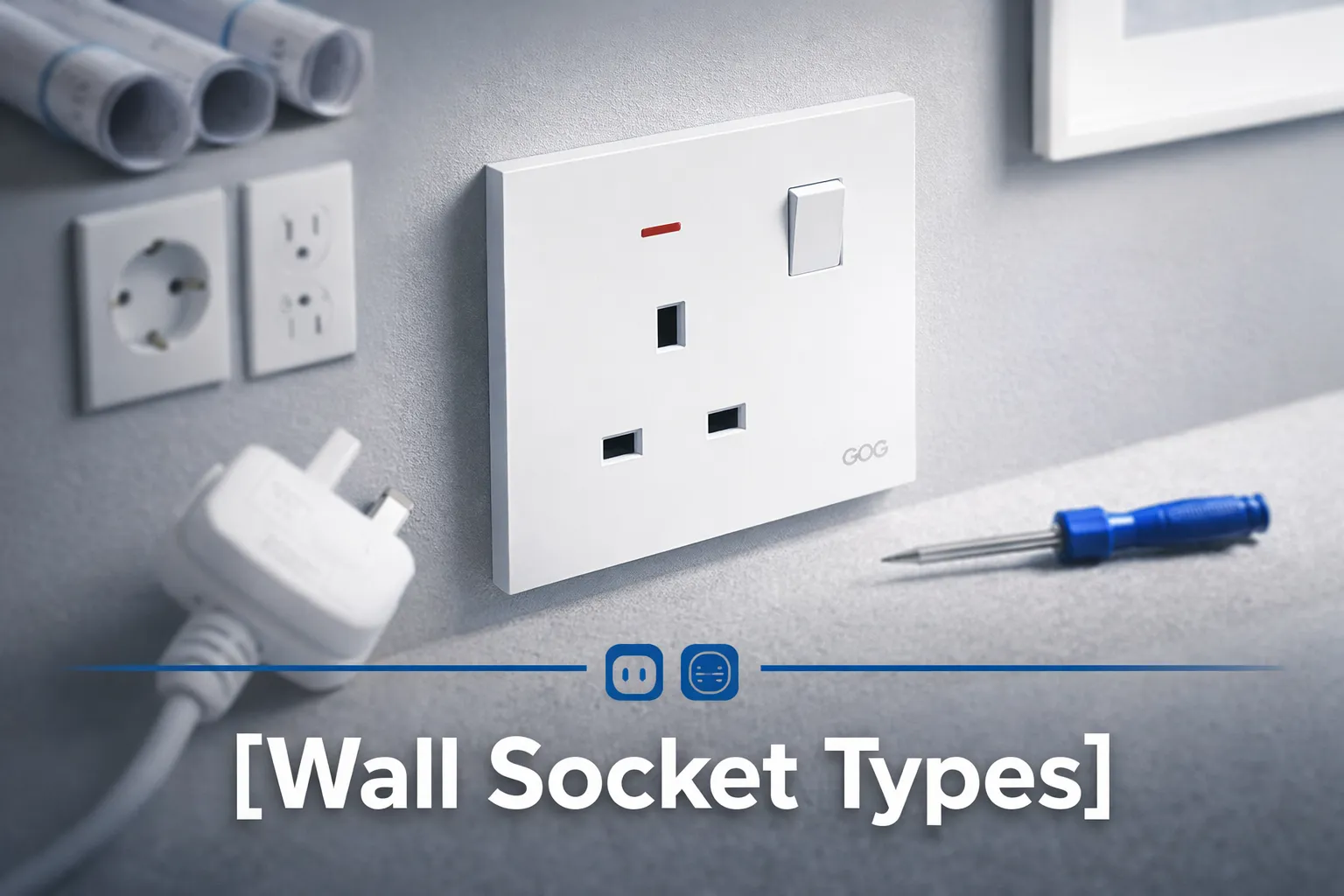
- Debe haber cumplimiento con la red eléctrica en una toma. Esto significa que la toma debe cumplir con las normas establecidas por el país donde se instala (por ejemplo, BS 1363 para el Reino Unido y los Países del Golfo, AS/NZS 3112 para Australia, configuraciones NEMA para Norteamérica, y la norma equivalente basada en IEC para todos los demás países). El hecho de que la toma contenga un módulo USB no significa que se exima de ninguno de los otros requisitos para la toma.
- Debe haber aislamiento seguro de la red eléctrica para la salida USB. Una toma USB debe tener una barrera de aislamiento de la red eléctrica, que debe pasar la misma prueba de impulso que otras partes del dispositivo deben pasar. Este es el aspecto más crítico de seguridad, y es lo que separa una toma segura de una peligrosa; por lo tanto, una toma económica puede ser un peligro eléctrico legítimo, no solo un dispositivo de bajo rendimiento..
- La conexión USB consumirá energía cuando esté enchufada a la pared incluso si no hay nada conectado al puerto USB. Las tomas USB de calidad consumirán menos de 0.1W en reposo; sin embargo, las tomas USB de baja calidad consumirán más de 0.5W en reposo. El consumo de energía para conexiones USB se acumulará con el tiempo si instala varias tomas en su hogar.
- Cuando está caliente, una alimentación USB debe apagarse antes de que dañe la electrónica en el enchufe de pared; por lo tanto, los mejores enchufes son aquellos que tienen una función de reinicio térmico que reducirá la cantidad de energía que consume cuando la temperatura del enchufe excede un cierto umbral. Esta capacidad es lo que permite que un enchufe de 30W funcione en un armario caliente.
Al emitir un proyecto para un enchufe, es prudente solicitar una copia tanto del informe de prueba del lado de la red como del informe de prueba de aislamiento. Un proveedor ha producido ambos tipos de producto rápidamente antes; un proveedor que le envía un certificado de un modelo diferente nunca lo ha hecho.
Antes de redactar especificaciones para un producto nuevo, debe verificar la Gama Completa de ese Producto para los Tamaños de Módulo específicos asociados con la línea de productos dada, ya que un inserto USB dado solo funcionará con los sistemas de Placas para los que fue diseñado.
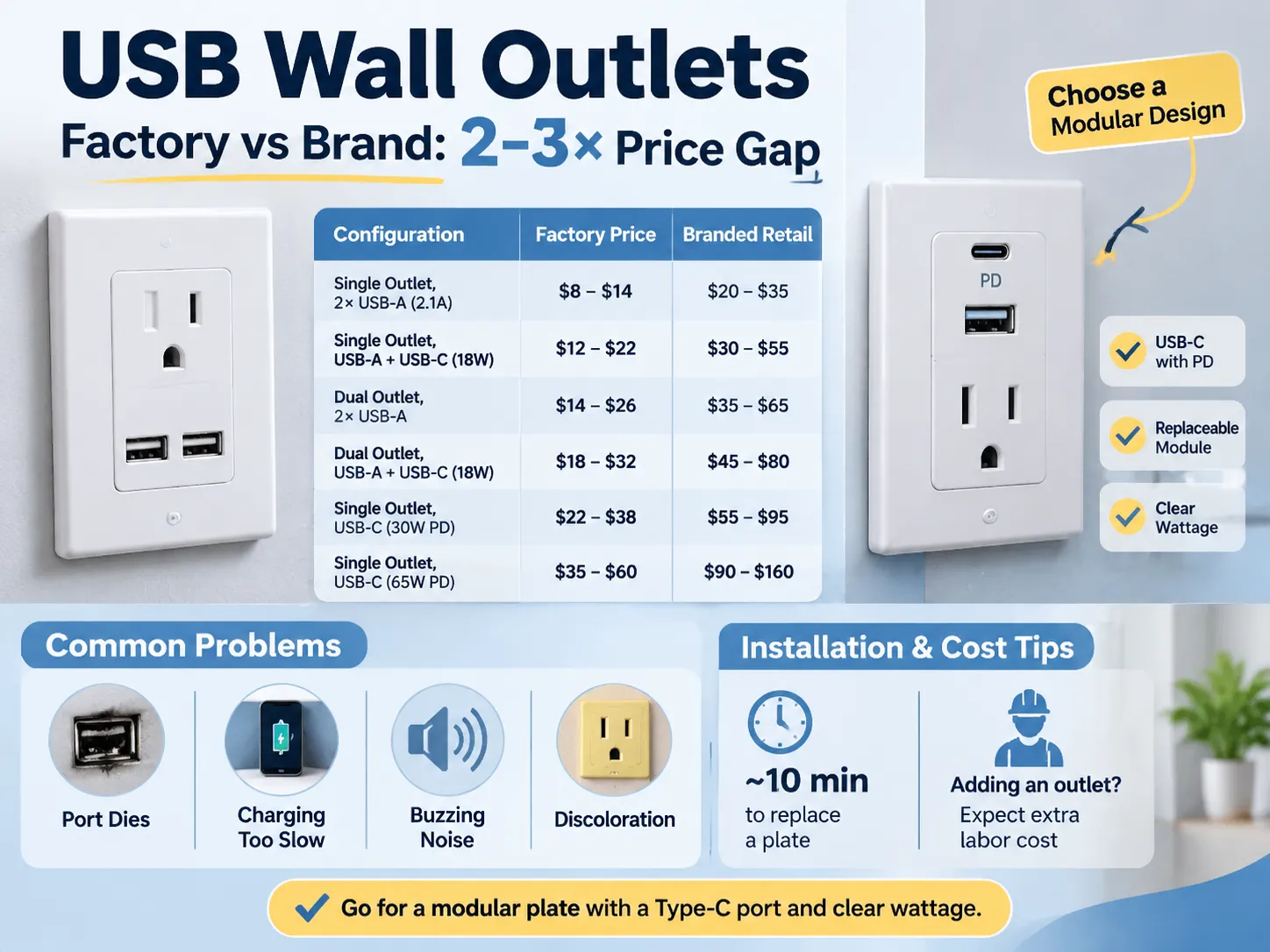
Comparando Configuraciones
| Configuración | Factory Price | Branded Retail |
|---|---|---|
| Single outlet (Dual USB-A 2.1 A Shared) | $8 – $14 | $20 – $35 |
| Single Outlet (USB-A + USB-C 18 W) | $12 – $22 | $30 – $55 |
| Dual Outlet (Dual USB-A) | $14 – $26 | $35 – $65 |
| Dual Outlet (USB-A + USB-C 18 W) | $18 – $32 | $45 – $80 |
| Single Outlet (USB-C 30 W PD) | $22 – $38 | $55 – $95 |
| Single Outlet (USB-C 65 W PD) | $35 – $60 | $90 – $160 |
The difference between the costs of the factory and branded products is the same difference that exists among all Wiring Devices; a Factory sells a Plate and a Module whereas a Brand sells a Plate, a Module, a Box, a Warranty, and a Distribution Margin. The difference between Factory Pricing and Brand Pricing is typically two to three times greater, and in many cases even more so due to the fact that many Brands also have a Local Service Desk in addition to the Factory Pricing. The difference is easiest to see when comparing the price of the same 13 Amp Plate (available through a Factory and a retailer) several pages apart.
You should also keep in mind that Installation costs are separate from Material costs, and it is easy to underestimate the Installation costs associated with replacing a Plate with a USB Plate, an Installation will take about ten minutes to complete once the power is turned off.
An outlet can be added by an electrician, and when a solid wall is present, the cost of doing this will exceed the cost of the outlet itself.
What Goes Wrong in Service
When a fault occurs, there are four modes of failure associated with these ports, and these four modes are present in all specifications before a purchase is made.
- One mode of failure occurs for both the outlet and the port. Because the USB (Universal Serial Bus) module is built into the outlet, the entire outlet must be replaced if the USB port fails. If the USB port is not built-in, the USB port can be replaced at a lower cost than replacing the entire outlet.
- Another mode of failure occurs when a user experiences slow charging. A user blames their charging cable for this failure, but the problem is caused by a shared 2.1 amp USB port. If two phones are connected to the same USB port, they both receive a maximum current of 1.05 amps, which appears as a fault to the user. The best option to avoid this issue is to specify either the total current that can be supplied by a USB port or the maximum current that can be provided to each port individually.
- A third mode of failure is when an outlet creates a buzzing noise. This is caused by the low quality of the power supply and lack of filtering. The buzzing sound occurs when the power supply is under a light load. The sound of the buzzing is not dangerous; however, it is very irritating for users who have the outlet in their bedroom.
- The fourth mode of failure is the discolouration of the outlet plate. This discolouration occurs because the plastic around the USB module heats up when the outlet is used continuously in a sealed box. The result is that the plastic will turn yellow within two years. If a higher quality outlet is selected, it would use polycarbonate plastic and a thermal cut-off device; however, the cost difference is approximately $10.
To avoid issues with most of the failure modes listed above, select a modular plate, a replaceable USB module, and a type C USB port with Power Delivery, and specify the total wattage of the new outlet. The cost of this combination is approximately $10 more than the lowest-cost option, but it will eliminate the three most frequent complaints.
The various electrical wiring devices in a room, including switches and sockets, are determined by how you choose to combine them to work together within that particular area.
Installation and the Wall Box
How they are installed and how they fit into your home is primarily determined by the wall box that is used to mount the devices. In this regard, a standard 35 mm box will only provide enough space to accommodate low-power modules and is only marginally acceptable for installations of higher wattage (18 W). The reason for this is that both the wiring and the module require air space to allow for heat dissipation, and with a box of this size there is not enough air space available.
In order to safely install a 30 W or 65 W outlet, you should use a 47 mm box, as it provides sufficient air space and is only slightly more expensive than the 35 mm box at first fix.
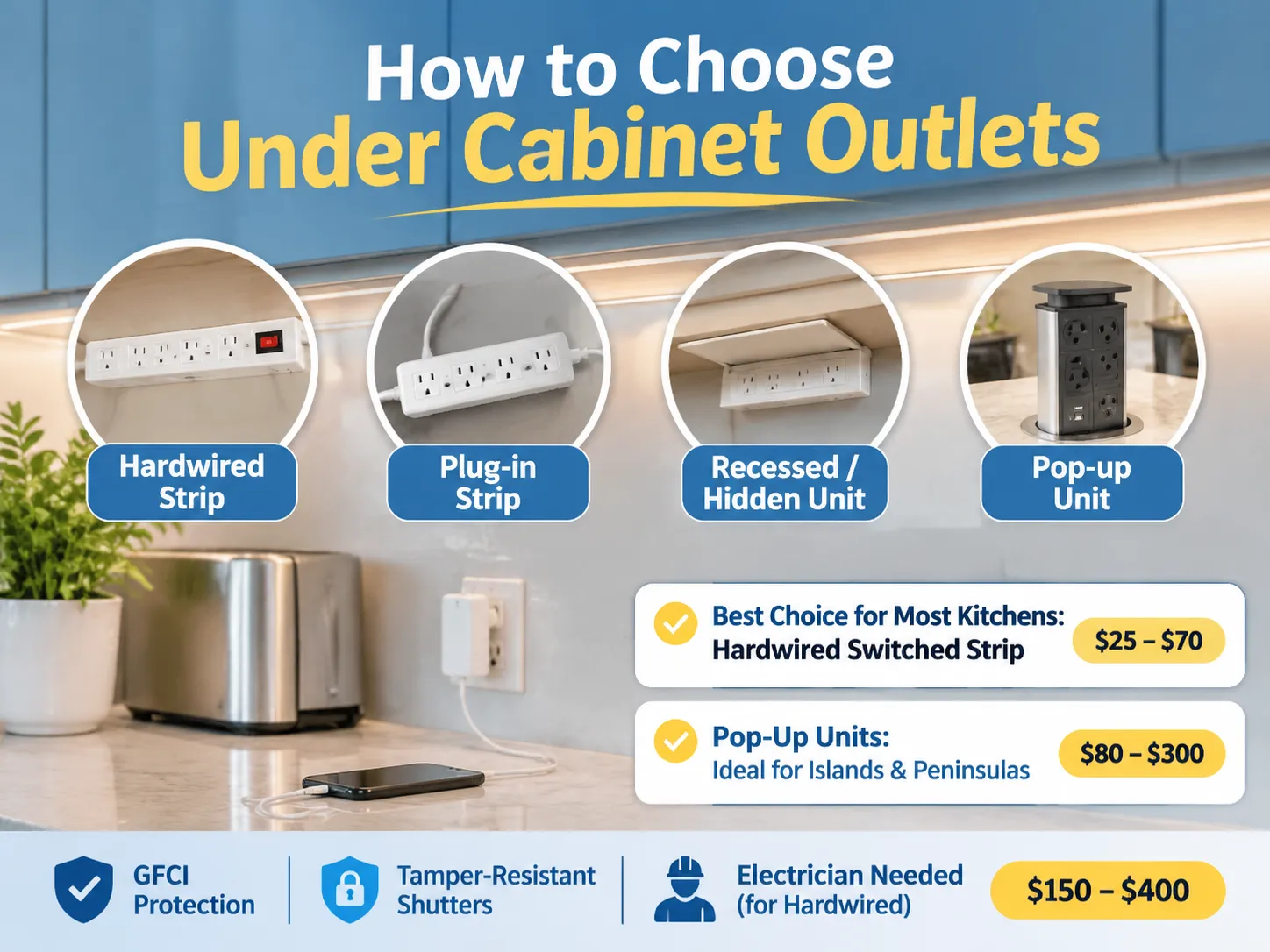
Where an installation should be positioned is equally important to how deep the box is. An outlet that is installed next to a bed and used on a nightly basis will benefit from having a switch to be able to isolate the module, whereas an outlet that is located above the worktop in a kitchen may be intermittent and best installed beneath a cabinet. Also, a receptacle in a hotel room should be located on the nightstand next to the bed and be easily accessible without having to get up, as opposed to one that is located on the opposite side of the room.
All markets have three common installation notes regarding USB outlets. Firstly, USB devices draw power from the circuit, even when no device is connected. Therefore, it is advisable to connect USB modules to switched or at minimum protected circuits. Secondly, it is important that at the installation location, there should be a neutral wire in order for the USB module to function. Many older homes do not have neutrals in their existing wiring. Finally, the installation location for a USB outlet should be within the manufacturer’s rated ambient temperature range, which typically excludes areas inside of cupboards next to stoves.
The 13A British standard outlines the manufacturing of the socket and is the most common British standard; therefore the continuity of the 13 A socket volume production line, where the installation cost drops to a predictable range of costs based on volume.
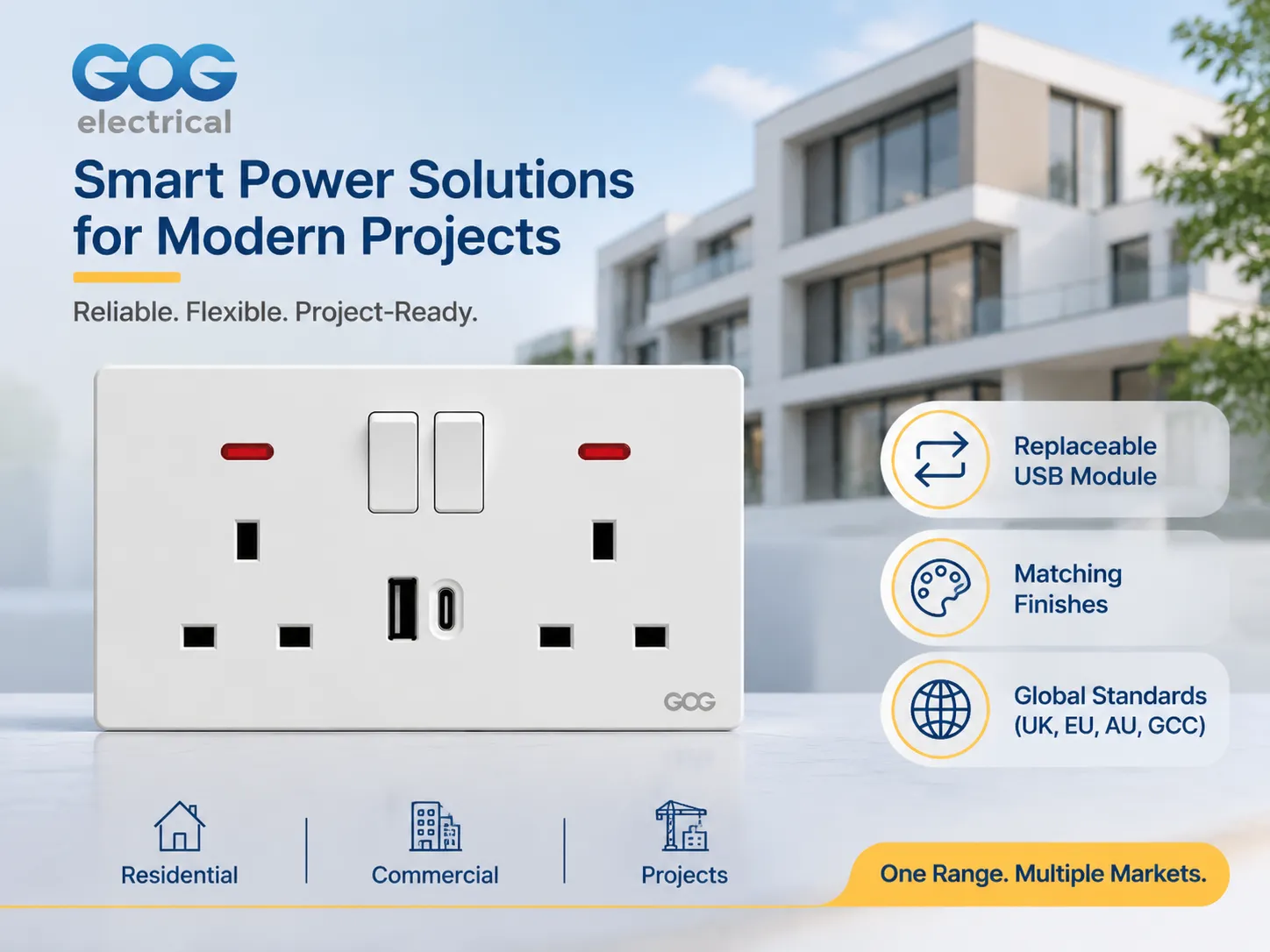
How does GOG fit into the equation?
GOG manufactures switches, sockets and plates specifically for residential, commercial and project type jobs including plates that are finished with USB-A and USB-C interfaces to match the rest of GOG’s product line. The majority of GOG’s product is sold to wholesale distributors, commercial & residential developers and contractors, but not to retail customers, so the conversation is about the quality of the products, the number of modules included with each order and the total volume of products ordered rather than the packaging for the product.
Three main features that GOG offers to developers and contractors on a project basis include;
- The USB interface module is a separate item that can be removed from and replaced within the socket plate, therefore if a USB interface fails in a hotel room for example it takes approximately 10 minutes to replace the module instead of having to take down the entire socket plate and re-install the additional components in the plate.
- The USB interface modules are available in the same finishes as the socket plates that they are used in which allows for consistent finishes throughout a home so that a homeowner does not end up in a situation where there is a white USB charger being used in a plate that is in an anthracite finish.
- The mains side of GOG’s product is produced to the national electrical code (NEC) requirement of the market the product will be used in, for example, products that are built to the 13A British pattern will have the appropriate plug configuration for the Gulf, southeast Asia and Australia.
When a developer or contractor requests information on GOG’s products, the initial conversation is about the quality of the product, the finish of the product and the number of products ordered. The catalog contains both module dimensions and plates, and this is significant for the designer because it is the complete range of products available that determines if the USB plate will be able to be included in conjunction with the other plates within the project (as already determined by the previous specifications of the sockets). Production runs from the 13 Amp Project production line for any quantity of product will be produced from a volume of products based on the volume required by the project.
Before making your specification final, there is one more publication that you may wish to review; the article “Outlets and Switches for the Modern Home,” which highlights how the USB plate will work in conjunction with other outlets/walls in the room design, which is usually the first question that the designer will ask before the electrician makes any design changes.
Preguntas frecuentes
Are USB outlets worth the additional cost?
For bedrooms, kitchens and hotel rooms where you will be relying on a charger on a daily basis. When a plug-top charger uses up an outlet, the price difference over a basic outlet is generally somewhere between $8.00 – $25.00, based on factory pricing. In utility rooms and garages, where you can permanently place a charger in a socket, the benefit of having it integrated into the wall is virtually non-existent.
What is the difference in charging capability with 2.1 A and 3 A USB outlets?
The 2.1 A outlet provides 10.5 W at 5 V, which allows for normal charging speeds on most sized phones and slow charging for tablets at 10 Watt levels; 3 A outlets provide 15 W at 5 V, which gives you faster charging capabilities on most sized devices. You should take note before comparing prices on a dual-port plate as to whether the ports are total or per-port because the figure shown may be a shared number across both ports.
Is it possible to charge a laptop using a USB socket?
The only way to charge a laptop with a USB socket is if it has a USB-C port and supports Power Delivery at 30 W or more. If the laptop is thin enough, then a USB-C port rated at 30 W will charge it slowly, but a port rated at 65 W will charge a standard-size laptop at a rate that is acceptable. If a USB socket is rated only at 5 V, it cannot charge a laptop because it cannot negotiate the necessary voltage with the laptop.
Do USB sockets consume energy when nothing is connected?
USB sockets consume energy when nothing is connected. This is due to the fact that they require a small standby power supply to remain operational. In a good design, the standby circuit consumes less than 0.1 W, while in a poor design, it can consume more than 0.5 W. This difference in the amount of standby power that is used can be substantial over time, and thus should be noted in the specifications for a hotel or office fit-out, where the amount of standby power needed is high.
Reference List
- Legrand – Wiring Devices & USB Charging Outlets
- NEMA – Wiring Device & Receptacle Configurations
- UL Solutions – Receptacle and Charging Device Certification
- USB Implementers Forum – USB Power Delivery Specification
- Schneider Electric – Switch, Socket & Charging Solutions
In summary
An AC socket with USB is a standard mains socket with a small power supply mounted to the back side of it. It is actually the power supply that will determine how long the product will last. When making a decision about which product to purchase, you should look at the total watts, the per-port current rating (not the shared rating), and whether the module can be replaced.
For most installations, the best specification to use is a modular plate with one USB-A and one USB-C at 18 W, in a 47 mm box and finished to match other products in the installation. The combination of these two products will cost slightly more than the lowest priced option and will avoid all three major reasons why people regret buying one.