In case you want to post a query on the forums, it would provide you names of models but without the reason behind choosing them. The conclusion reached from asking a specialist would be very different due to the fact that the answer provided would depend on how long has been the duration of use of that model in the practice of the said expert. Nevertheless, the difference in the answers given is worth analyzing and the issue of analysis is not the switch, for sure.
Smart switch can be viewed as a radio, relay, and firmware at the same. The key difference between a good switch and a bad one is in how they work due to reasons such as failure of Wi-Fi connection, poor quality of LED light bulb, absence of neutral wire in a junction box and no further updates from the manufacturer three years after it was bought.
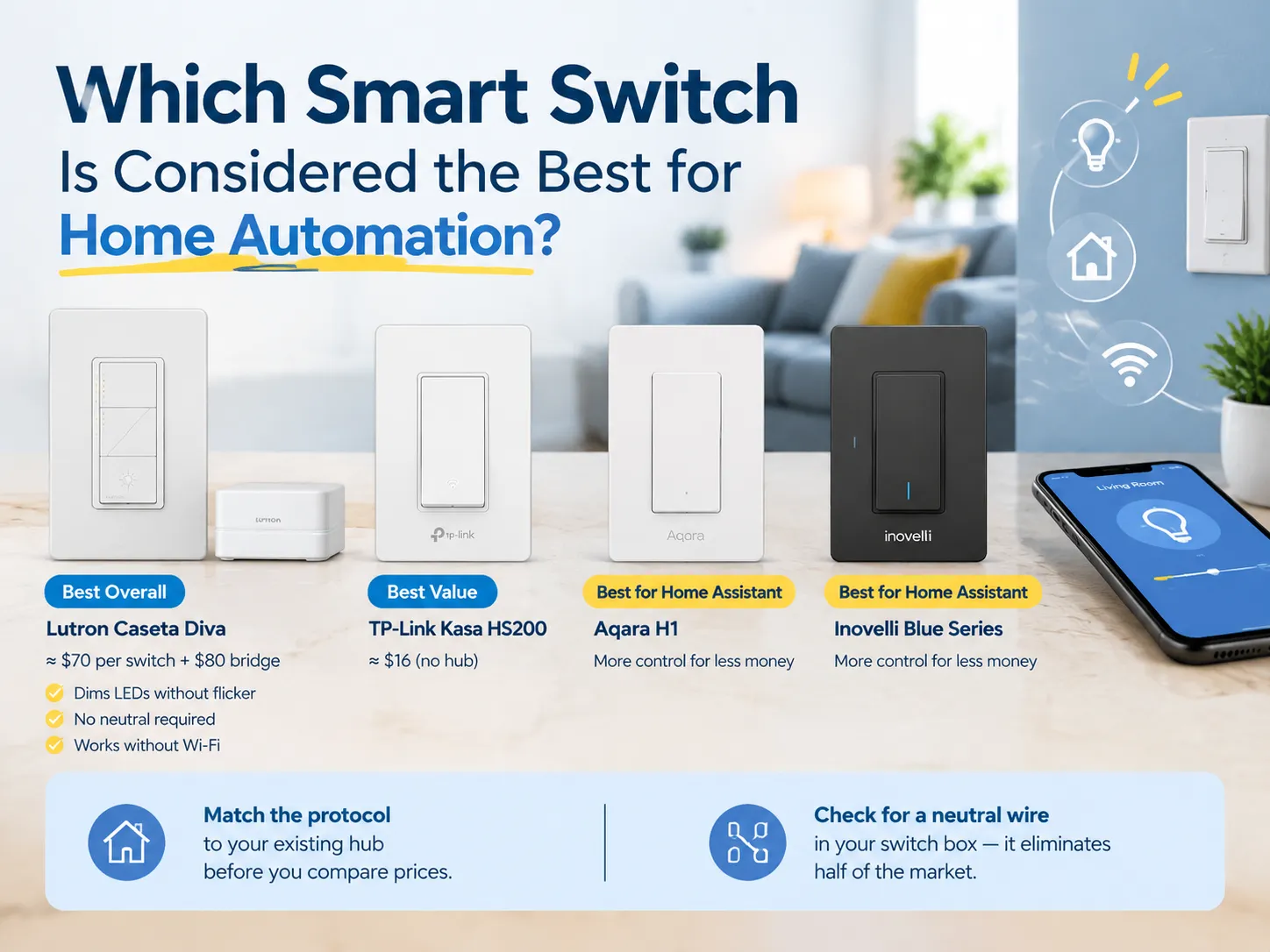
According to experts, the best smart switch you can buy today is the Lutron Caseta Diva priced at about $70 along with a bridge that costs about $80. The Lutron Caseta Diva can easily dim LED lights without flickering or requiring a neutral wire while not working over Wi-Fi. A cheaper alternative to buy would be the TP-Link Kasa HS200 at $16 which doesn’t need any hub. However, the Aqara H1 and Inovelli Blue Series would help you keep the costs low if you are using Home Assistant. Make sure to verify your smart switch and its protocol compatibility with the hub and to find out if you have a neutral wire in your circuit box as well.
The Short Answer, and Why “Best” Depends on Three Facts
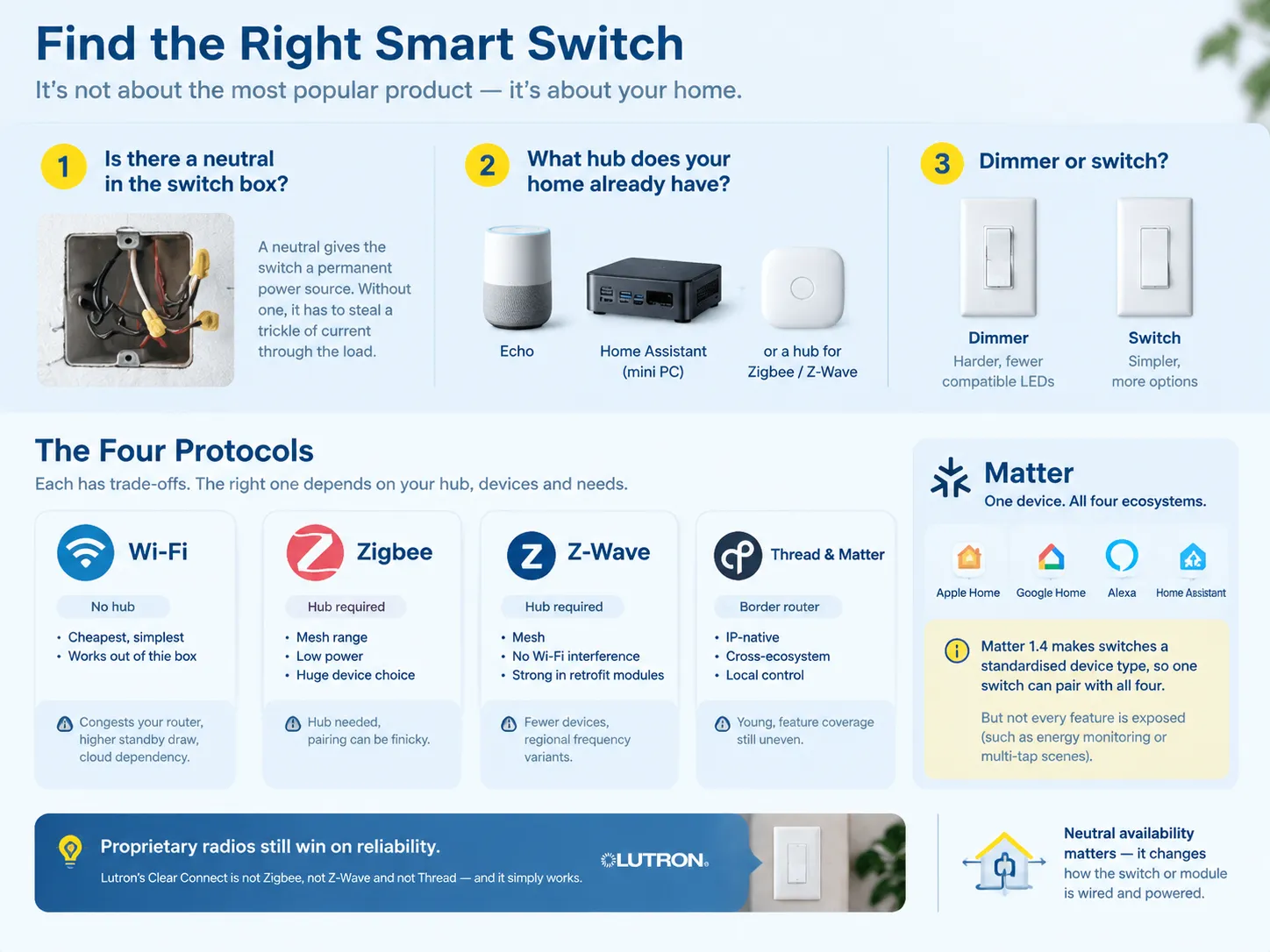
Before starting the actual product comparison, one must know the answers to three questions.
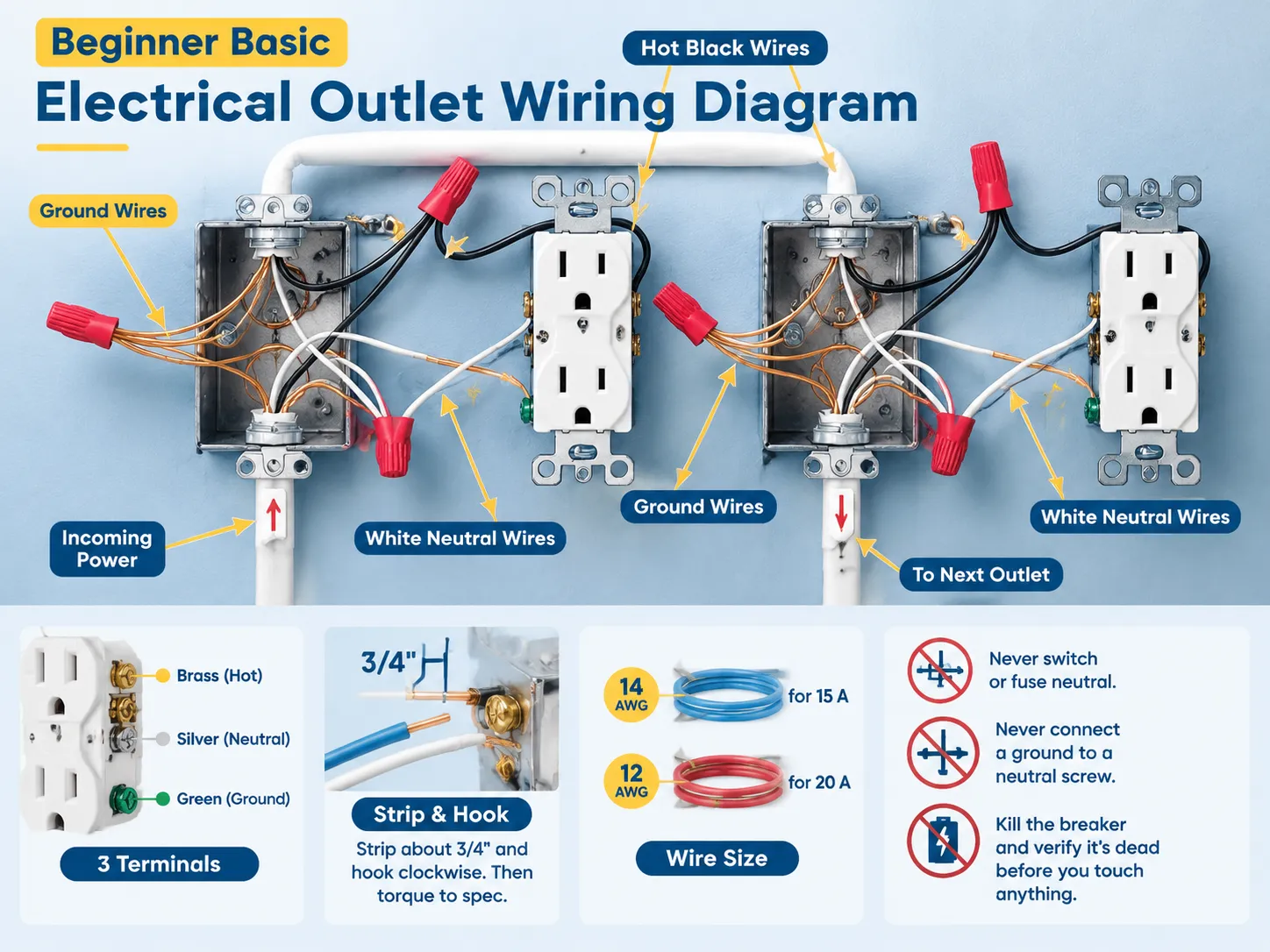
- Does the switch box have a neutral? The neutral wire will give power to the switch all the time. If there is no neutral wire, then the switch will have to steal some current from the load; in any case, some light bulbs will work, whereas others will not.
- What hub, if any, does the house have? For example, the house that runs Home Assistant on a mini PC has an advantage over the house with only an Echo device. If you are going to buy a Zigbee switch for a house without any hub, you will have to get the hub first; this will have great economic implications.
- Is it a dimmer or switch? Dimming is quite difficult from an engineering point of view, and there are very few dimmers that are able to work properly with modern LED lamps as compared to the number of switches that can engage and disengage.
Once you know the answers to the three questions, the shortlist of options will become much shorter.
The Four Protocols That Decide Everything
| Protocol | Hub required | Strengths | Weaknesses |
|---|---|---|---|
| Wi-Fi | No | Cheapest, simplest, works out of the box | Congests the router, higher standby draw, cloud dependency |
| Zigbee | Yes | Mesh range, low power, huge device choice | Hub needed, pairing can be finicky |
| Z-Wave | Yes | Mesh, no Wi-Fi interference, strong in retrofit modules | Fewer devices, regional frequency variants |
| Thread and Matter | Border router | IP-native, cross-ecosystem, local control | Young, feature coverage still uneven |
Matter is not a protocol like any of the existing radio protocols. It is more like an application layer that is built on top of Wi-Fi, Thread, or Ethernet. The essence of Matter is that it allows devices to present the same to all ecosystems like HomeKit, Google Home, Alexa, and Home Assistant. Starting with Matter 1.4, published in November 2024, switches become a standard type of device. Thus, a Matter switch is compatible with all four ecosystems at the same time. That’s great but one thing has to be mentioned here. While the product page mentions Matter support, it does not guarantee all features will be available on the device as embracing Matter technology does not mean being able to use the energy monitoring feature.
When it comes to proprietary radios, their reliability is always higher. An example is Lutron Clear Connect which is not Zigbee or Z-Wave or Thread. That is the reason why Caseta switches react under a second in some houses where the 2.4GHz band is packed with devices. The downside of this approach is that you find yourself within the Lutron ecosystem which is connected to the bridge.
Neutral availability exists in all four protocols, and should be understood prior to placing an order, because the solution is different for a switch powered via load versus a module that plugs into the existing switch. The distinction is set out in this comparison of neutral and non-neutral smart switches.
The Types of Smart Switch
| Type | What it replaces | Best for | Typical price |
|---|---|---|---|
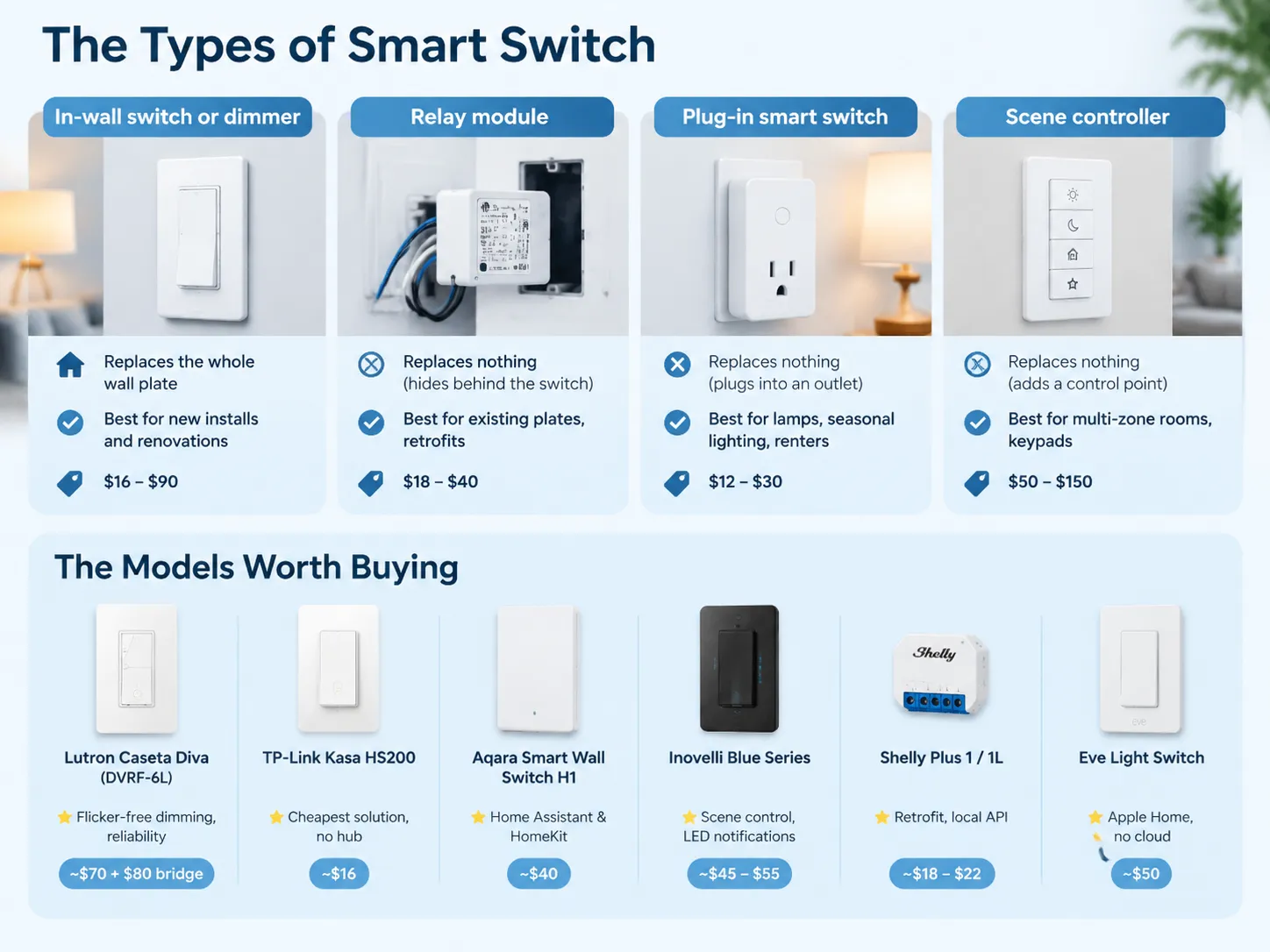
| In-wall switch or dimmer | The whole wall plate | New installs and renovations | $16–$90 |
| Relay module | Nothing, it hides behind the switch | Keeping existing plates, retrofits | $18–$40 |
| Plug-in smart switch | Nothing, it plugs into an outlet | Lamps, seasonal lighting, renters | $12–$30 |
| Scene controller | Nothing, it adds a control point | Multi-zone rooms, keypads | $50–$150 |
An in-wall switch is what typically is meant by a “smart switch”, and it may be the most ideal option in renovation scenarios where the box is already opened. For an already existing finished space with a neutral available, the same switch can be installed in around ten minutes. Without a neutral, the relay module is a better option because the module is positioned near the fixture or in a deeper box without the need of getting powered through the lamp itself.
Scene controllers are a category that is often ignored by buyers. A four-button keypad installed in a wall that activates a scene involving six lights, a blind and a thermostat provides a better user interface experience than six different switches, and is the single change that can transform a smart house from looking collected to looking stylish.
The Models Worth Buying
| Model | Protocol | Neutral | Best at | Street price |
|---|---|---|---|---|
| Lutron Caseta Diva (DVRF-6L) | Clear Connect | Not required | Flicker-free LED dimming, reliability | ~$70 plus ~$80 bridge |
| TP-Link Kasa HS200 | Wi-Fi | Required | Cheapest working solution, no hub | ~$16 |
| Aqara Smart Wall Switch H1 | Zigbee, Matter via hub | No-neutral version available | Home Assistant and HomeKit on a budget | ~$40 |
| Inovelli Blue Series | Zigbee | Works without, bypass may be needed | Scene control, LED notifications, power monitoring | ~$45–$55 |
| Shelly Plus 1 / 1L | Wi-Fi | 1L version no neutral | Retrofit behind existing switches, local API | ~$18–$22 |
| Eve Light Switch | Thread | Required | Apple Home households, no cloud | ~$50 |
All prices are street prices per gang in late 2026 and are adjusted for promotions. The table is arranged based on the abilities of the item and not rank.
The Kasa HS200 is a budget option and deserves its sales. The Kasa HS200 features a 15 A, 600 W Wi-Fi switch that comes with 2 years warranty. Users should note that Kasa HS200 does require neutral and works on 2.4 GHz Wi-Fi, and does not have dimming features but in utility room or garage this hardly matters.
The Caseta Diva is four times more expensive and is worth every penny in a living room. The low-watt LED loads do not flicker when using the dimming circuit of Lutron and it has an interesting shape that looks like a regular switch. The bridge connects all devices to Apple, Google, Alexa, and SmartThings and works with Matter since 2024.
The Inovelli blue switch is for someone who would actually use its features. It has the LED notification light, can control scenes without cutting power to the smart bulb, and can be configured without the app. The Inovelli blue switch comes with a Zigbee coordinator and might need a bypass capacitor for loads below approximately 25 W.
The broader market, including glass-panel designs, touch switches and combo units, is surveyed in this round-up of top-rated smart light switches, which is useful if aesthetics are part of the brief and not only function.
Ecosystem: Where It Has to Work
A switch that is superb in its own application but fails to operate properly elsewhere will become a source of resentment by the third month of ownership.
Home Assistant is the most accommodating platform and the toughest in terms of sloppy firmware. Zigbee and Z-Wave devices communicate in their own environment through Zigbee2MQTT or Z-Wave JS, reveal everything and continue to function even if there is no internet access. Wi-Fi devices rely on cloud-based integration, which means if a cloud goes out – everything stops working.
Apple Home makes use of Thread and supports Matter as well. Eve’s Thread switches boast local response and instant action. Google Home and Alexa are more versatile in terms of devices they are compatible with but they expose the least amount of information.Which switches actually behave inside Google’s ecosystem is covered in this look at the smart light switches that work with Google Home.
There is a single principle that has stood the test of time: local systems defeat cloud-based ones. Switches that operate based on local commands from a local hub (using local area network) will work even when the power goes out. This is in contrast to cloud-based switches, which will fail to operate. There is a stark contrast between local systems vs. cloud-based ones.
The Neutral Wire Question
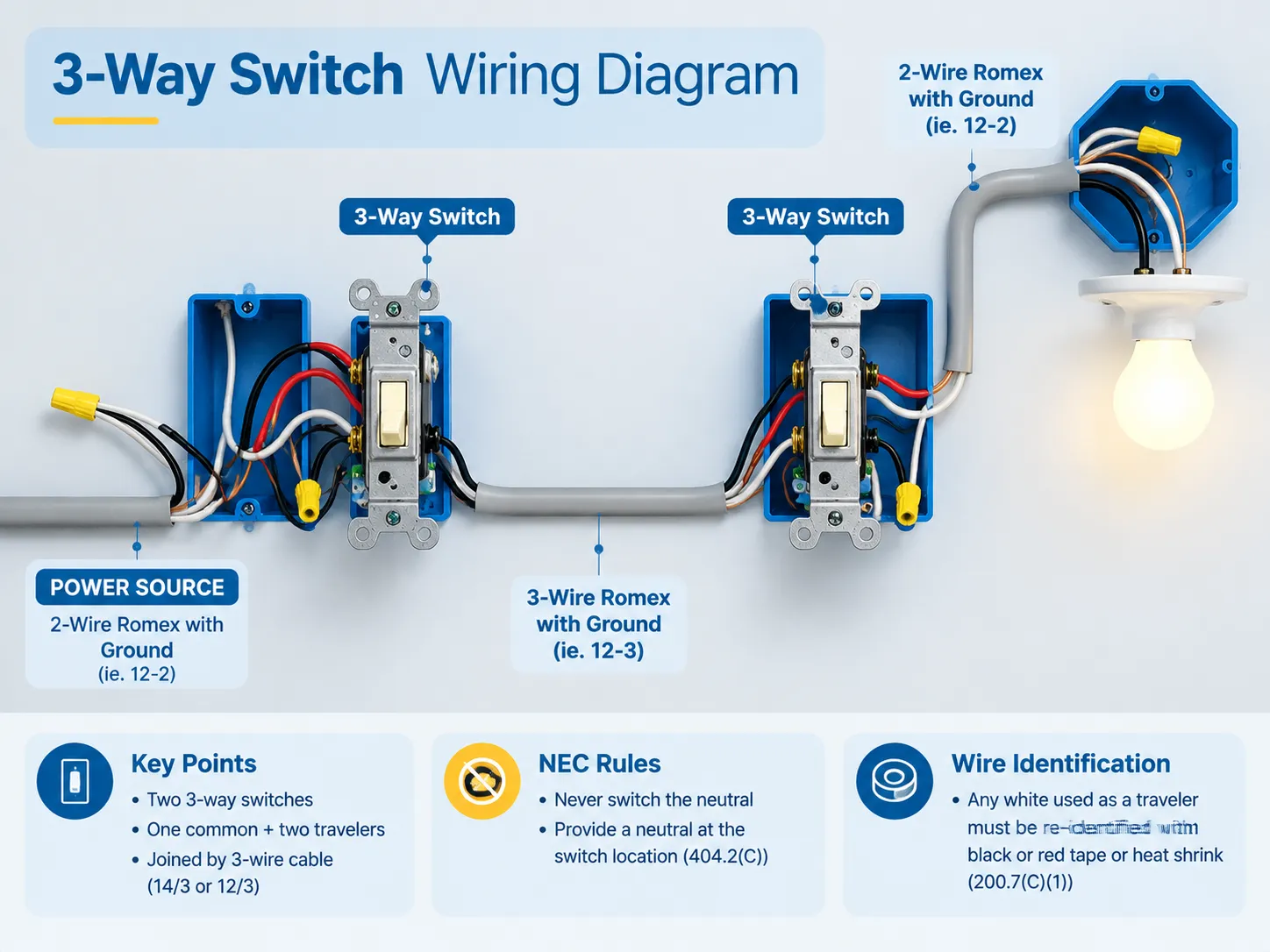
You should take off the switch plate and check the inside of the box for a bundle of white wires that are joined together. If you see such a bundle, it means that you have a neutral and you can use any of the devices from the above table. If there are only two wires coming to the switch and no bundle, you are inside the no-neutral category, and your options are limited to Caseta, the no-neutral Aqara H1, and the Shelly 1L, and devices needed to connect to the fixture.
The principle of no-neutral switches is that they use a small amount of current to power the load when the lamp is off. The current is enough for the radio to work but not strong enough for the lamp to turn on. With incandescent bulbs, this is never a problem, while with 4 W LED lamps it can be an issue, and you may notice a dim light or flicking at the lowest level. Lutron avoids this problem by using the ground to conduct current instead of the load, and consequently, it charges more for its products.
Changing a two-wire switch box into a three-wire is a job for a licensed electrician and in many houses, all the necessary wiring simply does not exist. This guide to converting a normal switch to a smart switch covers what the conversion actually involves and where it stops being worth doing.
Three Reference Setups That Work
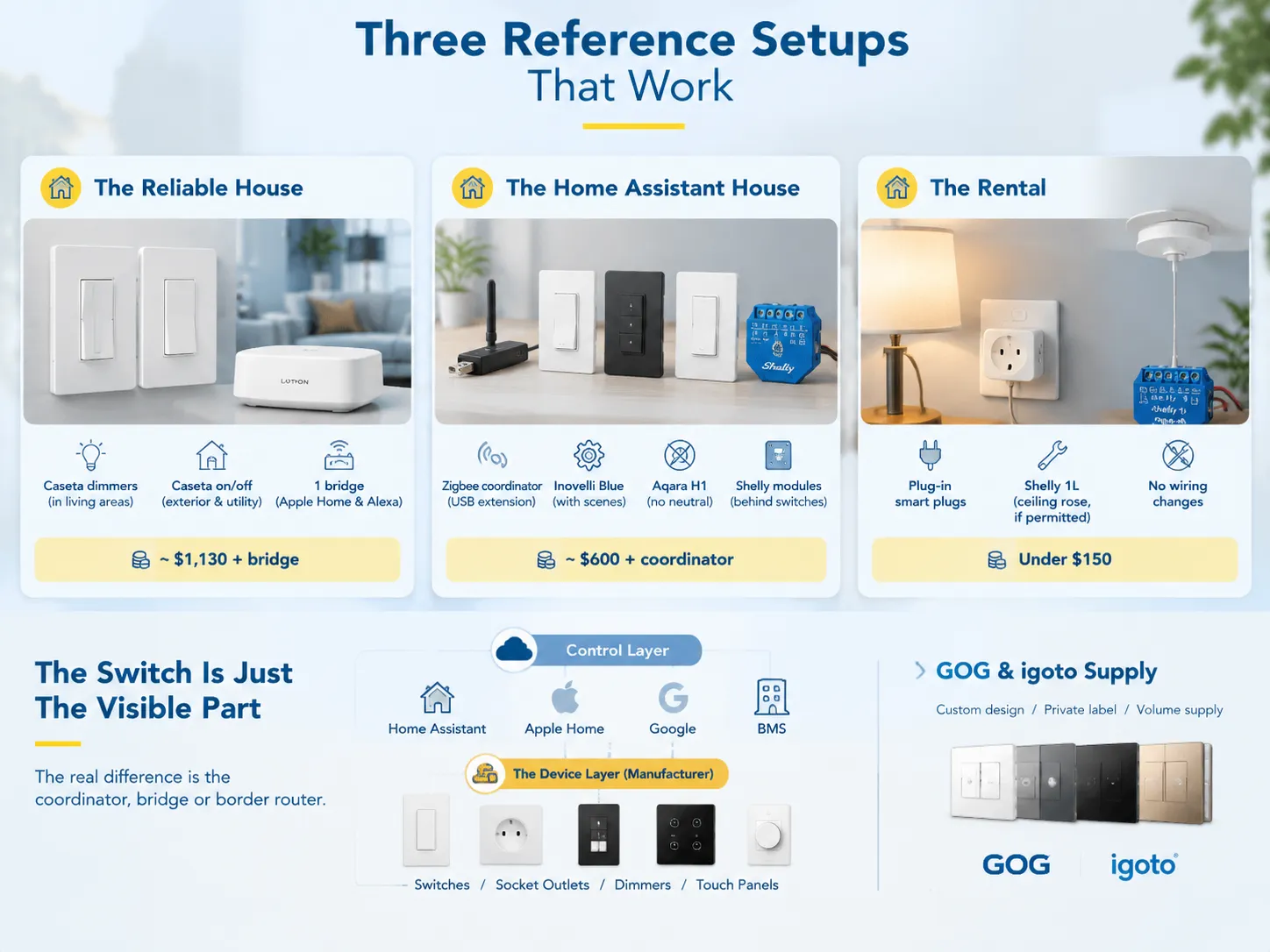
The dependable house includes Caseta dimmers in each room of the house, as well as a bridge and the switches to turn on or off electric circuits outside and electricity in the house. Installation of this system is easy, as there is no need for a neutral wire for the dimmers, no chances for WiFi interferences, and all devices are visible on the Apple application or the system of Amazon. The whole construction costs about $1,130, plus the bridge. This option works best for those who want everything to be working without needing to work on the project as hobby.
The Home Assistant house uses a Zigbee coordinator connected via USB extension, different types of Inovelli Blue in the rooms using scenes, devices manufactured by Aqara in the rooms without a neutral wire, and switches kept in their original condition thanks to Shelly modules. Everything is automatic and needs monthly maintenance. This construction costs about $600, plus the cost of ZigBee coordinator.
The rental has plug-in devices that can be controlled and utilizes the use of Shelly device, if permitted by the landlord. In all, its cost is less than $150, and the whole system can be disconnected within hours.
The core message behind the examples is that a switch is only the visible part of the system, while other units responsible for the whole functionality of the system are generally neglected.
What GOG and igoto Supply
Everything mentioned above implies that the switch being put in place is an ordinary product for consumers and appropriately priced. However, it is different when it comes to distributor or hotel project or builder fitting out some apartment buildings like in this case, the need here is the consistency of design throughout the product range and availability of private label options.
That is the layer GOG works in. The brand builds wall switches, socket outlets, dimmers and touch panels, and the smart switch manufacturing programme covers the hardware side of an automation project: the plate, the mechanism, the touch or rocker interface and the relay, built to a customer’s design and branding. igoto, the group’s OEM brand, runs the same capability for buyers who want their own name on the product rather than a catalogue item.
One should define limits clearly. A company that produces switches is the one to provide the instrument which can be affixed to the wall and control electrical devices or other devices in the premises. Equipment operating in the automation system comes from modules from various companies such as Apple, Home Assistant, or a system managing buildings. A glass switchboard can fulfill its function but can serve as a poor control device and provide failure of the project and disappointment of the customer.
The biggest advantage of the approach adopted by different producing companies is uniformity, which touches the design style in different 200 rooms, use of one number of spare parts and matching color and finish with the one used for door fittings.
FAQ
Which company’s smart switch is best?
Lutron is the number one name in reliability as well as LED dimming quality. If a house must be functional, then the Lutron Caseta is the go-to name. TP-Link has the cheapest option in the market for $16 with the Kasa HS200 that does not require a hub. Aqara and Inovelli are the leaders in the enthusiast category as they reveal features that conventional brands keep hidden.
Which smart home automation system is the best?
If you desire to remain local in your control and avoid relying on a third-party company, Home Assistant is the solution for you since it is compatible with virtually anything and functions without an internet connection. If your home is entirely filled with Apple devices, then Apple Home is your best option since Thread and Matter devices operate with a local and rapid response time. Google Home and Alexa may be interesting if you prefer simplicity over profundity in your voice control applications. Your choice of technology is more relevant than your choice of button or switch because while the latter is exchangeable, the former is what you base your home on.
Which smart switch is better?
What better suit what purpose? For dimming performance, Lutron Caseta Diva; Kasa HS200 for the cost; for value-added features in Home Assistant setups, Inovelli Blue; for retrofitting behind existing switchboards, Shelly 1L. There is no proper comparison between spec sheets but rather the two shortlisted switches placed into your own house with your own bulbs and neutral wiring.
What smart switches work best with Home Assistant?
Devices using Zigbee or Z-Wave can be integrated using Zigbee2MQTT or Z-Wave JS, making them local, quick, and fully accessible. In terms of in-wall solutions, the Inovelli Blue Series is the most commonly suggested while Aqara H1 could also work depending on the project in hand along with Shelly modules. Although Wi-Fi switch works, their reliance on cloud integration could bring about unwanted issues.
References
- Lutron — Caseta Smart Lighting Controls
- Aqara — Smart Wall Switch and Hub Range
- Shelly — Smart Relay Modules
- Home Assistant — Local Home Automation Platform
- Zigbee2MQTT — Zigbee Device Compatibility Database
Conclusion
The best smart switch will depend on the types of wiring you have and the devices you plan on connecting to it. Once you get the right combination, the question becomes one of personal preference. A Kasa smart switch which costs $16 may be more effective in a garage that has a neutral wire than any more expensive dimmer switch.
The key differentiator between simple installations and complicated ones is not the type of switch that you buy, but the knowledge of the fact that you have a wire or not in the box.