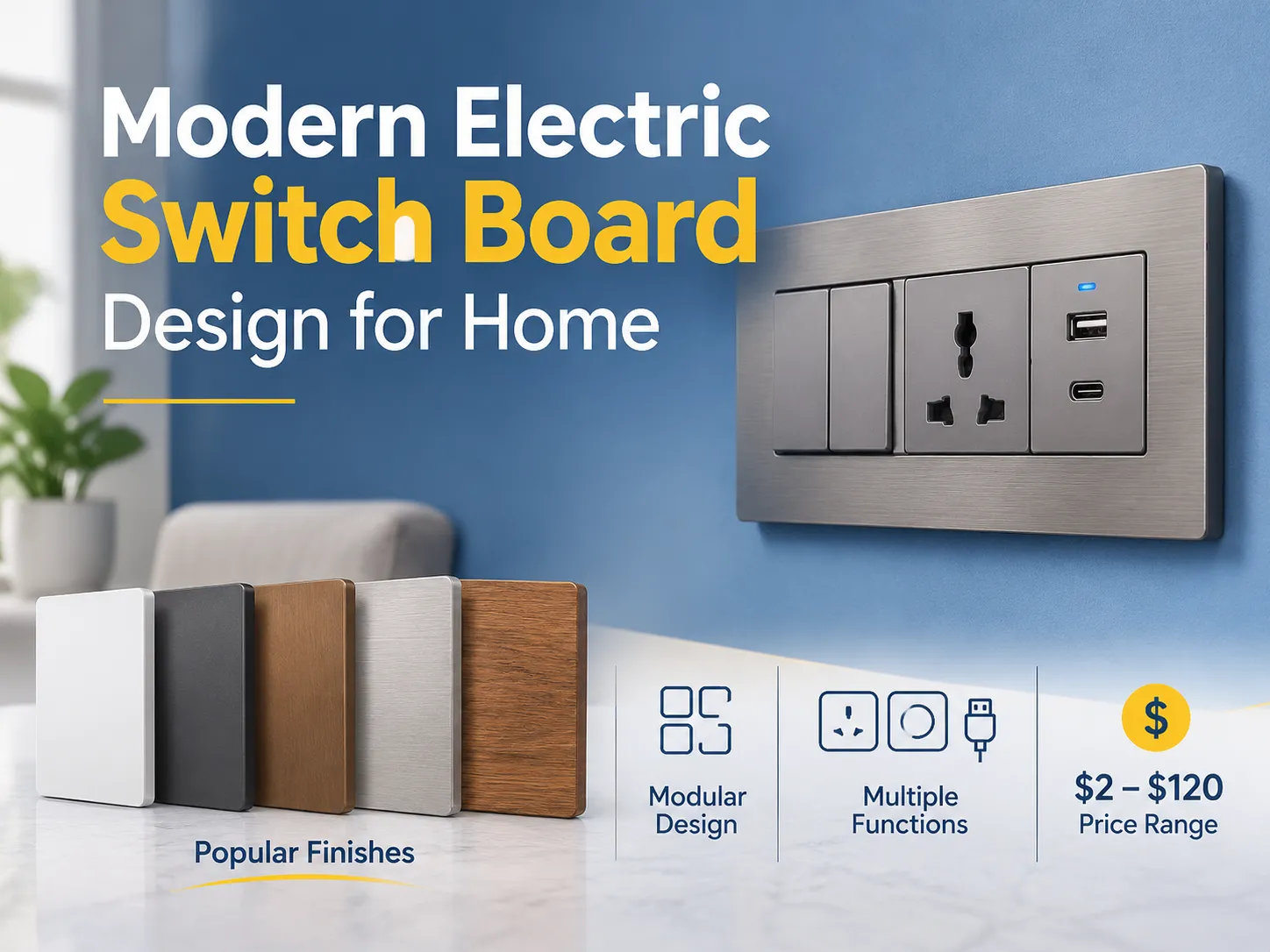
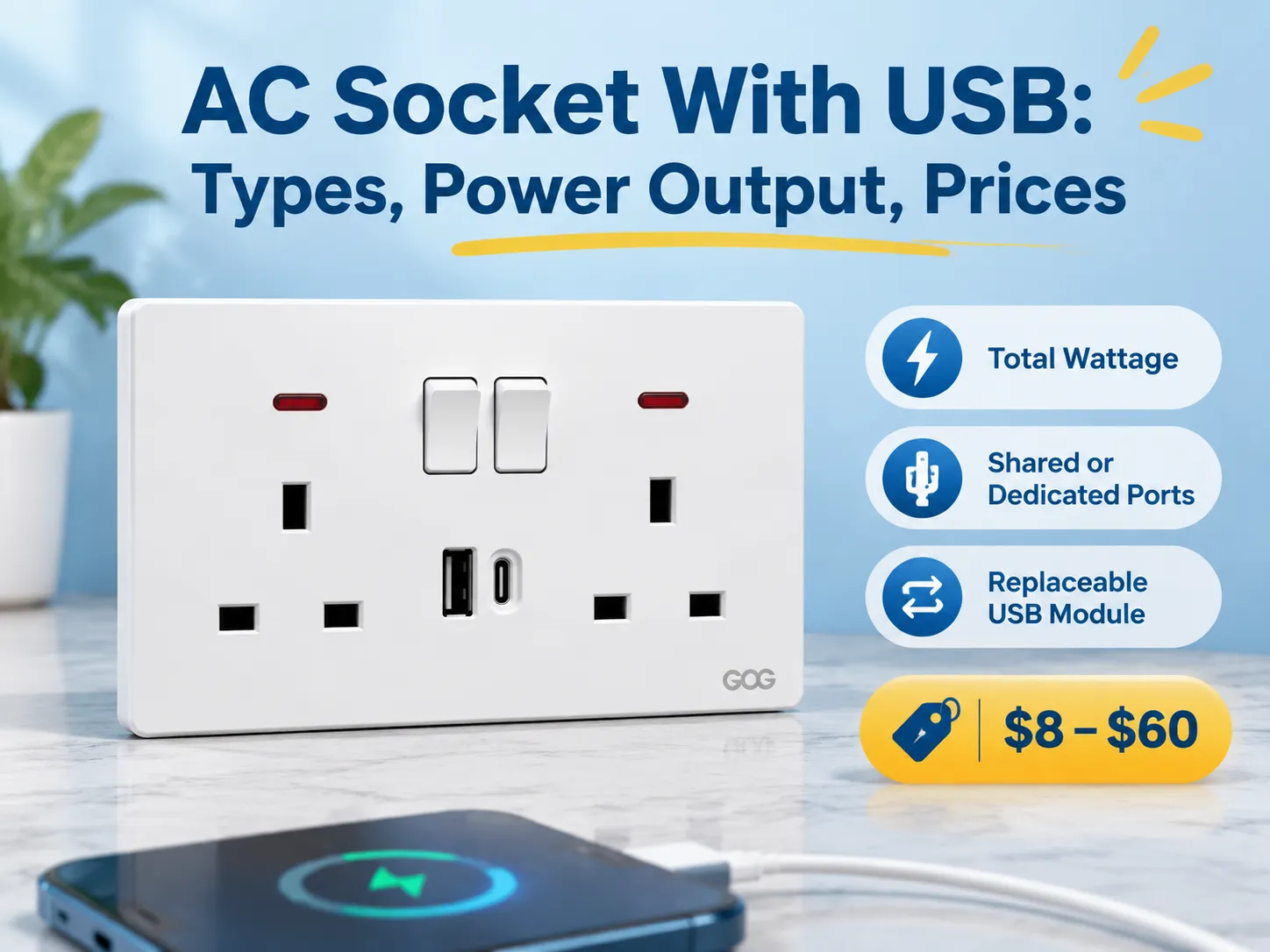
وجود منفذ USB هو تحسين لمقبس التيار المتردد الحالي ويخلق فرصًا جديدة في تكنولوجيا الشحن. أصبح USB بسرعة ميزة مضافة ضمن معظم الأجهزة المنزلية، بينما تم استخدام منافذ الكهرباء التقليدية منذ زمن طويل لتشغيل المعدات الإلكترونية منذ اختراع الأجهزة الكهربائية.
إجابة سريعة: فيما يتعلق بهيكل التسعير لهذه المنتجات، فإنها تتراوح عادةً من $8-$20 للإصدار الأساسي، الذي يحتوي على منفذين (2) USB يشتركان في 2.1 أمبير من طاقة الإخراج؛ $15-$35 لمنفذ USB Type-C الذي يدعم توصيل الطاقة بقوة 18 واط؛ $25-$60 لمنتجات PD التي توفر 30 واط أو أكثر؛ والإصدارات ذات العلامات التجارية عادة ما تكون بمقدار مرتين إلى ثلاثة أضعاف هذا المبلغ.
المعايير العامة لهذه المنتجات الكهربائية هي إجمالي الواط، سواء كانت تشترك في ميزانية لتحديد كمية الطاقة التي تتلقاها، وإذا كانت تأتي مع وحدة USB قابلة للاستبدال. تناقش هذه المقالة ما يُسمى به هذه المنتجات عمومًا، وأنواعها الخمسة (5) المختلفة المتاحة للشراء اليوم، ما يعنيه تصنيف الطاقة، المعايير الخاصة بهذه المنتجات، أسعارها حسب تكوين المنتج والشركة المصنعة، ما هي أوضاع الفشل المحتملة، وكيفية تركيب المنتج. يتضمن القسم النهائي نظرة عامة على أماكن العثور على موردي المصانع.
ما هو مقبس الحائط AC مع اتصال USB؟
مقبس الحائط AC مع اتصال USB هو مقبس حائط AC يحتوي على مصدر طاقة التيار المتردد الرئيسي ومنفذ (أو أكثر) USB. تكون منافذ USB هذه متصلة بنفس دائرة التيار المتردد مثل مقبس الحائط أو غالبًا ما يكون لها كابل طاقة مخصص خاص بها. يحتوي كل منفذ USB على مصدر طاقة صغير يحول جهد التيار المتردد (إما 120 فولت أو 230 فولت) إلى جهد التيار المستمر المنخفض 5 فولت، وفي الإصدارات الأحدث من هذا النوع من المنتجات (المصممة لشحن الأجهزة الحديثة) يتم التفاوض على جهود أعلى بين الجهاز الذي يتم شحنه ومنفذ USB المتصل بالجهاز.
اعتمادًا على مكان إقامتك، يمكن أن يختلف اسم هذا المنتج حسب منطقتك، وهذا قد يجعل من الصعب العثور على المخزون المناسب. في المملكة المتحدة والشرق الأوسط، يُستخدم عادةً مصطلح “USB wall socket” أو “USB socket”، في أمريكا الشمالية المصطلحات هي “USB outlet” أو “USB receptacle”، لأغراض زخرفية قد ترى “USB Decora outlet”. تشير العديد من المناطق في أستراليا وآسيا إلى المنتج باسم “Power Point” أو “Power Point USB”. بالإضافة إلى ذلك، تشير الكتالوجات المختلفة إلى هذا المنتج باسم “USB Charger Socket” أو “Wall Charger Outlet”، وكلاهما يشير إلى نفس المنتج.
هناك فرق تقني بين مقبس الحائط USB الذي يحتوي على “وحدة” أو إدخال USB منفصل, مقارنة بمنفذ USB “مُدمج” أو “غير معياري”. عادةً ما يكون منفذ USB المدمج أقل تكلفة، حيث يجب شراء المقبس الكهربائي الكامل في كل مرة يتعطل فيها منفذ USB (لأن منفذ USB لا يمكن استبداله). إذا اخترت منفذ USB من نوع الإدخال المعياري، يمكنك استبدال الإدخال المعياري في أقل من 10 دقائق، ولهذا السبب تحدد معظم المواصفات الحالية لمخارج USB منافذ USB معيارية.
خمسة أنواع مختلفة تُباع اليوم
- مخرج واحد، منفذا USB-A مزدوجان, ، وهي التكوين الأصلي لـ USB وحاليًا أكثر مقابس USB الجدارية شيوعًا، خاصة في التطبيقات السكنية. يتكون التكوين من منفذي USB-A يشتركان في 2.1 أمبير، مع مخرج كهربائي واحد سواء كان مفعلًا أو غير مفعل. يوفر المخرج حلاً لشحن الهواتف طوال الليل لكنه يواجه صعوبة في شحن الأجهزة اللوحية.
- المخارج مجهزة إما بـ منافذ فردية (USB-A/USB-C) أو تقنية المنافذ المزدوجة (USB مزدوج). تكوين المنفذ الفردي هو الطريقة النموذجية الحالية لتحديد أمر عمل جديد؛ يمكن شحن كابل USB-A موجود باستخدام كابل USB-C جديد دون إضافة محول لتحويل من USB-A إلى USB-C.
- تكوين USB المزدوج عادةً ما يحتوي على مزيج من جهد التيار الرئيسي ومنفذي USB موجودين على نفس المخرج. أصبح استخدام المنافذ المزدوجة شائعًا الآن في غرف الفنادق أو طاولات السرير، حيث يكون لدى الضيوف عادة هاتف وجهاز كمبيوتر محمول لا يستخدمان شاحنًا.
- USB-C عالي الطاقة مع Power Delivery متوفر، ويوفر منفذًا بقوة 30 واط أو 65 واط. استخدام هذا النوع من المخارج لشحن أجهزة الكمبيوتر المحمولة سيؤدي إلى زيادة سعرية لا تقل عن الضعف تقريبًا بسبب الحجم المتزايد ومتطلبات تبديد الحرارة لمزود الطاقة (داخل صندوق الحائط) اللازم لتوفير الطاقة.
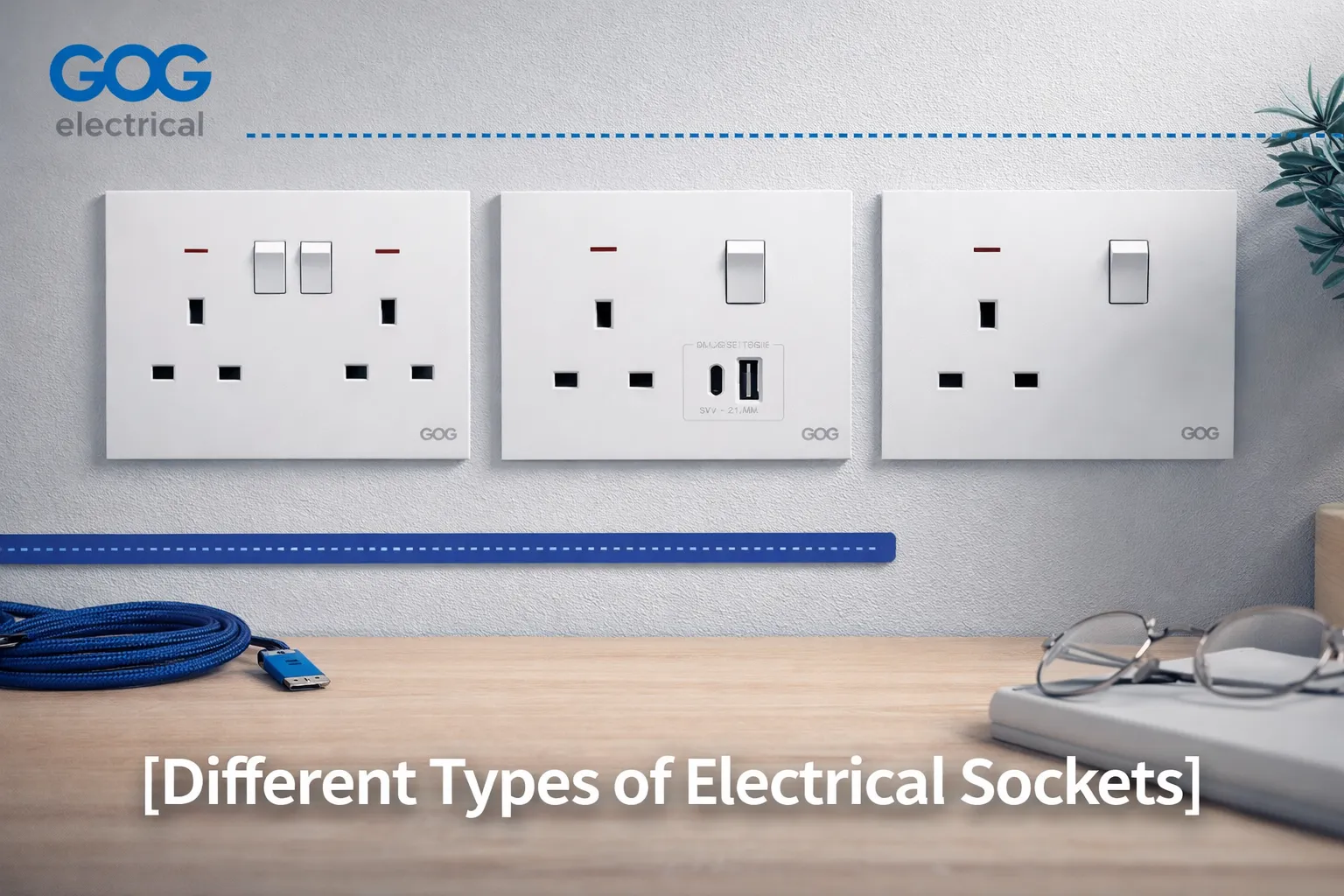
- إدخال معياري هو لوحة تقبل وحدة USB كواحدة من مقابسها؛ لذلك، يمكن لنفس اللوحة دعم مفتاح، مخرج أو شاحن USB. باستخدام هذا التكوين، يجب على المشروع تحديد الإدخال المعياري لأنه يمكن ترقية وحدة USB من 18 واط إلى 65 واط دون الحاجة للوصول إلى الحائط ولمسه.
الطاقة الخارجة: ماذا تعني الأرقام؟
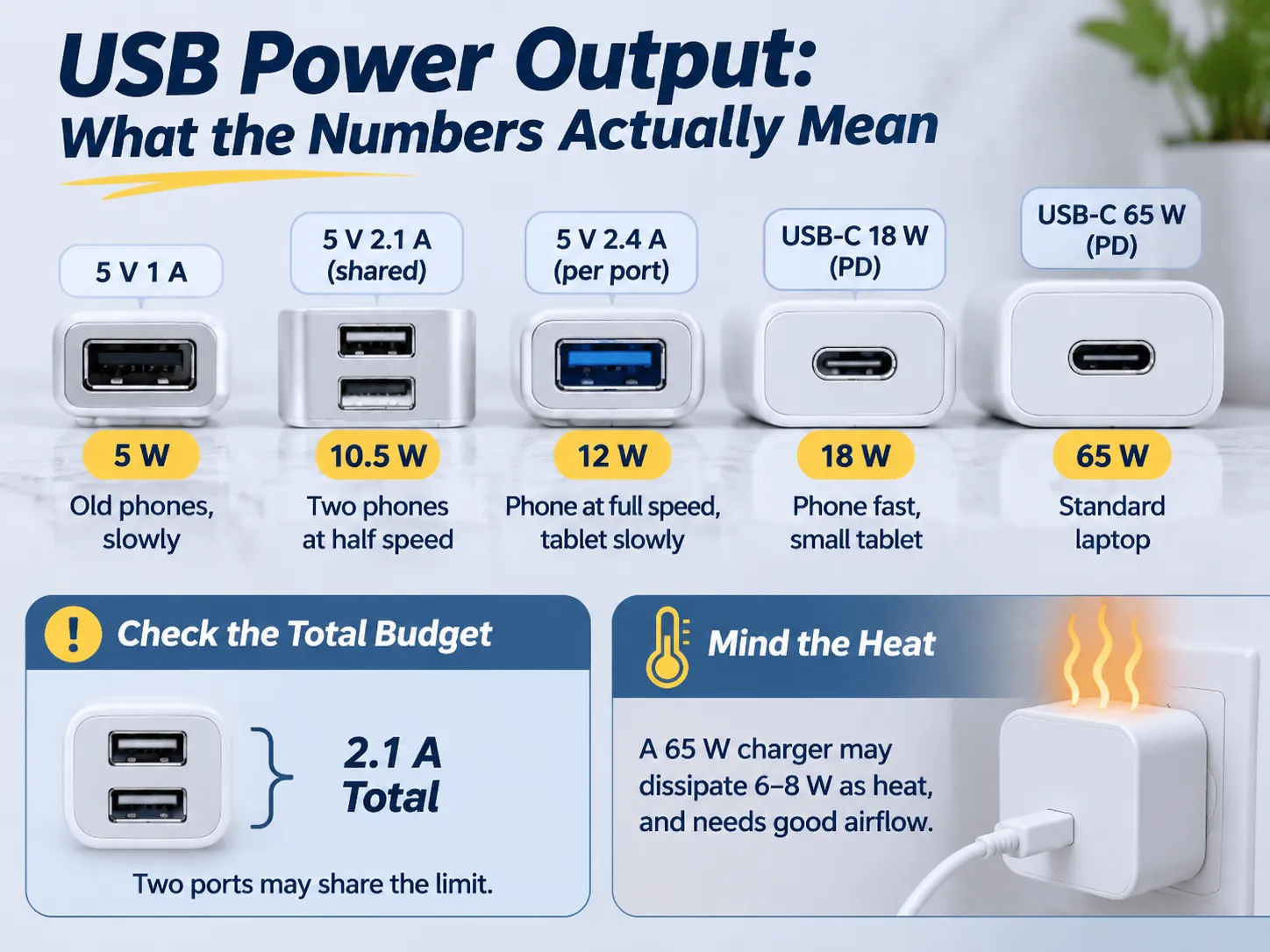
التسمية على مخارج USB تذكر إما الأمبير أو الواط؛ لا يمكن تبديل الوحدتين إذا تم استخدام منفذين للشحن.
على سبيل المثال، منفذ USB الموسوم بـ 2.1 A سيقدم 10.5 واط عند 5 فولت عند شحن جهاز، ومنفذ USB الموسوم بـ 3 A سيقدم 15 واط.
بينما قد يؤثر عدد المنافذ على سرعة شحن الجهاز، فإن كمية الحرارة المتولدة هي التي قد تسبب مشاكل. عند مقارنة سرعة شحن هاتف باستخدام منافذ متعددة (2) بسرعة الشحن من منفذ واحد (1)، من المهم مراعاة كمية الحرارة المتولدة وتحمل الحرارة لكلا الجهازين عند الشحن في نفس الوقت.
تختلف كمية الحرارة المتولدة أيضًا بشكل كبير اعتمادًا على كيفية تصميم الجهاز. على سبيل المثال، إذا كان لديك منفذين 5 فولت @ 2.1 أمبير على لوحة بقدرة 30 واط، فقد تقسم إجمالي الناتج، أي مقدار التيار الذي يمكن لكل منفذ سحبه من البطارية، على 2 في المنفذ الآخر. في هذه الحالة، بينما سيتمكن هاتفان من الشحن في نفس الوقت، يتم تزويد كل هاتف فقط بـ 1.05 أمبير من ذلك المنفذ مقارنة بتزويده بـ 2.1 أمبير من نفس السعة.
بدلاً من ذلك، عند شحن هاتفين باستخدام منفذ واحد بإجمالي ناتج 30 واط، يمكنك اتباع أي من هذه الطرق اعتمادًا على قرار تصميم الشركة المصنعة أو إرشادات الشحن الخاصة بك. اسأل دائمًا الشركة المصنعة عن إجمالي الواط للمنفذين وكيف توزع إرشادات الشحن الخاصة بالشركة المصنعة الواط، وليس فقط الحد الأقصى للناتج لكل منفذ.
بشكل عام، نقسم مصدر الطاقة إلى تصنيف طاقة مثالي، وتصنيف طاقة اسمي وتصنيف طاقة فعلي كما يلي:
- مثالي (تصنيف الطاقة) – التشغيل الأكثر كفاءة لمصدر الطاقة سيولد أقل كمية من الحرارة أثناء توفير أقصى طاقة متاحة
- اسمي (تصنيف الطاقة) – متوسط ناتج الطاقة لمصدر الطاقة لا يتجاوز التصنيف الاسمي
- فعلي (تصنيف الطاقة) – سيزود مصدر الطاقة عمومًا أقصى طاقة محتملة متاحة مع توليد حرارة أكثر من مصدر الطاقة المثالي
قد تقوم معظم مقابس 65 واط بتبديد 6-8 واط كحرارة من خلال التوصيل الحراري. ستنتج درجات حرارة أعلى مما هو متوقع عند تركيبها في تركيب نموذجي بدون تدفق هواء، وإذا تم تركيب المقبس داخل صندوق معزول أو مغطى بالأثاث، فستكون درجة الحرارة أعلى مما كانت عليه؛ لهذا السبب يجب على جميع مقابس 65 واط التي تستخدم USB أن تشير إلى الحد الأدنى لعمق الصندوق والحد الأقصى لدرجة الحرارة المحيطة. إذا تم تركيب مقبس 65 واط في صندوق ضحل جدًا خلف أريكة،, فقد يفشل قبل الوقت المتوقع وفقًا لمواصفات الشركة المصنعة.
USB-A و USB-C و Power Delivery
USB-A هو المنفذ المستطيل القياسي الذي كان موجودًا خلال العشرين عامًا الماضية في جميع الشواحن تقريبًا. يتطلب معيار USB-A أن تتصل الأجهزة بجهد 5 فولت ويمكن التفاوض حتى 12 فولت من خلال طرق مملوكة. يستخدم معيار USB-C موصلًا بيضاوي الشكل وقابلًا للعكس، وهو مهم لأنه يسمح بنقل طاقة أعلى ويوفر طريقة قياسية للأجهزة للتفاوض على كمية الطاقة التي يُسمح لها بسحبها عبر موصل USB-C.
Power Delivery هي الطريقة القياسية التي تسمح للجهاز المتصل بمنفذ USB-C ومصدر الطاقة بالتفاوض على كمية الجهد والتيار المتاحة، مما يسمح للأجهزة التي تسحب طاقة أكثر مما كان ممكنًا سابقًا من موصلات USB (30 واط لمصدر الطاقة 12 فولت) بالقيام بذلك عبر كابل واحد. إذا لم يستخدم موصل USB-C Power Delivery، فهو مثل موصل 5 فولت ذو شكل جديد، وللأسف، هناك العديد من مصادر الطاقة الرخيصة التي هي كذلك بالضبط.
هناك في الأساس قاعدتان يجب اتباعهما عند تركيب منافذ USB في مآخذ الحائط. منفذ USB-A المتصل بمأخذ الحائط لديه وقت كافٍ ليكون مفيدًا للسنوات الخمس إلى العشر القادمة لأن هناك عددًا كبيرًا من الكابلات المتاحة المصممة لاتصالات USB-A. لذلك، بالنسبة للمنازل أو الأعمال التي لا تخطط لإعادة التوصيل، سيكون من الذكي توفير مأخذ يحتوي على منفذ A ومنفذ C.
منفذ USB-C بدون دعم Power Delivery لن يدعم قدرات الشحن السريع. جميع منافذ USB-C يمكنها دعم الشحن السريع إذا كان الاتصال بحجم صحيح من موصل USB (عادةً كابل USB-C إلى USB-C على الأقل)؛ ومع ذلك، لا يوجد فائدة من دفع مبلغ إضافي مقابل مأخذ يدعم الشحن السريع عندما تقوم الموصلات القياسية A بنفس الأداء وتشحن بنفس المعدل.
المعايير ومتطلبات السلامة
يمكن لعدد قليل من المعايير تحديد ما إذا كان المأخذ آمنًا للتركيب أم لا. يجب أن تتوفر جميع المعايير الأربعة في تصميم المأخذ ولن تكون مرئية لأنها داخلية للمأخذ.
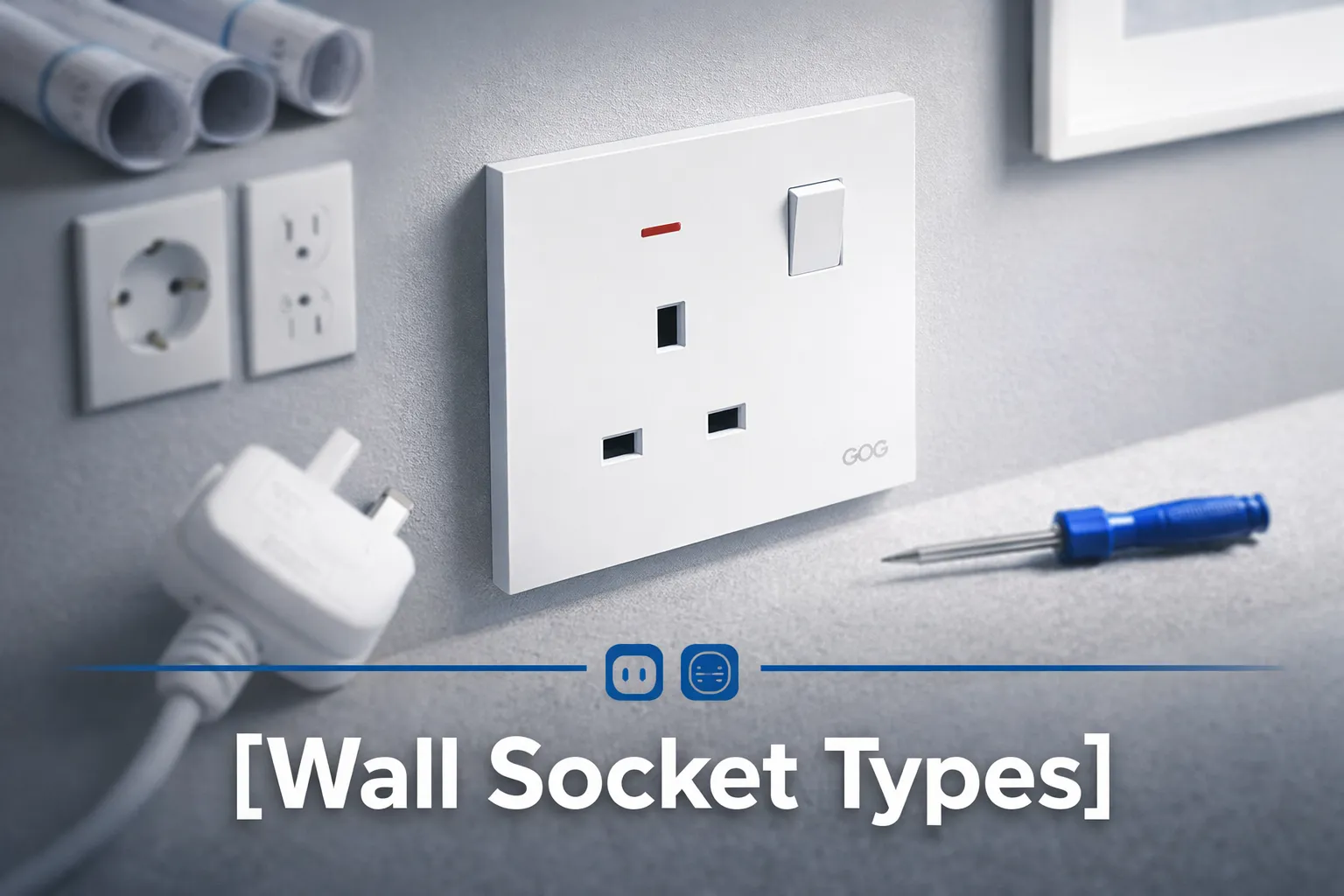
- يجب أن يكون هناك توافق مع التيار الكهربائي من المأخذ. هذا يعني أن المأخذ يجب أن يتوافق مع المعايير التي وضعتها الدولة التي يتم تركيبه فيها (مثل BS 1363 للمملكة المتحدة ودول الخليج، AS/NZS 3112 لأستراليا، تكوينات NEMA لأمريكا الشمالية، والمعيار المكافئ المستند إلى IEC لجميع الدول الأخرى). مجرد احتواء المأخذ على وحدة USB لا يعني أنه يتجاوز أيًا من المتطلبات الأخرى للمأخذ.
- يجب أن يكون هناك عزل آمن للتيار الكهربائي لمخرج USB. يجب أن يحتوي مأخذ USB على حاجز عزل للتيار الكهربائي، ويجب أن يجتاز نفس اختبار الاندفاع الذي يجب أن تجتازه أجزاء الجهاز الأخرى. هذا هو الجانب الأكثر أهمية في السلامة، وهو ما يميز المأخذ الآمن عن المأخذ الخطير؛ لذلك،, يمكن أن يكون المأخذ الرخيص خطرًا كهربائيًا حقيقيًا، وليس مجرد أداء ضعيف فقط..
- سيستهلك اتصال USB الطاقة عند توصيله بالحائط حتى إذا لم يكن هناك شيء موصل بمنفذ USB. ستستهلك منافذ USB عالية الجودة أقل من 0.1 واط في وضع الخمول؛ ومع ذلك، ستستهلك منافذ USB ذات الجودة أقل من 0.5 واط في وضع الخمول. استهلاك الطاقة لاتصالات USB سيتراكم مع مرور الوقت إذا قمت بتركيب عدد من المآخذ في منزلك.
- عند ارتفاع درجة الحرارة، يجب إيقاف تشغيل طاقة USB قبل أن تتلف الإلكترونيات في مأخذ الحائط؛ لذلك، فإن أفضل المآخذ هي التي تحتوي على ميزة إعادة التعيين الحراري التي تقلل من كمية الطاقة التي يستهلكها عندما تتجاوز درجة حرارة المأخذ حدًا معينًا. هذه القدرة هي التي تسمح لمأخذ بقدرة 30W بالعمل في خزانة ساخنة.
عند إصدار مشروع لمأخذ، من الحكمة طلب نسخة من تقرير اختبار جانب التيار الرئيسي وتقرير اختبار العزل. قام مورد بإنتاج كلا النوعين من المنتجات بسرعة من قبل؛ مورد يرسل لك شهادة على نموذج مختلف لم يفعل ذلك أبدًا.
قبل كتابة المواصفات لمنتج جديد، يجب عليك التحقق من النطاق الكامل لذلك المنتج لأحجام الوحدات المحددة المرتبطة بخط المنتج المعطى، حيث أن إدخال USB معين سيعمل فقط مع أنظمة اللوحات التي تم تصميمه لها.
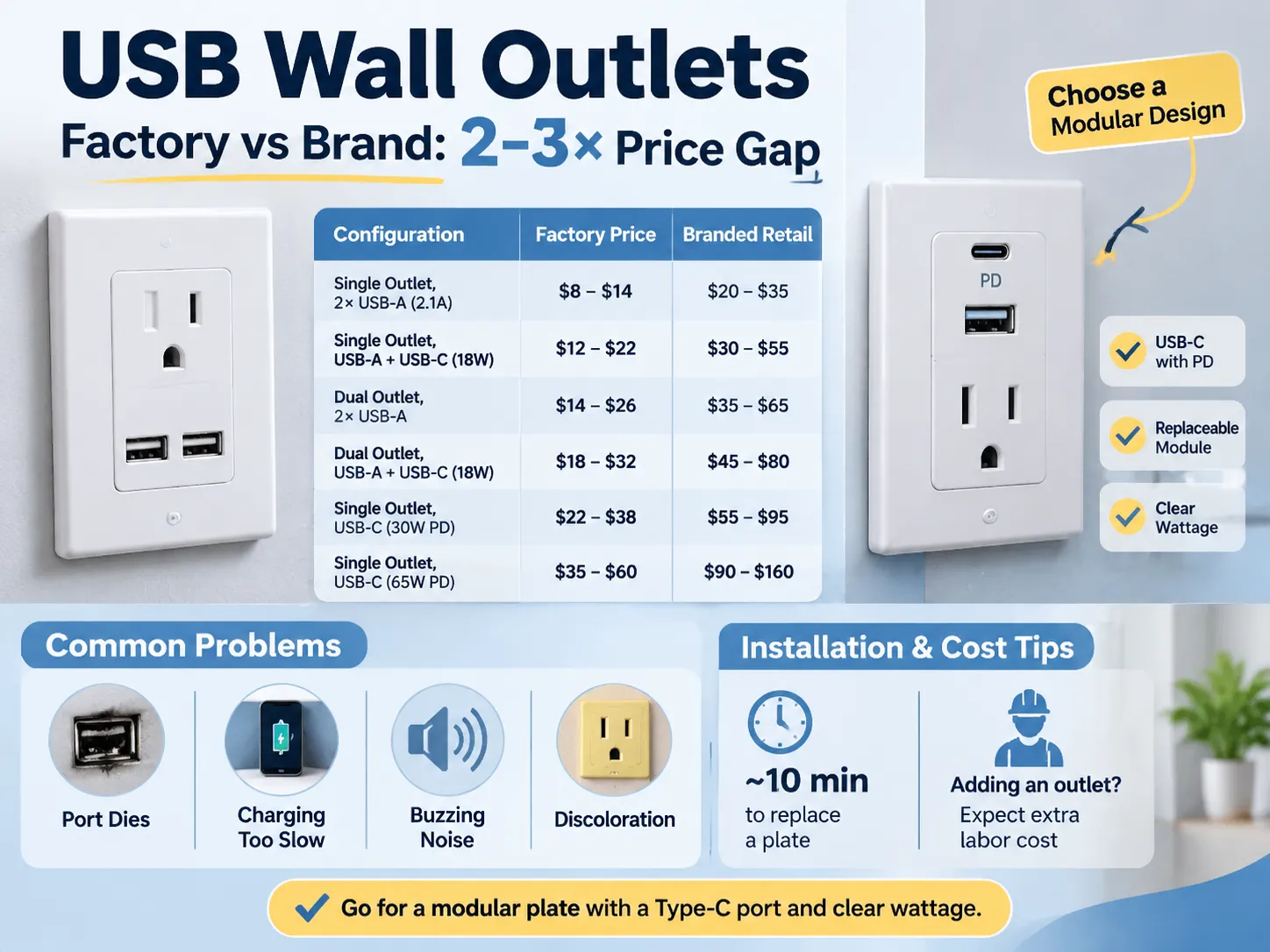
من خلال مقارنة التكوينات
| التكوين | Factory Price | Branded Retail |
|---|---|---|
| Single outlet (Dual USB-A 2.1 A Shared) | $8 – $14 | $20 – $35 |
| Single Outlet (USB-A + USB-C 18 W) | $12 – $22 | $30 – $55 |
| Dual Outlet (Dual USB-A) | $14 – $26 | $35 – $65 |
| Dual Outlet (USB-A + USB-C 18 W) | $18 – $32 | $45 – $80 |
| Single Outlet (USB-C 30 W PD) | $22 – $38 | $55 – $95 |
| Single Outlet (USB-C 65 W PD) | $35 – $60 | $90 – $160 |
The difference between the costs of the factory and branded products is the same difference that exists among all Wiring Devices; a Factory sells a Plate and a Module whereas a Brand sells a Plate, a Module, a Box, a Warranty, and a Distribution Margin. The difference between Factory Pricing and Brand Pricing is typically two to three times greater, and in many cases even more so due to the fact that many Brands also have a Local Service Desk in addition to the Factory Pricing. The difference is easiest to see when comparing the price of the same 13 Amp Plate (available through a Factory and a retailer) several pages apart.
You should also keep in mind that Installation costs are separate from Material costs, and it is easy to underestimate the Installation costs associated with replacing a Plate with a USB Plate, an Installation will take about ten minutes to complete once the power is turned off.
An outlet can be added by an electrician, and when a solid wall is present, the cost of doing this will exceed the cost of the outlet itself.
What Goes Wrong in Service
When a fault occurs, there are four modes of failure associated with these ports, and these four modes are present in all specifications before a purchase is made.
- One mode of failure occurs for both the outlet and the port. Because the USB (Universal Serial Bus) module is built into the outlet, the entire outlet must be replaced if the USB port fails. If the USB port is not built-in, the USB port can be replaced at a lower cost than replacing the entire outlet.
- Another mode of failure occurs when a user experiences slow charging. A user blames their charging cable for this failure, but the problem is caused by a shared 2.1 amp USB port. If two phones are connected to the same USB port, they both receive a maximum current of 1.05 amps, which appears as a fault to the user. The best option to avoid this issue is to specify either the total current that can be supplied by a USB port or the maximum current that can be provided to each port individually.
- A third mode of failure is when an outlet creates a buzzing noise. This is caused by the low quality of the power supply and lack of filtering. The buzzing sound occurs when the power supply is under a light load. The sound of the buzzing is not dangerous; however, it is very irritating for users who have the outlet in their bedroom.
- The fourth mode of failure is the discolouration of the outlet plate. This discolouration occurs because the plastic around the USB module heats up when the outlet is used continuously in a sealed box. The result is that the plastic will turn yellow within two years. If a higher quality outlet is selected, it would use polycarbonate plastic and a thermal cut-off device; however, the cost difference is approximately $10.
To avoid issues with most of the failure modes listed above, select a modular plate, a replaceable USB module, and a type C USB port with Power Delivery, and specify the total wattage of the new outlet. The cost of this combination is approximately $10 more than the lowest-cost option, but it will eliminate the three most frequent complaints.
The various electrical wiring devices in a room, including switches and sockets, are determined by how you choose to combine them to work together within that particular area.
Installation and the Wall Box
How they are installed and how they fit into your home is primarily determined by the wall box that is used to mount the devices. In this regard, a standard 35 mm box will only provide enough space to accommodate low-power modules and is only marginally acceptable for installations of higher wattage (18 W). The reason for this is that both the wiring and the module require air space to allow for heat dissipation, and with a box of this size there is not enough air space available.
In order to safely install a 30 W or 65 W outlet, you should use a 47 mm box, as it provides sufficient air space and is only slightly more expensive than the 35 mm box at first fix.
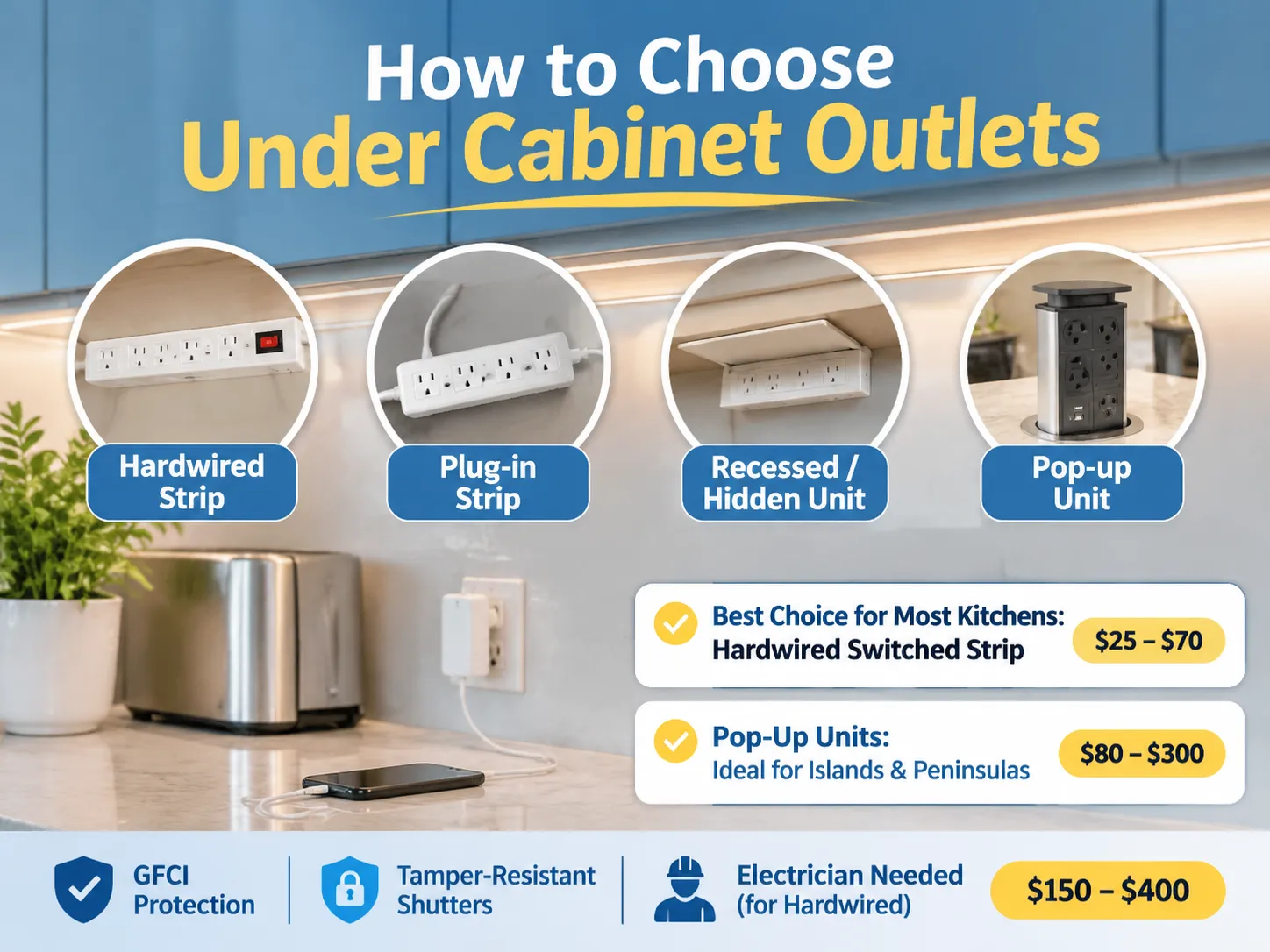
Where an installation should be positioned is equally important to how deep the box is. An outlet that is installed next to a bed and used on a nightly basis will benefit from having a switch to be able to isolate the module, whereas an outlet that is located above the worktop in a kitchen may be intermittent and best installed beneath a cabinet. Also, a receptacle in a hotel room should be located on the nightstand next to the bed and be easily accessible without having to get up, as opposed to one that is located on the opposite side of the room.
All markets have three common installation notes regarding USB outlets. Firstly, USB devices draw power from the circuit, even when no device is connected. Therefore, it is advisable to connect USB modules to switched or at minimum protected circuits. Secondly, it is important that at the installation location, there should be a neutral wire in order for the USB module to function. Many older homes do not have neutrals in their existing wiring. Finally, the installation location for a USB outlet should be within the manufacturer’s rated ambient temperature range, which typically excludes areas inside of cupboards next to stoves.
The 13A British standard outlines the manufacturing of the socket and is the most common British standard; therefore the continuity of the 13 A socket volume production line, where the installation cost drops to a predictable range of costs based on volume.
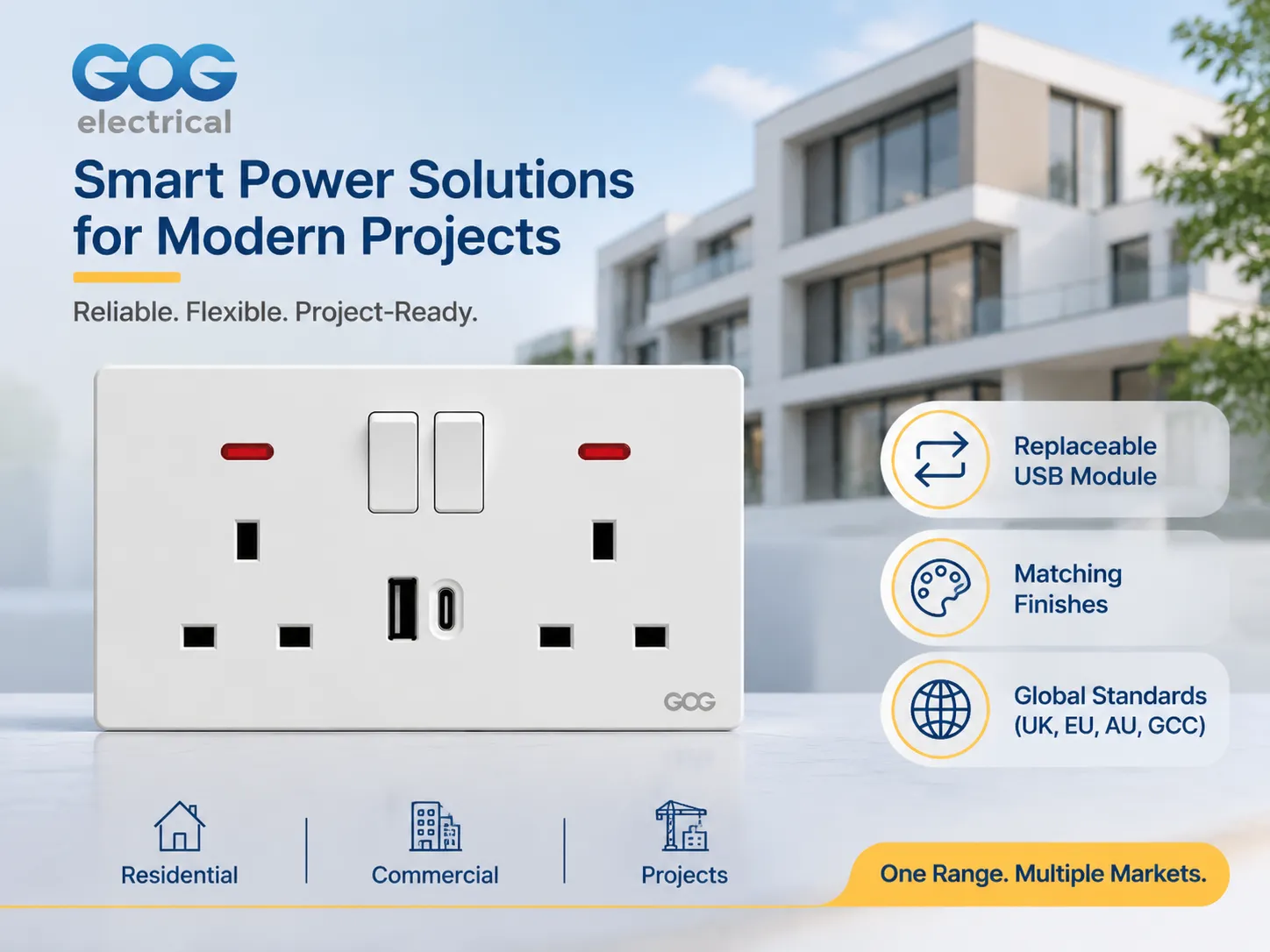
How does GOG fit into the equation?
GOG manufactures switches, sockets and plates specifically for residential, commercial and project type jobs including plates that are finished with USB-A and USB-C interfaces to match the rest of GOG’s product line. The majority of GOG’s product is sold to wholesale distributors, commercial & residential developers and contractors, but not to retail customers, so the conversation is about the quality of the products, the number of modules included with each order and the total volume of products ordered rather than the packaging for the product.
Three main features that GOG offers to developers and contractors on a project basis include;
- The USB interface module is a separate item that can be removed from and replaced within the socket plate, therefore if a USB interface fails in a hotel room for example it takes approximately 10 minutes to replace the module instead of having to take down the entire socket plate and re-install the additional components in the plate.
- The USB interface modules are available in the same finishes as the socket plates that they are used in which allows for consistent finishes throughout a home so that a homeowner does not end up in a situation where there is a white USB charger being used in a plate that is in an anthracite finish.
- The mains side of GOG’s product is produced to the national electrical code (NEC) requirement of the market the product will be used in, for example, products that are built to the 13A British pattern will have the appropriate plug configuration for the Gulf, southeast Asia and Australia.
When a developer or contractor requests information on GOG’s products, the initial conversation is about the quality of the product, the finish of the product and the number of products ordered. The catalog contains both module dimensions and plates, and this is significant for the designer because it is the complete range of products available that determines if the USB plate will be able to be included in conjunction with the other plates within the project (as already determined by the previous specifications of the sockets). Production runs from the 13 Amp Project production line for any quantity of product will be produced from a volume of products based on the volume required by the project.
Before making your specification final, there is one more publication that you may wish to review; the article “Outlets and Switches for the Modern Home,” which highlights how the USB plate will work in conjunction with other outlets/walls in the room design, which is usually the first question that the designer will ask before the electrician makes any design changes.
الأسئلة المتكررة
Are USB outlets worth the additional cost?
For bedrooms, kitchens and hotel rooms where you will be relying on a charger on a daily basis. When a plug-top charger uses up an outlet, the price difference over a basic outlet is generally somewhere between $8.00 – $25.00, based on factory pricing. In utility rooms and garages, where you can permanently place a charger in a socket, the benefit of having it integrated into the wall is virtually non-existent.
What is the difference in charging capability with 2.1 A and 3 A USB outlets?
The 2.1 A outlet provides 10.5 W at 5 V, which allows for normal charging speeds on most sized phones and slow charging for tablets at 10 Watt levels; 3 A outlets provide 15 W at 5 V, which gives you faster charging capabilities on most sized devices. You should take note before comparing prices on a dual-port plate as to whether the ports are total or per-port because the figure shown may be a shared number across both ports.
Is it possible to charge a laptop using a USB socket?
The only way to charge a laptop with a USB socket is if it has a USB-C port and supports Power Delivery at 30 W or more. If the laptop is thin enough, then a USB-C port rated at 30 W will charge it slowly, but a port rated at 65 W will charge a standard-size laptop at a rate that is acceptable. If a USB socket is rated only at 5 V, it cannot charge a laptop because it cannot negotiate the necessary voltage with the laptop.
Do USB sockets consume energy when nothing is connected?
USB sockets consume energy when nothing is connected. This is due to the fact that they require a small standby power supply to remain operational. In a good design, the standby circuit consumes less than 0.1 W, while in a poor design, it can consume more than 0.5 W. This difference in the amount of standby power that is used can be substantial over time, and thus should be noted in the specifications for a hotel or office fit-out, where the amount of standby power needed is high.
Reference List
- Legrand – Wiring Devices & USB Charging Outlets
- NEMA – Wiring Device & Receptacle Configurations
- UL Solutions – Receptacle and Charging Device Certification
- USB Implementers Forum – USB Power Delivery Specification
- Schneider Electric – Switch, Socket & Charging Solutions
In summary
An AC socket with USB is a standard mains socket with a small power supply mounted to the back side of it. It is actually the power supply that will determine how long the product will last. When making a decision about which product to purchase, you should look at the total watts, the per-port current rating (not the shared rating), and whether the module can be replaced.
For most installations, the best specification to use is a modular plate with one USB-A and one USB-C at 18 W, in a 47 mm box and finished to match other products in the installation. The combination of these two products will cost slightly more than the lowest priced option and will avoid all three major reasons why people regret buying one.