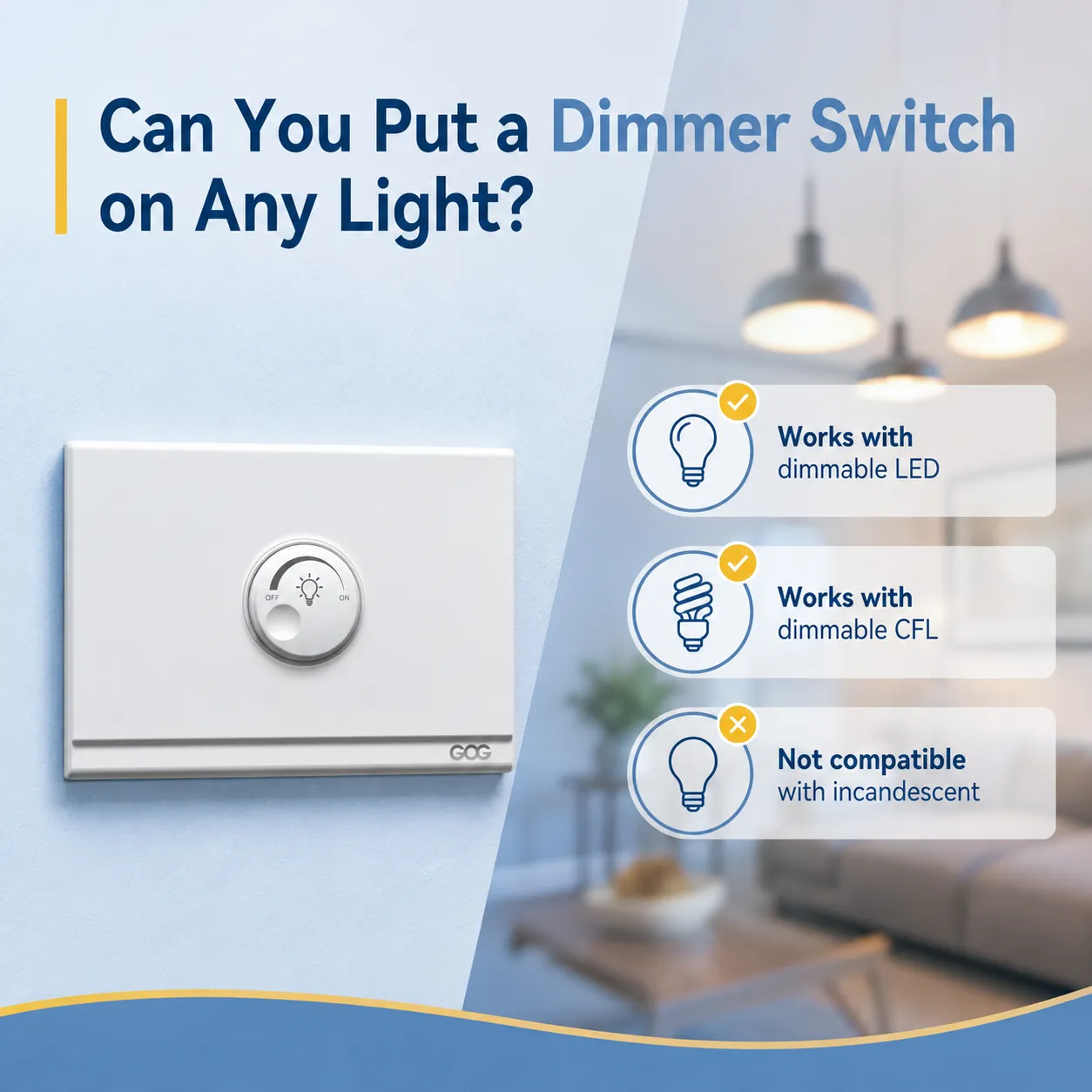
Após a compra de um interruptor dimmer, você pode estar se perguntando se ele pode ser conectado a todas as luzes da sua casa. A resposta é não, e tentar fazer isso incorretamente pode resultar em cintilação, zumbido ou até mesmo danificar as unidades de iluminação. A parte boa é que, uma vez que você saiba o que procurar, é fácil determinar se suas luzes são compatíveis com o dimmer.
Resposta rápida: É impossível escurecer todos os tipos de lâmpadas. Lâmpadas incandescentes e halógenas podem ser escurecidas. Com lâmpadas LED e CFL, deve ser mencionado se são dimmables. Com lâmpadas fluorescentes, um tipo especial de reator deve ser usado para escurecer as luzes. No caso de usar lâmpadas inteligentes (por exemplo, Philips Hue) com dimming embutido, o interruptor dimmer de parede deve ser evitado e o aplicativo deve ser usado em seu lugar.
Quais tipos de lâmpadas funcionam com interruptores dimmer?
Nem todas as lâmpadas são compatíveis com dimmers. Neste artigo, você descobrirá diferentes tipos de luzes que pode usar com interruptores dimmer.
Incandescentes e Halógenas: Universalmente Dimmables
Lâmpadas como halógenas e incandescentes podem ser facilmente escurecidas e funcionam com quase todos os tipos de dimmers disponíveis no mercado. Portanto, se você tem lâmpadas incandescentes, pode usar essas luzes com interruptores dimmer.
Dimmers suportam uma carga de 600 watts quando usados com lâmpadas incandescentes, o que significa que você pode usar de seis a dez lâmpadas incandescentes ao mesmo tempo. Uma palavra de cautela; você deve sempre verificar a potência total antes de comprar dimmers para usar com essas luzes. Nosso guia sobre se todas as lâmpadas incandescentes são dimmables cobre os detalhes.
Lâmpadas LED: Apenas se rotuladas como “Dimmable”
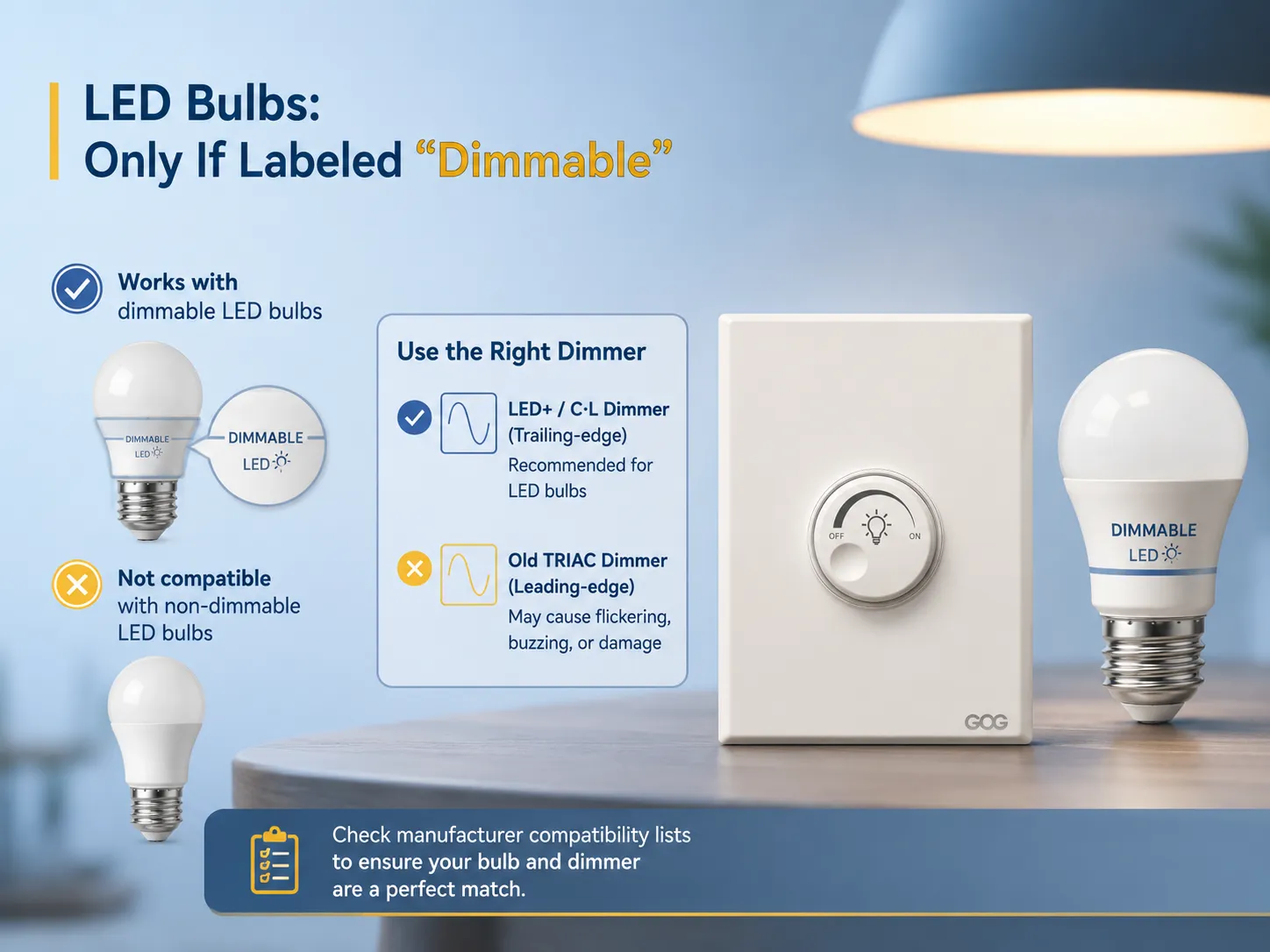
A maioria das pessoas enfrenta desafios nesse processo. Lâmpadas LED não são dimmables por natureza. Apenas luminárias marcadas como “dimmable” podem funcionar com dimmer. Usar LED dimmable com dimmers padrão pode causar cintilação da lâmpada e até queimar.
Lâmpadas LED dimmables existem, no entanto, é importante lembrar que nem todo dimmer é compatível com elas. Dimmers antigos baseados em TRIAC, também conhecidos como dimmers de borda de avanço, foram projetados para alimentar luzes incandescentes e não funcionam com o baixo consumo de energia das lâmpadas LED. Dimmers inovadores compatíveis com LEDs são geralmente chamados de dimmers LED+ ou dimmers C·L. Para uma análise completa, veja nosso guia de compatibilidade de interruptores dimmer para LED.
Philips Lighting e outros grandes fabricantes publicam listas de compatibilidade de dimmers para que você possa verificar se uma combinação específica de lâmpada e dimmer foi testada em conjunto. Em caso de dúvida, verifique o site do fabricante antes de comprar. Se você já está procurando o interruptor certo, nosso resumo de melhor interruptor dimmer para luzes LED pode ajudar a restringir suas opções.
Lâmpadas CFL: Raramente Dimmables de Fábrica
Lâmpadas fluorescentes compactas comuns (CFLs) não podem ser facilmente escurecidas. Embora alguns tipos de CFLs sejam dimmables, eles estão se tornando raros devido à crescente aceitação dos LEDs. Se você tem soquetes para lâmpadas CFL, também pode usar lâmpadas LED, pois são dimmables.
Luminárias de Tubo Fluorescente: Necessitam de Reator Dimmável
Luminárias de tubo fluorescente (T8, T5, T12) podem ser dimmadas, mas somente se um reator eletrônico dimmável for utilizado. Normalmente, luminárias fluorescentes para uso pessoal vêm com reatores não dimmáveis. Embora seja possível substituir o reator por um dimmável, frequentemente esse trabalho é realizado por um eletricista utilizando uma opção de dimmer apropriada para sistemas fluorescentes (geralmente dimming 0-10V).
Luminárias LED Integradas: Verifique o Driver
Luminárias como luzes de teto, luzes embutidas e luzes LED que não permitem a troca de lâmpadas são consideradas dimmáveis somente se o driver da lâmpada possuir essa funcionalidade. Para saber mais sobre essa característica, consulte a especificação do produto ou procure por “dimmable” na descrição. Se o driver não permitir dimming, toda a luminária deve ser substituída, pois um dimmer externo não resolverá o problema.
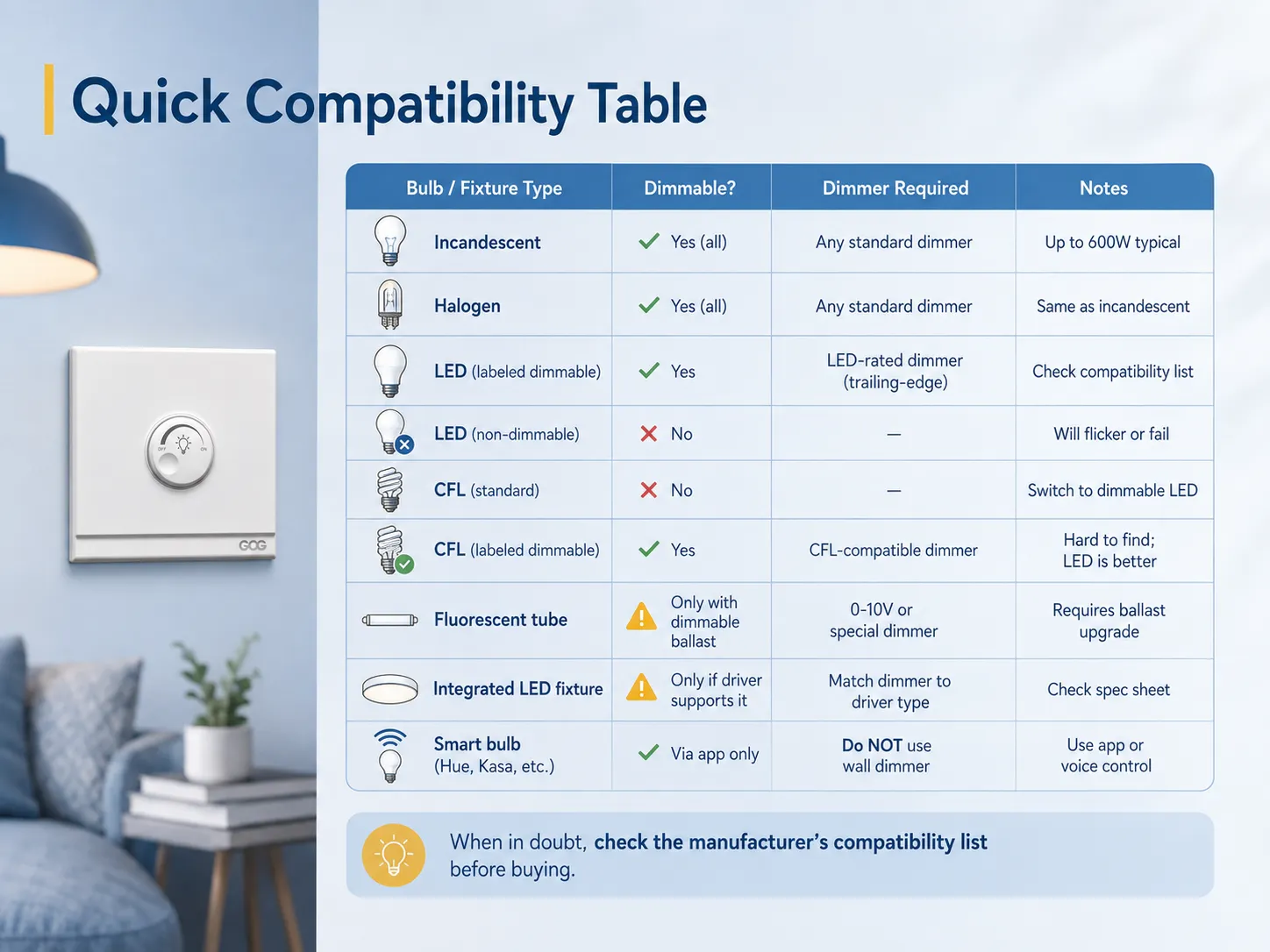
Tabela Rápida de Compatibilidade
| Tipo de Lâmpada / Luminária | Dimmável? | Dimmer Necessário | Notes |
|---|---|---|---|
| Incandescente | Sim (todas) | Qualquer dimmer padrão | Até 600W típico |
| Halógena | Sim (todas) | Qualquer dimmer padrão | Igual à incandescente |
| LED (rotulada como dimmable) | Sim | Dimmer classificado para LED (trailing-edge) | Verifique a lista de compatibilidade |
| LED (não dimmável) | Não | — | Piscará ou falhará |
| CFL (padrão) | Não | — | Trocar para LED dimmável |
| CFL (rotulada como dimmable) | Sim | Dimmer compatível com CFL | Difícil de encontrar; LED é melhor |
| Tubo fluorescente | Somente com reator dimmável | Dimmer 0-10V ou especial | Requer atualização do reator |
| Luminária LED integrada | Somente se o driver suportar | Combine o dimmer com o tipo de driver | Verifique a ficha técnica |
| Lâmpada inteligente (Hue, Kasa, etc.) | Apenas via aplicativo | NÃO use dimmer de parede | Use controle por aplicativo ou voz |
Quando Você Não Pode Instalar um Interruptor Dimmer
Embora as lâmpadas corretas possam estar presentes, há situações em que implementar um interruptor dimmer não seria seguro ou prático. Abaixo estão algumas situações em que você pode não querer instalar um interruptor dimmer.
Baixa Potência Total
Muitos dimmers (especialmente os mais antigos) requerem carga suficiente para permitir uma operação eficaz. Por exemplo, se um circuito estiver equipado com apenas uma ou duas pequenas LEDs (como 2 lâmpadas de 9W), pode não haver carga suficiente no dimmer para permitir sua operação eficaz. Assim, você pode experimentar cintilação das luzes ou as luzes ligando/desligando em baixa luminosidade.
Dimmers modernos compatíveis com LEDs não apresentam esse problema, pois possuem cargas menores (alguns requerem apenas 3W), mas ainda assim deve-se verificar as especificações. Se sua carga for inferior à necessária, tente adicionar lâmpadas extras no circuito ou encontrar um dimmer que funcione com carga LED mais baixa.
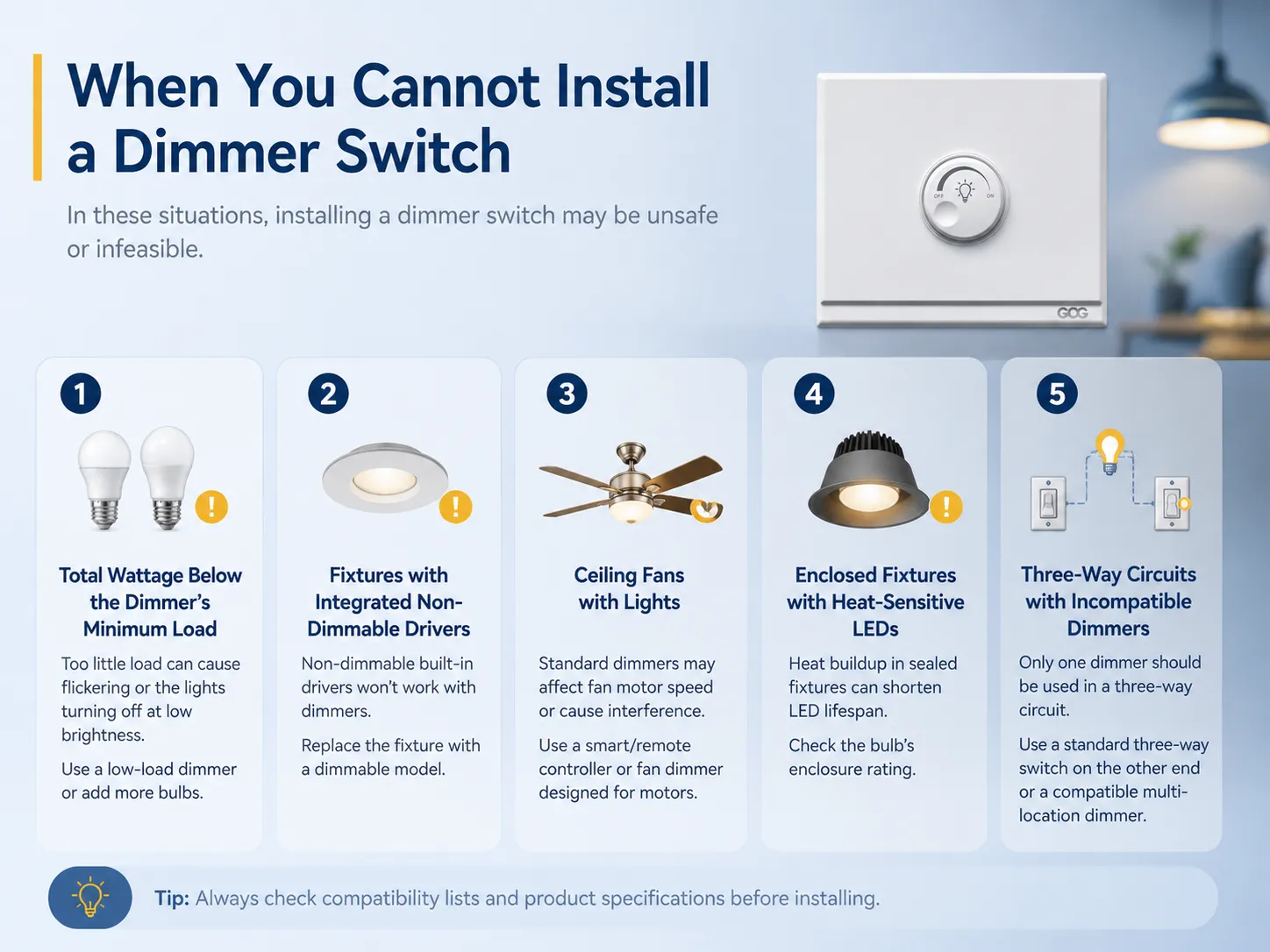
Luminárias com Drivers Integrados Não Dimerizáveis.
Algumas luminárias, especificamente luzes embutidas, luzes sob balcão e trilhos, já são construídas com drivers não dimmerizáveis. Independentemente do interruptor dimmer que você usar, não será possível dimmerizar essas luminárias. A única solução é trocar a luminária por um modelo dimmerizável proposto.
Ventiladores de Teto com Luzes.
Ventiladores de teto com luminárias geralmente não são dimmerizáveis com dimmers tradicionais. Isso ocorre porque os motores do ventilador e das luminárias estão interligados, impedindo o funcionamento correto dos interruptores dimmer. Se desejar dimmerizar a luz acima do ventilador, será necessário usar um controle remoto especial ou um dispositivo inteligente para ventilador que garanta a conexão adequada das luzes e do ventilador. Para alterar as velocidades do ventilador corretamente, será necessário usar um controle remoto especialmente projetado para ventiladores.
Luminárias Fechadas com LEDs Sensíveis ao Calor.
Algumas lâmpadas LED são comprovadamente inadequadas para uso em luminárias fechadas. Assim, o uso delas com dimmers não é proibido, mas pode agravar o problema de acúmulo de temperatura e reduzir sua vida útil. É importante verificar a classificação de fechamento da lâmpada LED selecionada antes de utilizá-la em uma situação conectada a dimmer.
Circuitos Três Vias com Dimmers Incompatíveis.
Normalmente, é possível ter apenas um dimmer instalado em uma configuração três vias controlada por 2 interruptores. O interruptor deve ser um simples interruptor três vias neste caso. No entanto, se você usar 2 dimmers nesse circuito, pode ter problemas devido a interferências, a menos que utilize dimmers especiais para múltiplas localizações, como o Lutron Maestro.
Tipos de Interruptores Dimmer: Rotativo, Touch, Deslizante e Inteligente
Escolher o estilo correto de dimmer não é apenas uma questão de aparência — diferentes tipos oferecem diferentes níveis de controle e funcionalidade. Se desejar uma visão mais ampla, nosso guia sobre tipos de interruptores de luz cobre toda a gama de opções disponíveis.
Dimmer Rotativos (Botão)
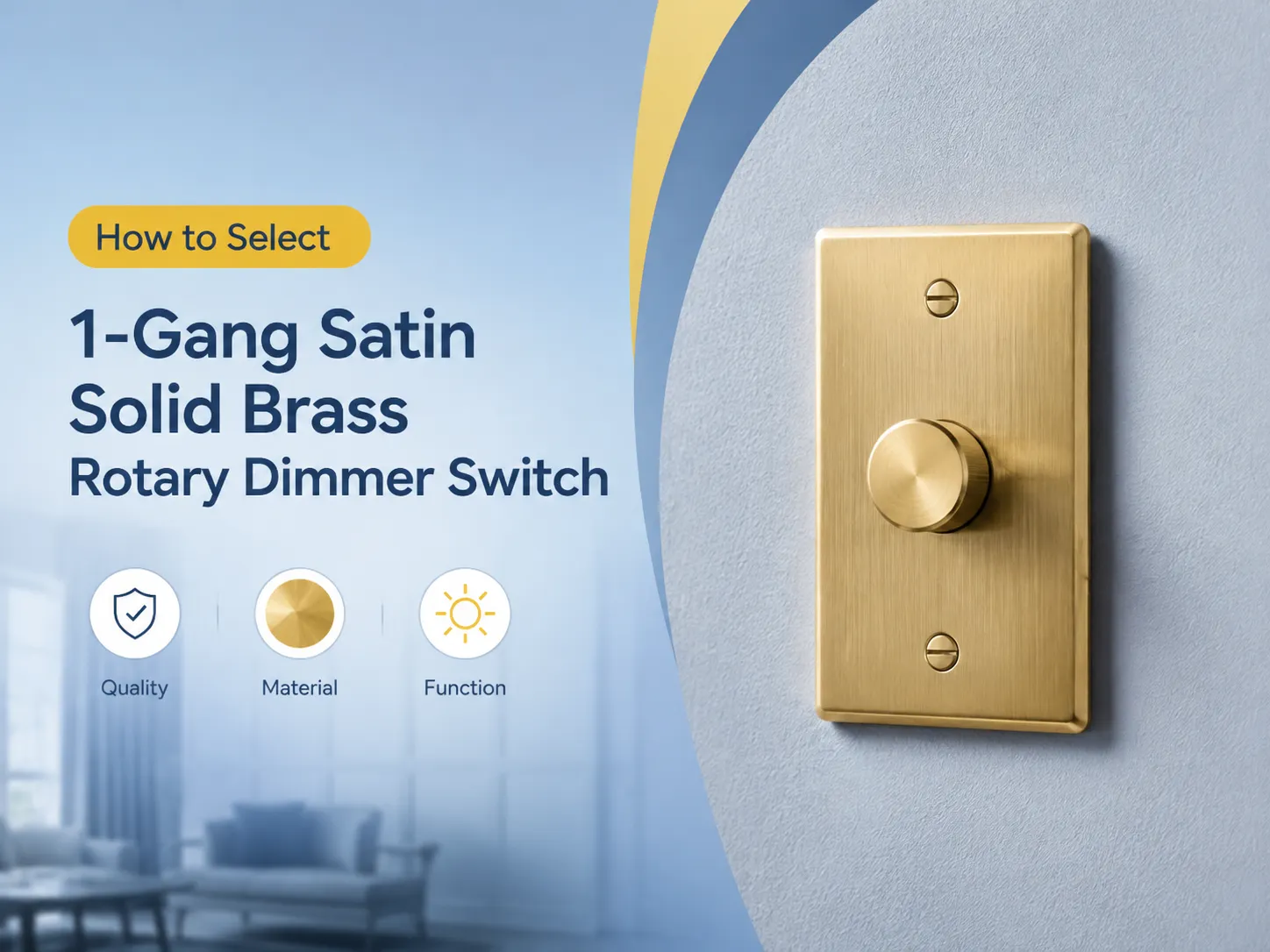
O dimmer rotativo tradicional utiliza um botão giratório para alterar o brilho da iluminação. Este tipo é fácil, confiável e funciona com muitas categorias de lâmpadas desde que sejam classificadas para LED. Certos dimmers rotativos possuem uma função de pressionar para ligar/desligar permitindo que o botão seja o interruptor. Um bom exemplo é o ELEGRP Digital Rotating Dimmer que pode suportar carga de 150W LED e 600W incandescente sem a necessidade de fio neutro.
Ideal para uso em quartos, salas de jantar e qualquer outro lugar onde se prefira uma operação fácil e intuitiva.
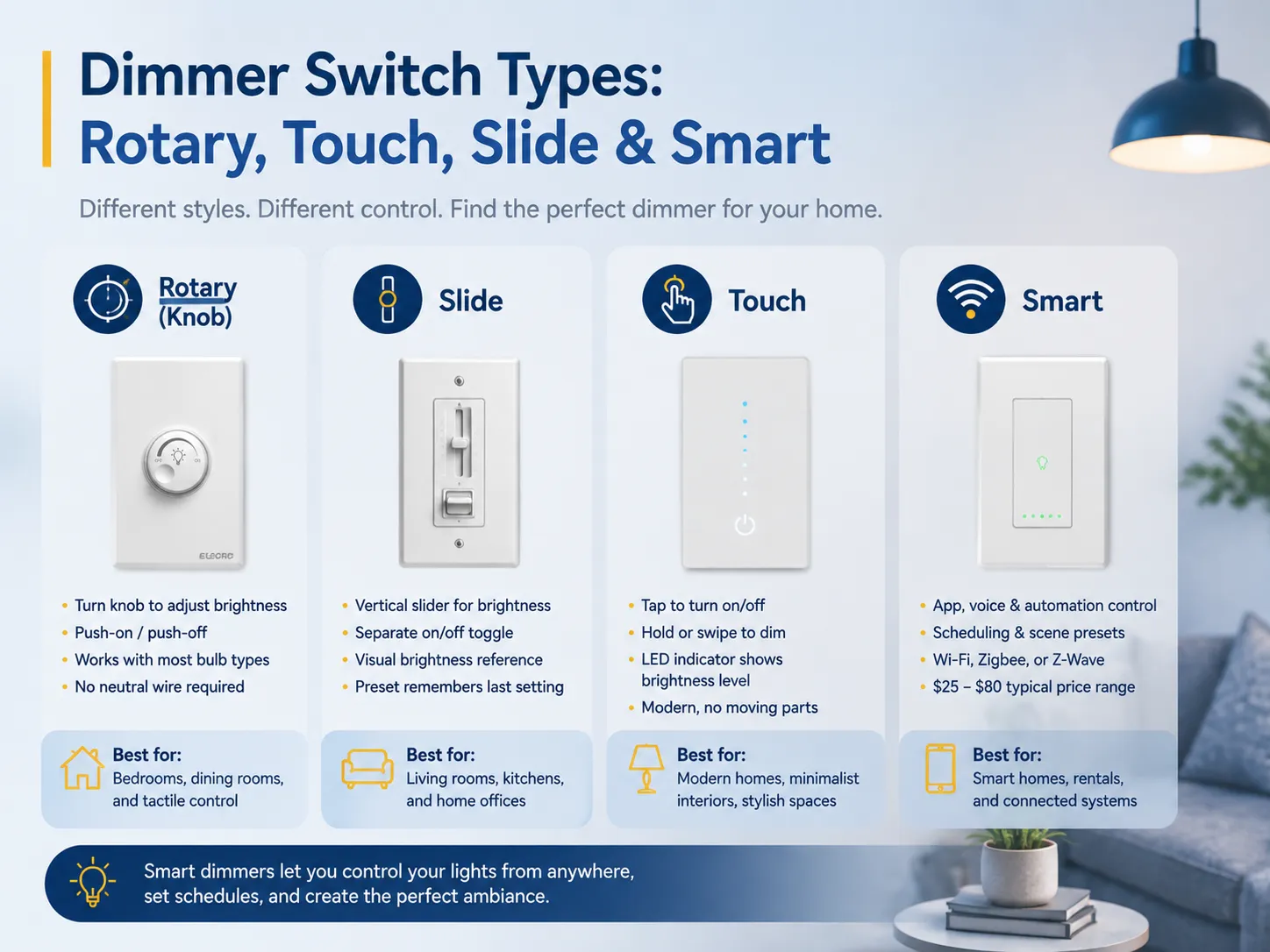
Dimmer de Slide
Os dimmers controladores utilizam um controle deslizante para cima e para baixo para regular o brilho, enquanto são combinados com um interruptor adicional para ligar/desligar as luzes. A operação é simples e dá um destaque dramático ao nível de brilho. Uma variedade de modelos vem com pré-configurações necessárias que mantêm as configurações.
Melhor para: Locais como salas de estar, cozinhas e escritórios domésticos onde a iluminação muda frequentemente.
Dimmer de Toque
Os dimmers táteis são um passo acima dos dimmers de slide graças ao visual moderno e à ausência de componentes móveis. Você pressiona o botão para ligar/desligar e mantém pressionado para ajustar os níveis de brilho. Com muitos modelos apresentando indicadores de ajuste de luz, os dimmers táteis têm popularidade crescente em interiores modernos.
Melhor para: Casas elegantes, interiores minimalistas e qualquer lugar onde a aparência seja fundamental.
Dimmer Inteligentes
Os interruptores dimmer inteligentes são conectados à sua rede doméstica usando tecnologia Wi-Fi, Zigbee ou Z-Wave e podem ser controlados usando seu aplicativo de smartphone, assistente de voz ou automação. Alguns dos interruptores dimmer inteligentes mais comuns são Lutron Caséta, TP-Link Kasa e Leviton Decora Smart. O custo desses interruptores dimmer inteligentes varia de $25 a $80, dependendo da funcionalidade que oferecem. Para mais opções de produtos, confira nossa seleção dos melhores interruptores dimmer em várias categorias.
Benefício principal: O benefício dos dimmers inteligentes é que você pode escurecer uma luz sem precisar estar no interruptor. Eles podem ser programados para ligar automaticamente em um horário determinado (exemplo: as luzes podem ser configuradas para acender gradualmente às 7h no quarto).
Melhor para: Casas com tecnologia inteligente, apartamentos onde você deseja controlar as luzes remotamente e aqueles que estão criando um sistema de iluminação conectado.
| Tipo de Dimmer | Faixa de Preço | Característica chave | Melhor Para |
|---|---|---|---|
| Rotativo (botão) | $10–$25 | Controle simples e tátil | Quartos, salas de jantar |
| Slide | $15–$35 | Referência visual de brilho | Salas de estar, cozinhas |
| Toque | $20–$45 | Elegante, sem partes móveis | Interiores modernos |
| Inteligente (Wi-Fi/Zigbee) | $25–$80 | Controle por aplicativo + voz | Casas inteligentes, automação |
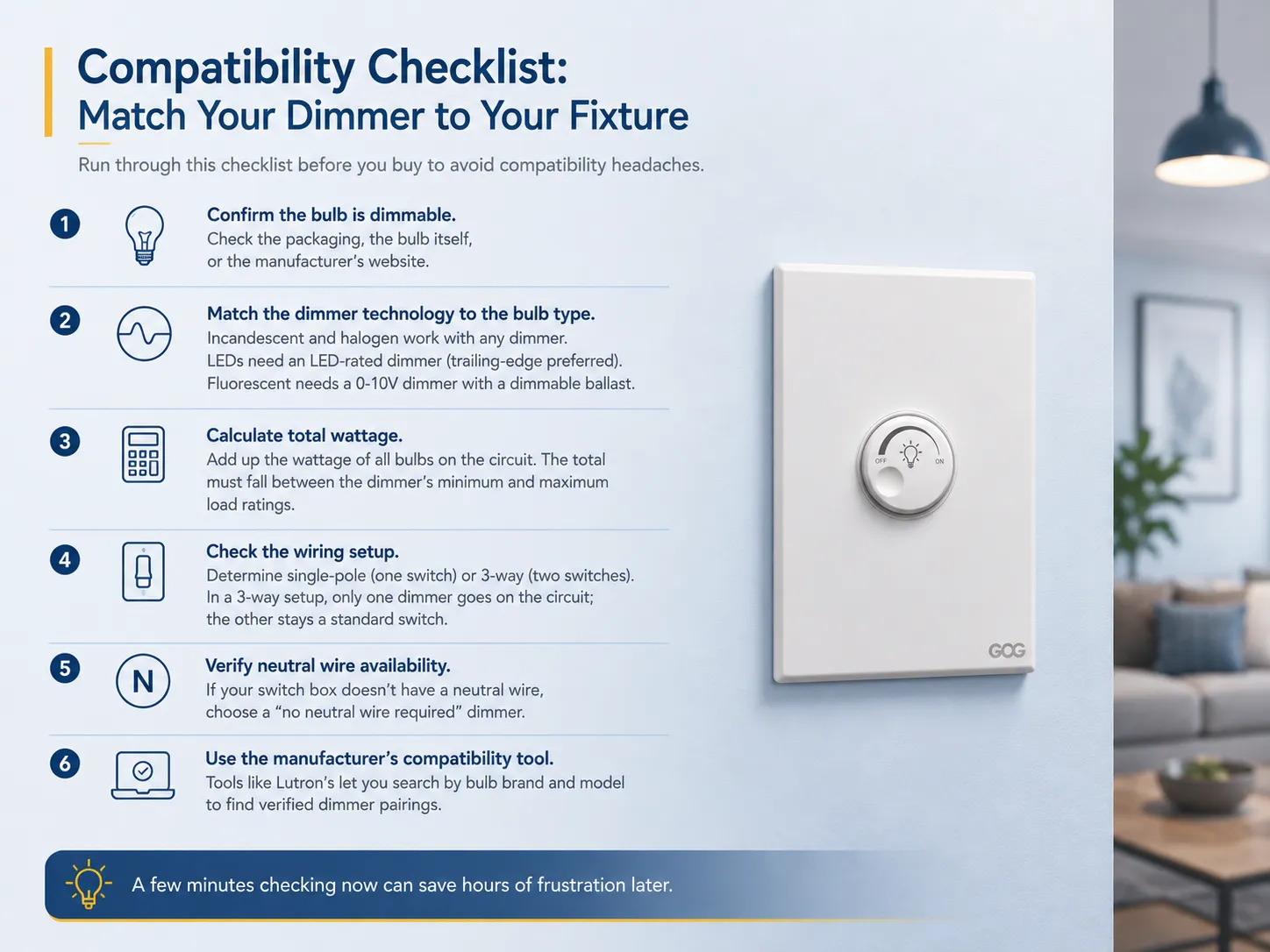
Lista de Verificação de Compatibilidade: Combine Seu Dimmer com Sua Luminária
Antes de comprar um interruptor dimmer, passe por esta lista de verificação para evitar problemas de compatibilidade.
Certifique-se de que a lâmpada é adequada para dimerização. Verifique as informações na embalagem, na própria lâmpada ou na página do fabricante. Se nenhuma dessas fontes indicar que é dimmerizável, você pode assumir que não é.
Use a tecnologia de dimmer adequada para o tipo de lâmpada. Você pode usar qualquer tipo de dispositivo de dimerização com lâmpadas incandescentes ou halógenas tradicionais. No entanto, para lâmpadas LED, será necessário um dimmer para lâmpadas LED (preferencialmente do tipo trailing-edge), enquanto para lâmpadas fluorescentes é necessário um dimmer 0-10V compatível com reator dimmerizável.
Encontre a potência total. Calcule a potência de todo o circuito somando a potência de todas as lâmpadas. O total deve estar dentro da faixa da classificação de carga mínima e máxima do dimmer. Por exemplo, se você tiver 6 LEDs dimmerizáveis de nove watts totalizando 54 watts, precisará de um dimmer classificado para 54 watts para LEDs, o que não deve ser um problema, pois a maioria dos dispositivos dimmer para LED tem classificação máxima de carga de 150 watts.
Verifique como o circuito elétrico está ligado. Verifique se o circuito é monopolar ou 3 vias, e compre o hardware de dimerização classificado para a configuração correta. No caso de uma instalação 3 vias, haverá apenas um dimmer por circuito, enquanto o outro interruptor permanece um interruptor padrão.
Confirme se há um fio neutro disponível. Muitas instalações antigas não possuem fio neutro disponível na caixa do interruptor, e nesse caso, faz sentido comprar um dimmer sem fio neutro. A maioria dos dimmers LED contemporâneos criados por fabricantes como Lutron, Leviton, ELEGRP, etc., oferece essa opção.
Use uma ferramenta de compatibilidade fornecida pelo fabricante. A Lutron oferece uma ferramenta de compatibilidade que pode ser usada para pesquisar pelo tipo e marca da lâmpada a fim de encontrar os dimmers adequados. Esta é a maneira mais segura de garantir que a escolha está correta.
Opções de Atualização: Tornando uma Luz Não Dimerizável em Dimerizável
Se sua configuração atual não suporta dimerização, você tem várias opções de atualização dependendo do seu orçamento e conforto técnico.
Opção 1: Trocar as Lâmpadas
A atualização mais fácil e menos cara. Substitua lâmpadas LED ou CFL comuns por lâmpadas LED dimmerizáveis (que custam cerca de $2-$8 cada) e instale um interruptor dimmer compatível com a lâmpada LED ($15-$35). Custo total por luminária: menos de $45. Isso pode ser feito para qualquer luminária comum que tenha lâmpadas removíveis. Se você já possui um dimmer mas precisa substituir um interruptor dimmer antigo, o processo é simples.
Opção 2: Usar um Dimmer de Lâmpada Plug-In
A opção mais simples para escurecer lâmpadas de qualquer tipo é um dimmer plug-in que conecta o plugue da lâmpada à tomada da parede sem necessidade de fiação complicada. O dimmer plug-in Leviton modelo TBL03-10W é capaz de escurecer até 300W de lâmpadas incandescentes e 150W de lâmpadas LED dimmáveis, e a instalação é fácil e leva apenas alguns segundos. Apenas certifique-se de que sua lâmpada tenha uma lâmpada dimmável.
Opção 3: Instalar um Sistema de Lâmpadas Inteligentes
Se você está procurando opções de iluminação dimmável que não exijam um interruptor na parede, as lâmpadas inteligentes são a solução. Produtos como as lâmpadas inteligentes TP-Link Kasa oferecem funções de dimmer variando de 1% a 100% usando um aplicativo para smartphone ou assistente de voz. Não há necessidade de um interruptor dimmer, pois as lâmpadas inteligentes conectam-se diretamente ao Wi-Fi (TP-Link não precisa de um hub ao contrário das lâmpadas Philips Hue Smart, que requerem uma ponte Hue). A empresa afirma uma economia de energia de cerca de 80% em comparação com a lâmpada incandescente comum de 60W.
Por favor, lembre-se de que não é recomendável combinar lâmpadas inteligentes com qualquer dimmer de parede, pois o escurecimento é feito pela eletrônica interna da lâmpada.
Opção 4: Substituir o Luminário
Com luminárias LED integradas que possuem drivers não dimmáveis, a única opção disponível é substituir o luminário completamente por um que tenha um driver dimmável. Este processo pode ser bastante caro (variando de $50 a $250 ou até mais por luminária) e pode também necessitar da contratação de um eletricista; no entanto, este é o único método que pode adicionar capacidades de escurecimento a um painel LED selado ou a uma luz embutida contendo um driver integrado.
Opção 5: Atualizar o Balastro (Fluorescente)
Se você estiver usando tubos fluorescentes, pode trocar o balastro regular por um dimmável e usar um dimmer compatível 0-10V. Este é um processo complexo que precisa de um eletricista para ser concluído, mas oferece controle completo sobre o escurecimento dos tubos fluorescentes em sua garagem, oficina ou estação de trabalho.
Interruptores Dimmer São Bons para Configurações de Casa Inteligente?
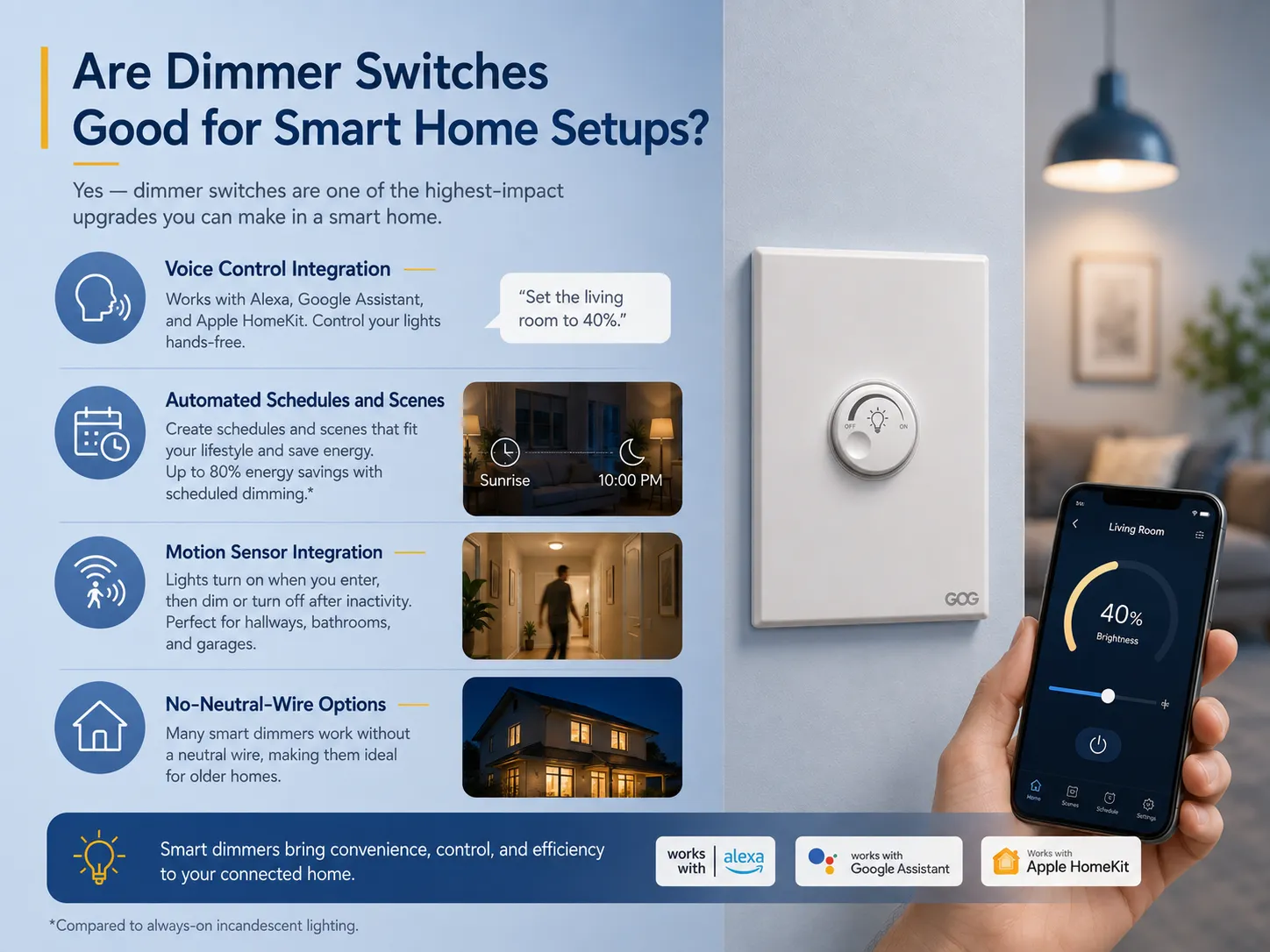
Sim — interruptores dimmer são uma das atualizações de maior impacto que você pode fazer em uma casa inteligente. Aqui está o porquê. Se você está construindo uma casa conectada do zero, navegar pelas opções de um fabricante dedicado de interruptores inteligentes pode lhe dar uma vantagem inicial em hardware compatível.
Integração com Controle por Voz
Dimmer inteligentes de marcas como Lutron, TP-Link e Leviton podem ser usados junto com Amazon Alexa, Apple HomeKit e Google Assistant. Basta pedir para ‘ajustar a luz da sala para 40%’, e as luzes serão ajustadas instantaneamente sem precisar usar nenhum aplicativo ou interruptor.
Programações e Cenas Automatizadas
Aplicativos de dimmer inteligentes permitem ao usuário definir programações (por exemplo, as luzes podem ficar brilhantes ao nascer do sol e escurecidas às 22h) e cenas (por exemplo, uma configuração “Noite de Filme” pode escurecer todas as luzes da sala para 15%). Segundo os dados do produto TP-Link, se o escurecimento da luz for programado, pode haver uma economia de até 80% no consumo de energia em comparação com o uso contínuo de luzes incandescentes.
Integração com Sensor de Movimento
Alguns dimmers inteligentes vêm com sensores de movimento integrados ou podem ser combinados com sensores adicionais. Quando alguém entra na sala, as luzes acendem, atingindo um determinado nível de brilho, e elas diminuem ou desligam após algum tempo sem uso.
Opções Sem Fio Neutro
Vários dimmers inteligentes (como as séries Lutron Caséta e TP-Link Kasa) funcionam sem a necessidade de fios neutros, o que permite que sejam usados em residências antigas que não possuem fios neutros na caixa do interruptor. Isso os torna muito melhores do que os interruptores inteligentes convencionais que exigem fiação neutra.
Compatibilidade de Plataforma
| Plataforma | Marcas de Dimmers Compatíveis |
|---|---|
| Amazon Alexa | Lutron Caséta, TP-Link Kasa, Leviton, GE |
| Google Assistente | Lutron Caséta, TP-Link Kasa, Leviton |
| Apple HomeKit | Lutron Caséta, Eve, Leviton Decora Smart |
| Samsung SmartThings | TP-Link Kasa, Leviton, Zooz |
| Matter (multiplataforma) | Lutron Caséta (via hub), TP-Link Tapo |
No entanto, deve-se notar que dimmers inteligentes precisam de um hub ou conexão Wi-Fi para funcionar corretamente. Assim, em caso de desconexão da internet, o dispositivo não funcionará a menos que você opte por uma versão que tenha capacidades de controle local (por exemplo, Lutron Caséta usa rádio Clear Connect que não depende de Wi-Fi).
Melhores Cômodos e Aplicações para Interruptores Dimmer
O interruptor dimmer é um recurso essencial em ambientes onde os requisitos de iluminação mudam drasticamente em diferentes momentos do dia. Estes são alguns cômodos onde os dimmers se mostram mais úteis.
Sala de estar: Pode-se aumentar o brilho para atividades como leitura ou limpeza e diminuir para relaxar ou assistir filmes. A sala de estar é o local mais comum para dimmers.
Quarto: A redução gradual do brilho à noite é boa para a higiene do sono. Interruptores dimmer inteligentes podem criar simuladores de nascer do sol para acordar naturalmente.
Sala de jantar: A capacidade de criar um clima particular torna ocasiões como jantar com amigos mais agradáveis. O dimmer permite ir de 100% de brilho para 50% em pouco tempo.
Cozinha: Brilhante durante a preparação das refeições e dimmer durante lanches da meia-noite. É especialmente útil quando integrado com LEDs sob os armários.
Escritório em casa: Pode ajudar a reduzir o brilho da tela para chamadas de vídeo, enquanto ainda permite luz suficiente para trabalhar confortavelmente.
Banheiro: Luz suave para idas noturnas ao banheiro sem o brilho total que acorda você.
Home theater: A iluminação desempenha um papel muito importante para alcançar a atmosfera desejada.
Erros Comuns a Evitar
- Usar tipos errados de lâmpadas no mesmo circuito dimmer. Diferentes tipos de lâmpadas têm propriedades elétricas diferentes. Misturá-las em um circuito pode resultar em cintilação e escurecimento inconsistente. Segundo as diretrizes da Lutron, alguns dimmers podem funcionar com esse tipo de carga, mas é melhor manter o mesmo tipo.
- Não considerar o requisito mínimo de carga. Se a potência do LED for menor que a necessária (por exemplo, você tem uma lâmpada de 7W em um dimmer que precisa de pelo menos 10W), o dimmer não funcionará corretamente. Verifique as especificações no início.
- Usar uma lâmpada inteligente com um dimmer de parede. Lâmpadas inteligentes (como Philips Hue, TP-Link Kasa, Wyze) têm seu próprio mecanismo interno de escurecimento. Se você usá-las com um dimmer de parede, isso causará duplo escurecimento da lâmpada (o que pode levar a cintilação, zumbido e até queima da lâmpada).
- Sobrecarga do dimmer. Colocar muitas lâmpadas em um circuito dimmer pode causar incêndio. Por exemplo, um dimmer de 600W pode suportar 10 lâmpadas de 60W, mas se você mudar para LEDs de 9W, funcionará bem. Os problemas de sobrecarga geralmente surgem quando a pessoa tenta trocar LEDs por lâmpadas incandescentes de maior potência.
- Não verificar a compatibilidade. Certifique-se sempre de que as lâmpadas e dimmers que você planeja usar juntos sejam compatíveis. A maioria das grandes empresas (Lutron, Leviton) fornece essas informações em suas páginas na web.
Perguntas Frequentes
Qual será o resultado se uma luz não dimmable for instalada com um interruptor dimmer?
Nesse caso, a luz geralmente piscará, fará um zumbido ou se desligará sem aviso. Com o tempo, a forma de onda criada pelo dimmer pode eventualmente danificar os componentes internos da lâmpada, levando a falhas mais rápidas no futuro. Também há uma pequena chance de que o dimmer fique muito quente. Caso algum desses sintomas apareça, você deve parar de usar o interruptor dimmer e substituir a lâmpada por uma alternativa dimmable.
Quais são as maneiras de determinar se uma luminária específica é capaz de ser dimerizada?
Certifique-se de que a embalagem, a base da lâmpada ou as informações do produto na luminária mencionem sua natureza dimmable. Se não houver menção ao recurso dimmable, encontre o número do modelo no site oficial do fabricante e verifique se ele informa se a dimerização é suportada pela luz. Se for uma luz integrada, as especificações devem mencionar se o componente interno é capaz de dimerizar. Se não for possível encontrar qualquer confirmação, assuma que não é compatível com dimmers.
Interruptores dimmer podem ser usados em luzes padrão?
Sim, podem ser usados, mas somente se a lâmpada instalada for dimmable. Lâmpadas incandescentes e halógenas sempre se enquadram na categoria dimmable, portanto qualquer luz padrão com esse tipo de lâmpada pode ser usada com um interruptor dimmer. Luminárias LED podem ter lâmpadas rotuladas como dimmable e interruptores dimmer que são destinados a serem usados com luzes LED configurados juntos. A capacidade de dimerização é determinada pela lâmpada ou pelo driver embutido, não pela luminária em si.
Como saber se um interruptor pode ser substituído por um dimmer?
Três pontos devem ser verificados. Primeiro, se a lâmpada está marcada como dimmable, segundo, se a potência do circuito está dentro dos limites definidos pelo dimmer, e terceiro, se o esquema de fiação usado é compatível com o próprio dimmer. Se todas essas condições forem satisfeitas, a instalação é possível. Se for uma luminária integrada, não se deve esquecer do driver.
Um interruptor dimmer é uma das atualizações mais práticas que você pode fazer na iluminação da sua casa — mas somente quando a combinação entre dimmer, lâmpada e luminária está correta. Lâmpadas incandescentes e halógenas são universalmente compatíveis. LEDs funcionam perfeitamente com dimmers, mas somente quando a lâmpada é rotulada como dimmable e combinada com um interruptor classificado para LED. CFLs, tubos fluorescentes e luminárias integradas têm requisitos específicos que precisam de verificação cuidadosa antes da instalação.
Caso a sua iluminação atual não possua recursos dimmerizáveis, a solução mais econômica seria a troca das lâmpadas não dimmerizáveis por LEDs e a instalação de um dimmer, pois geralmente custa menos que $45. Para usuários que desejam mais funções além de um simples dimmer, existem dimmers inteligentes produzidos por empresas como Lutron, TP-Link e Leviton, que possuem recursos adicionais que permitem controlar as luzes por voz, programar seu funcionamento e até automatizar a iluminação, sem necessidade de fio neutro. Quando estiver pronto para comprar novos aparelhos, você deve considerar os diversos tipos de interruptores disponíveis e escolher os dimmers, tomadas e interruptores adequados para suas instalações. A GOG Electric é fornecedora de uma grande variedade de dimmers, interruptores e controles inteligentes produzidos conforme todas as normas internacionais de segurança.