You insert an LED bulb into your fixture, slide the dimmer down and—pop! The lights come on in some weird, erratic staccato that could be mistaken for a candle burning in brisk wind. Sometimes the lights hum, sometimes they’re only halfway dimmed, or they only half-turn on, and they’re completely out of power! The cause of this problem isn’t your light bulb or your dimmer switch itself; the real culprit is an incompatibility between the two! One of the biggest frustrations in today’s modern lighting market is finding compatible LED dimmers! That incompatibility exists between LED dimmer switches and LED light bulbs because of the different electrical characteristics that both types of products produce; therefore to achieve proper light output from your lamps, it’s essential to understand both, how they truly function together, and how you will ultimately benefit from that understanding when it comes to properly illuminating your home.
Why LED Dimming Is Different from Traditional Dimming
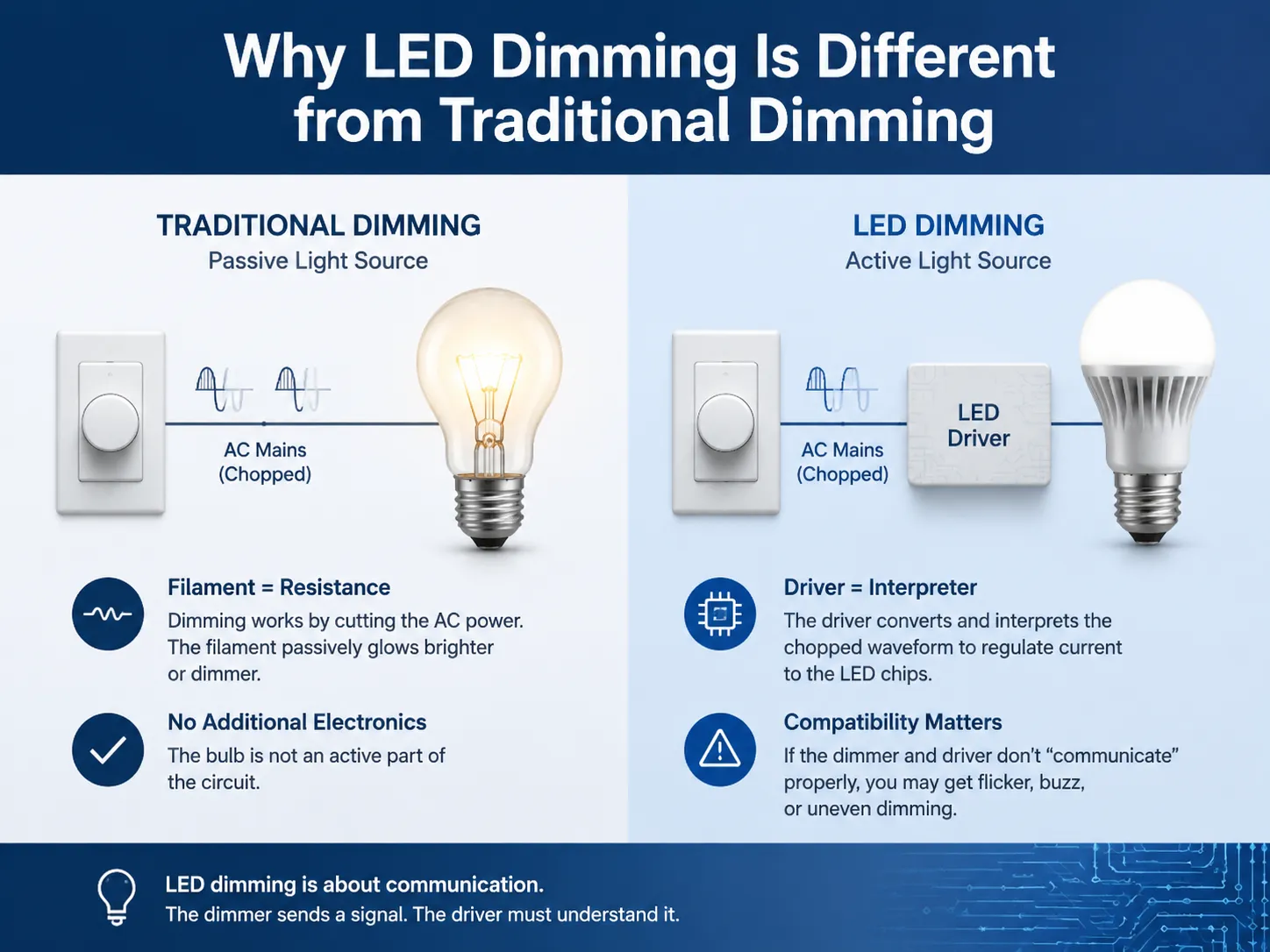
A traditional light bulb uses a filament as its resistance to electricity. When light bulb receives AC electricity from mains through a standard dimmer switch (like so many still exist in homes today), it is dimmed by severing the power being sent to the filament (through chopping the AC cycle). As a result, the filament glows dimly or more brightly depending on how much power is supplied by the dimmer (the amount being severed). No additional electronics are required because the filament (the light bulb) is not an active part of the electrical system; it is simply providing resistance (to the flow of electricity).
LED bulbs aren’t just a passive light source. Inside the dimmable LED bulb is an electronic driver that converts the low voltage DC required for the chips into a chopped wave form from the dimmer. An electronic driver relies on interpreting the dimmer’s chopping waveform to control how much current goes to the LED’s chips. If the driver can’t properly interpret the chopped waveform because the dimmer was designed for resistive loads or there is a phase cut angle, or a minimum load was not provided, the light bulb will flicker, buzz or not dim smoothly. This compatibility issue between the LED bulb and the dimmer is fundamentally about communication between two devices that were never intended to communicate with each other electronically.
How to Check If Your Dimmer and LED Bulbs Are Compatible
To avoid any compatibility issues, do some research into whether the dimmers and LEDs will work together before you buy them for your home.
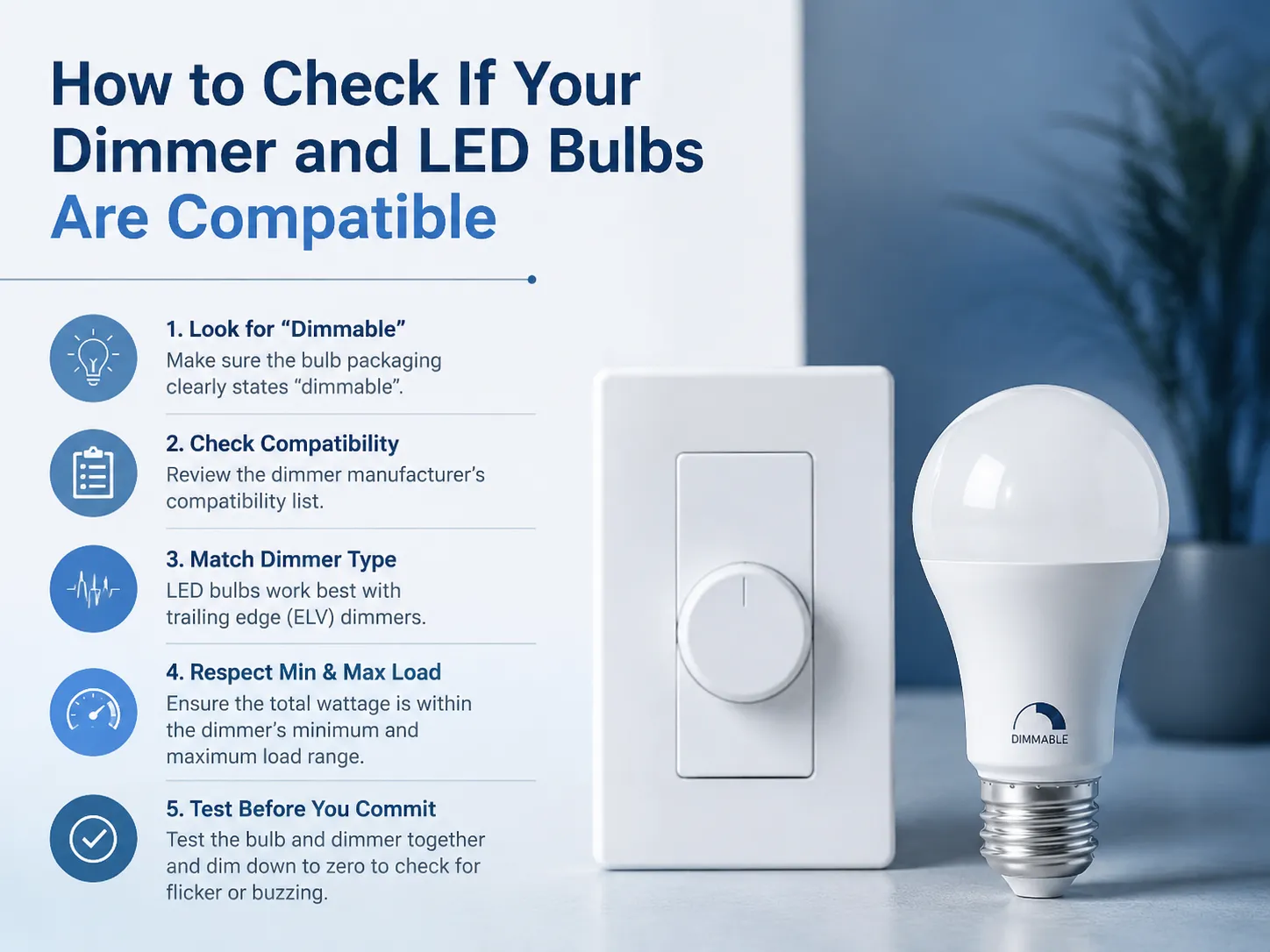
- Look for the “dimmable” marking on the bulb. When a non-dimmable LED bulb is used with any type of dimming system, it may result in flickering, overheating or premature failure. Therefore, only purchase a bulb that states “dimmable” on the package.
- Check the dimmer manufacturer’s compatibility list. Every respectable dimmer producer tests different types of LED light bulbs and has an online compatibility chart available. Lutron has one of the largest databases available. If the bulb you are using is not listed, it may still produce light, however it will be unconfirmed whether it produces satisfactory results.
- Match the dimmer type to the bulb type. LED bulbs are often labelled for use with trailing edge (or electronic low voltage) dimmers, as they create a gentler waveform to which the LED driver will respond better than with either a leading edge dimmer or a regular light bulb. There are LED light bulbs that can be used on an old style leading edge dimmer, but you will get best results by starting with a trailing edge dimmer.
- Respect the minimum and maximum load. Each type of dimmer has its limit as to how many watts it can handle. An example would be an LED compatible dimmer with a minimum load of 10 watts and a maximum of 150 watts. Having one 5-watt LED bulb connected to a dimmer that needs to draw a minimum of 10 watts will cause that bulb to flicker or glow faint because the dimmer can’t correctly modify low current flow. If you add more bulbs or if you replace your existing dimmer with one that has a lower minimum load, then you won’t have this problem anymore.
- Test before you commit. You should purchase a single bulb with a dimmer switch; temporarily hook the two components up and dim the light down to zero. If there is flickering or buzzing or the circuit becomes completely disconnected then the bulb is bad and you should purchase another one. The testing of light bulbs is much quicker than troubleshooting an already installed circuit.
Common Symptoms of Dimmer‑LED Incompatibility
- Flickering or strobing. The LED driver is misinterpreting the dimmer’s phase‑cut signal, causing the output to fluctuate.
- Audible buzzing or humming. When using a load that dimmers were not designed to connect with vibrate internally causing buzzing noises, these buzzing sounds may originate from either the driver’s internal structure (the dimmer) or the driver’s internal circuitry.
- Limited dimming range. The driver is not able to regulate the light output at low phase angles. Instead, the light is cut off at 20%-30%.
- Drop‑out or pop‑on. The light suddenly goes from being off to being brightly lit when the dimmer is turned up rather than gradually getting brighter.
- After‑glow (ghosting). The dimmer’s current leakage is sufficient to power the LED driver in off mode resulting in a dim glow from the LED.
The presence of one or more of these symptoms means that the bulb and the dimmer are malfunctioning due to a communication problem. The recommended procedure is to not put up with either of the problems, but to replace one of them. When a dimmer makes a buzzing noise, it is indicative of heat being dissipated through its components and this will reduce the overall life of the dimmer.
Compatibility Across Major Dimmer Brands
The table below provides a practical overview of how several widely available dimmer switch families approach LED compatibility. This is not an exhaustive list — always check the manufacturer’s current compatibility chart for the specific bulb model.
| Brand | Popular Dimmer Series | Dimmer Type | LED Compatibility Notes |
|---|---|---|---|
| Lutron | Diva, Maestro, Caséta | Trailing‑edge (most models); some leading‑edge | Industry‑leading compatibility database. Caséta wireless dimmers work with a broad LED range. Minimum load as low as 10 W. |
| Leviton | Decora Smart, SureSlide | Trailing‑edge (smart models); universal | Universal dimmers self‑adjust to load type. Published compatibility list. Good mid‑range option. |
| Eaton (Cooper) | Arrow Hart, Aspire | Trailing‑edge and universal | Widely stocked in North American electrical supply houses. Universal models simplify selection. |
| GOG Electric | LED Smart Dimmer Series | Trailing‑edge | Designed specifically for LED loads. Low minimum load (5 W). Trim adjustment to set minimum brightness. Ships with a printed compatibility guide covering common bulb brands. |
| Philips (Signify) | WarmGlow, Hue (smart bulbs) | Not applicable (bulb‑side dimming) | Philips Hue and WiZ bulbs are dimmed via the app, not a wall dimmer. For conventional dimming, Philips recommends trailing‑edge dimmers from Lutron or Leviton. |
GOG Electric’s LED dimmer switches are trailing‑edge devices built for the specific electrical demands of LED drivers. They include an adjustable minimum brightness trim that prevents cut‑out at low dimming levels — a common annoyance with generic dimmers. The installation guide includes a printed compatibility list, and GOG’s support team can verify specific bulb combinations before you wire the switch into the wall. For a broader look at the full smart‑switch range, our overview of top‑rated smart light switches covers both dimmer and non‑dimmer options.
What Happens If You Use a Non‑Compatible Dimmer with LED Bulbs
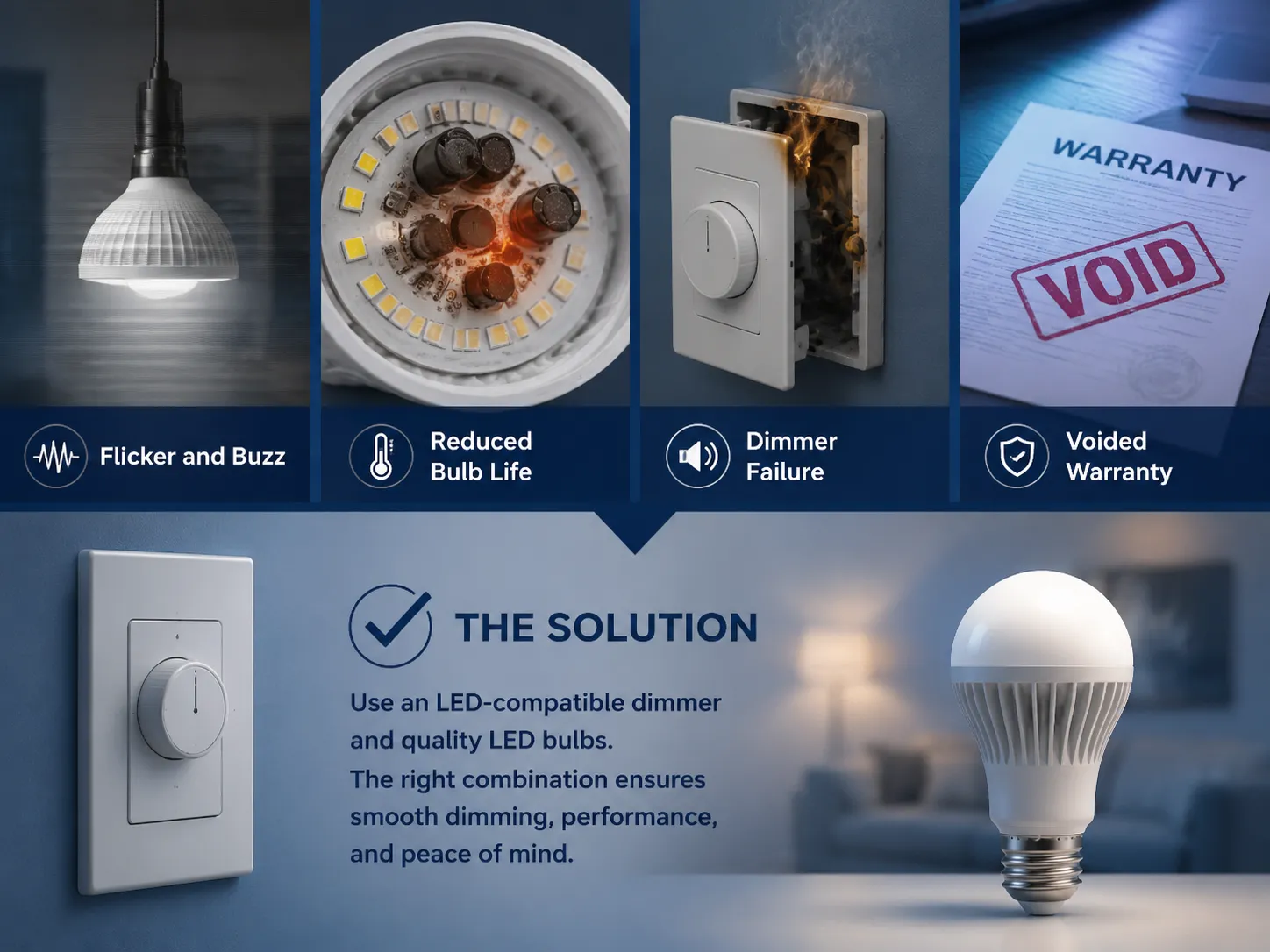
Using an incompatible dimmer switch with LED loads, either by using a standard non-dimming switch on a dimmable LED bulb or by using a compatible dimming switch on a non-dimmable LED bulb, will have several effects, as follows:
- Flicker and buzz — the nuisance problems that degrade a room’s comfort.
- Reduced bulb life. The LED driver is heated, stressed with a non-uniform waveform and may fail within months or years before expected.
- Dimmer failure. If a high-performance dimmer is rated for 60 W incandescent fixtures, it can exceed the rated load of 10 W when using an LED fixture. High-performance dimmers use the load current for operation of their control circuitry (proper current is necessary for dimming). This can lead to overheating, excessive noise (buzzy) and may result in failure of the dimmer.
- Voided warranty. The manufacturer of the lightbulb indicates on the packaging that the warranty will only be honored if the lightbulb was used in conjunction with an appropriate dimmer. An incompatible dimmer with a burned-out light bulb does not qualify as a warranty claim.
Usually, a quick fix involves replacing your current dimmer switch with one designed specifically for LED bulbs, or using LED bulbs that have been tested and approved by the manufacturer of your existing dimmer. In other words, any combination that works will have been validated by research.
Practical Tips for a Successful LED Dimming Installation
- Choose trailing‑edge dimmers for LED loads. They generate a cleaner waveform, which are generally well-handled by LED driver circuits; however, if the bulb/packaging states that it is “trailing edge only,” then the requirement is to be taken seriously.
- Use dimmers with an adjustable minimum brightness trim. You will be given the option of setting this minimum level of dimming above the cutoff level to provide a continuous, consistent decrease in brightness to off.
- Group the same bulb model on one dimmer. Dimming LED lights from different brands or wattages often leads to inconsistent performance because each brand has a unique electrical signature. When mixed on the same dimmer circuit, these differences can result in difficulty regulating the total load of all types of lights and produce unpredictable behavior.
- Don’t overload the dimmer. LED loads are much lower than other light types, so a 150 watt LED dimmer may actually be able to operate a total of 150 watts of LED loads. Because a dozen 10 watt LED bulbs will only contribute a total of 120 watts, this means that underloads more frequently occur than overlloads with LED dimmers.
- When in doubt, consult the manufacturer. Technical support lines provided by manufacturers such as Lutron, Leviton, GOG Electric, etc., can help you confirm compatibility with various products in the electrical aisle.
Frequently Asked Questions
What is LED dimmer compatibility?
LED dimmer compatibility refers to the specific compatibility between one dimmer model and one particular light bulb from one manufacturer which has been specifically designed together (i.e.. dimmer will control dimming of the light) without everything else listed above. The dimmer and the bulb were designed with the same output wave form. So the orientation will provide for complete compatibility of a dimmer with a specific light bulb.
Why do my LED lights flicker on a dimmer switch?
Because either the LED’s driver cannot accurately interpret the waveform yet still provides a dimmable output or because insufficient total load exists on the dimmer for the current situation, LEDs often flicker when used with a standard rotary-type dimmer switch (e.g. rheostat). A compatible replacement can be installed in place of an incompatible original dimmer, or additional compatible bulbs can be added to meet the minimum required load on a dimmable switch.
How do I know if my dimmer is compatible with LED bulbs?
Visit the manufacturer of your dimmer switch to find the compatibility list and check your existing bulbs for dimmable and dimmer type ratings (e.g., trailing edge). If none of your current bulbs on are on the manufacturer’s list, test one bulb before proceeding with your installations.
What happens if I use a non-compatible dimmer with LED bulbs?
Using a dimmer that does not work with your light will give you issues like flickering, buzzing, not getting enough range of dimming abilities, and your bulbs will not work right and may burn out prematurely. Additionally when you use incompatible equipment together; it can be very annoying as well as cause damage to your equipment.
References
- Lutron Electronics — LED Compatibility Lists — Comprehensive database of tested dimmer‑bulb combinations.
- Leviton — Universal Dimmer Compatibility — Product and compatibility information for Decora Smart and SureSlide dimmers.
- Philips (Signify) — LED Dimming Guide — Recommendations for dimming Philips LED bulbs.
- Energy Star — LED Bulb Compatibility — Guidance on choosing LED bulbs and dimmers that work together.
Getting LED dimmer switch compatibility right is not a matter of luck. It is a matter of matching a trailing‑edge dimmer to a listed, dimmable LED bulb, respecting the minimum and maximum load, and testing the combination before it is installed in the wall. When the match is right, the result is a room that dims smoothly, silently, and down to the exact ambiance the moment deserves. GOG Electric’s LED dimmer switches are built to be that reliable partner — trailing‑edge, trim‑adjustable, and backed by a compatibility guide that takes the guesswork out of the purchase.